
Best Productivity & Management products (281+)
Discover 281+ best productivity & management products. Compare features, pricing, and reviews. Free and paid options available.

Emailyy
Free email tools for signatures, subject lines, HTML previews, word counts, and email headers. Browser-based, simple to use, and no signup required.
Foreman
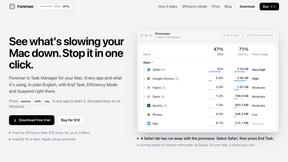
See every app and what it's using in plain English, and end or slow down the one that's hogging your Mac.

Uniclip
Clip pages, take full-page screenshots and batch-capture list data to Notion, Feishu, Obsidian, Markdown, CSV or JSON.

TroveKey
Search tabs, Chrome bookmarks and history, run browser commands, and save webpages and social posts locally—no account.
Typebar
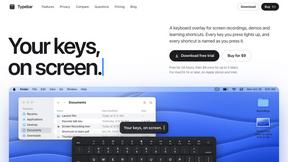
Every key you press lights up on an on-screen keyboard, and each shortcut is named as you press it.
Todowing
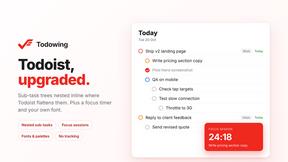
Chrome extension that shows nested sub-tasks inline in Todoist's Today, Upcoming, Filters and Labels views. Free tier, $19.99 lifetime unlock.

Notchpals
Little characters peek out of your Mac's notch to remind you to drink water, eat, sit up and get to bed. Quiet during calls. $4.99 once.

TypeFire
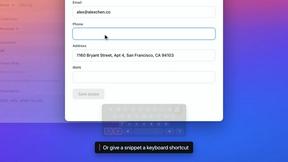
Free text expander, Markdown notes app and clipboard manager for Mac and Chrome
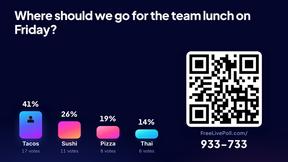
LivePoll
Create a free live poll, share a QR code, and watch the votes come in live.

Everywhere
Fast file search for the Mac. Results as you type, files inside Mail and Photos, works with Wi-Fi off. $19 once.
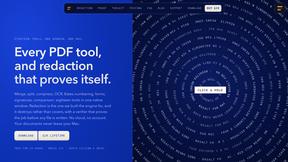
Basalt
Eighteen PDF tools in one native Mac window: merge, split, compress, OCR, Bates numbering, forms, signing and redaction. Offline. $29 once.

Voice Keyboard Pro
Hold a key, say what you mean, let go. Clean, punctuated text lands at the cursor in any app on your Mac or iPhone.
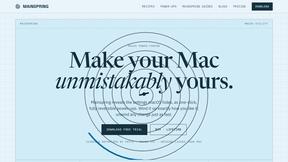
Mainspring
Mainspring turns the settings macOS hides into 90+ one-click, fully reversible power-ups for Finder, Dock, screenshots and more. $29 once.
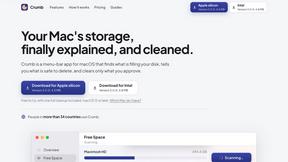
Crumb
A Mac menu bar app for a full disk. See what is using your space, read whether it comes back on its own, and remove only what you tick.

Inkling
Catch a thought without leaving what you are doing. Notes, checklists and a little companion in your Mac's notch. $12 once.

Manatee
A Mac app that opens damaged video, PDFs, archives and documents and writes out everything it can still read. $9 once, no uploads.

Context Board
Context Board brings your numbers, docs, clients, content and day into one workspace that Claude and Codex can read and update.

@fuck.it - email with attitude
Private email. Pure. Secure. Exclusive. No ads, no tracking, no data selling. GDPR compliant, EU-hosted.
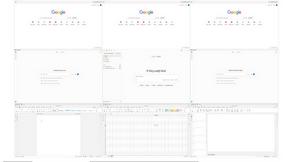
Novastart
Apps and files on an infinite canvas where people and AI agents work together.

Panzoe
Panzoe is an all-in-one AI platform for personal productivity, business automation, AI assistants, content creation, and custom AI solutions.

MD TO TEXT
Free online Markdown to Text converter: paste Markdown to strip formatting, get clean readable plain text, copy instantly, all in your browser.

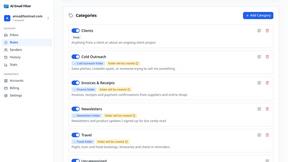
AI Email Filter
AI Email Filter sorts incoming mail into folders using plain-language prompts you write. Works with any IMAP mailbox; bring your own LLM if you want.

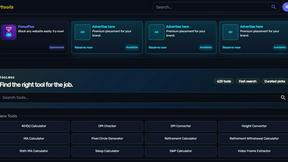
Kody Tools
Free collection of online developer utilities, code formatters, and digital converters designed to streamline your daily workflow.

Tally Counter
Online tally counter for tracking attendance, workouts, inventory, visitors, sports scores, habits, and everyday counting tasks.
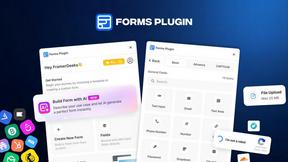
Forms Plugin
The #1 Native Form Builder Plugin for Framer - No Code, No Embeds, No External Platforms.
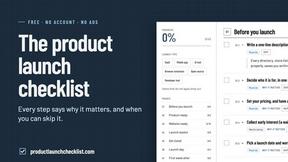
Product Launch Checklist
A free launch checklist for SaaS, apps, AI tools and more. Every step says why it matters and when you can skip it.

HomeAnswerBook
Practical, independent guides to home repairs, maintenance, costs, troubleshooting, and everyday fixes.
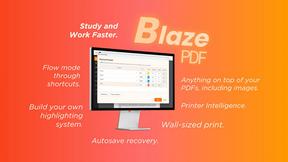
BlazePDF
Highlight faster. Study in flow with custom shortcuts and a workflow built around you. Print smarter, or turn any page into a tiled poster.

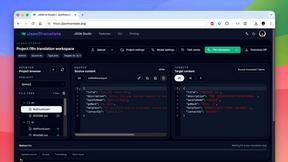
JsonTranslate
Translate JSON, Markdown, and TXT files while preserving keys, nested paths, and project structure.
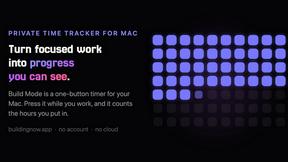
Build Mode for Mac
Build Mode is a Mac app that turns focused sessions into visible progress, so you can see the work adding up before the results arrive.
LiteralKit
Free, no-signup Unicode text tools: superscript, fancy fonts, case converter, symbols. Fast and private.



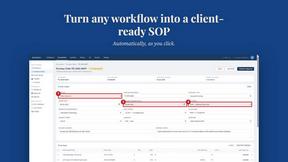
MySOP.guru
Capture any workflow in your browser and export a branded, step-by-step SOP with screenshots. €5 per document, no subscription.

PerPageFax
PerPageFax lets you send a fax online from any browser for a flat $0.50 per page — no account, no subscription, no fax machine.
Popular Alternatives in Productivity & Management
About Productivity & Management products
Productivity and Management tools help individuals and teams organize work, manage projects, track time, communicate effectively, and accomplish more in less time. This category includes project management platforms, task managers, time trackers, team communication tools, note-taking apps, and workspace organization solutions.
Whether you are managing a complex project with multiple stakeholders, organizing personal tasks, tracking billable hours, coordinating a remote team, or building a personal knowledge management system, these tools provide the organizational infrastructure for productive work.
Compare productivity and management tools by their task management features, collaboration capabilities, integration ecosystem, customization options, and pricing to find the right tools for your work style and team needs.
FAQs for Productivity & Management
What types of productivity tools are listed?
This category includes project management platforms, task and to-do managers, time tracking tools, team communication apps, note-taking and knowledge management tools, calendar and scheduling apps, and workspace organization solutions.
Which productivity tool is best for teams?
The best tool depends on your team size, workflow, and collaboration style. Look for platforms with shared workspaces, task assignments, real-time updates, integrations with your existing tools, and communication features that match how your team works.
Can productivity tools integrate with other software?
Yes. Most productivity tools offer extensive integrations with email, calendar, communication, file storage, and development tools. Many also support automation through Zapier, Make, or native webhook integrations.
How do time tracking tools work?
Time tracking tools let you log hours manually or through automatic timers, categorize time by project and task, generate reports for billing or analysis, and integrate with project management tools for comprehensive work tracking.
Are there free productivity tools?
Yes. Many productivity tools offer generous free tiers with core task management, basic project features, and limited team collaboration. Premium plans unlock advanced features, larger team support, and more storage.
How do I choose the right productivity tool?
Consider whether you need individual task management or team collaboration, your preferred workflow methodology, required integrations, and budget. Test free tiers of several tools to find the interface and feature set that matches your work style.