

Alternatives to Online Keyboard Shortcuts
Master every OS with OnlineShortcuts.com, the fastest way to scale your workflow using essential Windows, macOS, and Linux keyboard shortcuts.
Explore 20 alternatives to Online Keyboard Shortcuts. Compare features, pricing, and find the best fit for your needs.

Product Launch Checklist
A free launch checklist for SaaS, apps, AI tools and more. Every step says why it matters and when you can skip it.

HomeAnswerBook
Practical, independent guides to home repairs, maintenance, costs, troubleshooting, and everyday fixes.

BlazePDF
Highlight faster. Study in flow with custom shortcuts and a workflow built around you. Print smarter, or turn any page into a tiled poster.
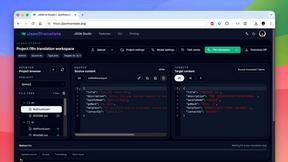
JsonTranslate
Translate JSON, Markdown, and TXT files while preserving keys, nested paths, and project structure.

Build Mode for Mac
Build Mode is a Mac app that turns focused sessions into visible progress, so you can see the work adding up before the results arrive.
LiteralKit
Free, no-signup Unicode text tools: superscript, fancy fonts, case converter, symbols. Fast and private.



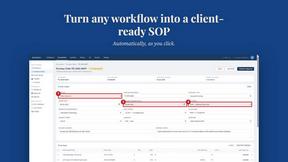
MySOP.guru
Capture any workflow in your browser and export a branded, step-by-step SOP with screenshots. €5 per document, no subscription.

PerPageFax
PerPageFax lets you send a fax online from any browser for a flat $0.50 per page — no account, no subscription, no fax machine.

Video2Jpg
Convert video to JPG, PNG, or WebP frames in your browser. High-quality video to image converter with no uploads—fast, private, and free.


Construction Calculator
Free construction calculators with transparent formulas, steps, assumptions, and metric or imperial units.


Glanced
Follow news, blogs, newsletters, and podcasts in a free RSS reader, with AI summaries, top stories, full-text search, saved searches, and a catalog.

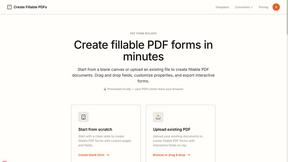
Create Fillable PDFs
Create interactive PDF forms quickly and easily online. Add text fields, checkboxes, dropdowns, and signatures to any PDF.


About Online Keyboard Shortcuts Alternatives
Online Keyboard Shortcuts is a focused productivity tool that serves as a comprehensive reference library for key commands across Windows, macOS, and Linux operating systems. Categorized under Productivity & Management, it consolidates the most critical keyboard shortcuts into a single, accessible resource, enabling users to execute tasks faster and reduce their reliance on mouse navigation. Users often seek alternatives not because the product is flawed, but because they require deeper integration with their workflow, such as offline access, customizable shortcut mapping, or a mobile-native experience. Others may be looking for a tool that offers advanced learning features, like interactive quizzes or progress tracking, to help them memorize shortcuts more effectively. When evaluating an alternative to a reference-based tool like this, you should prioritize scalability and adaptability. Look for solutions that offer platform-agnostic access, ensuring you can reference shortcuts whether you are on a desktop, tablet, or phone. Consider whether the alternative provides a dynamic learning path—something that moves beyond a static list to help you build muscle memory through practice. Finally, assess the pricing model; a growth-minded team will want a tool that scales from an individual learning phase to a team-wide onboarding resource without prohibitive cost increases. The best choice will seamlessly integrate into your existing stack, minimizing friction while maximizing your operational speed.
FAQs about Online Keyboard Shortcuts Alternatives
What is Online Keyboard Shortcuts?
Online Keyboard Shortcuts is a dedicated web resource that catalogs the most important keyboard shortcuts for Windows, macOS, and Linux operating systems. It serves as a quick-reference guide, defining a keyboard shortcut as a combination of keys designed to perform tasks more easily. The platform is built to help users reduce mouse dependency and accomplish actions faster, thereby boosting overall productivity and efficiency.
Who is Online Keyboard Shortcuts for?
This tool is ideal for professionals, developers, and power users who operate across multiple operating systems and want to streamline their daily workflows. It is particularly valuable for startup teams scaling their operations, as it allows new hires to quickly onboard and adopt efficient navigation habits. Anyone looking to move beyond basic mouse usage and master system-level commands will find this resource directly applicable to their growth.
Is Online Keyboard Shortcuts free?
Based on the provided product description, Online Keyboard Shortcuts functions as a publicly accessible website containing a comprehensive list of shortcuts. The core value proposition is the free availability of this knowledge base, allowing users to learn and reference shortcuts without any upfront cost. It focuses on democratizing access to productivity-enhancing information for all users, regardless of their budget.
What are the main features of Online Keyboard Shortcuts?
The primary feature of Online Keyboard Shortcuts is its curated list of essential keyboard commands for Windows, macOS, and Linux, all housed in one central location. It eliminates the need to search through multiple operating system help menus by providing a clean, organized reference. This allows users to rapidly learn combinations that improve task execution speed and reduce reliance on mouse-based navigation, directly supporting a more efficient workflow.