
Online Keyboard Shortcuts
Master every OS with OnlineShortcuts.com, the fastest way to scale your workflow using essential Windows, macOS, and Linux keyboard shortcuts.
Visit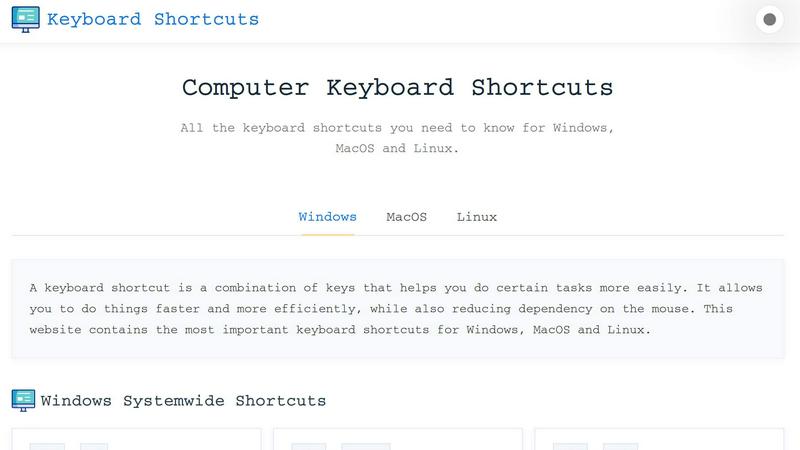
About Online Keyboard Shortcuts
Online Keyboard Shortcuts is a powerful, no-nonsense productivity resource designed to accelerate your workflow across Windows, macOS, and Linux operating systems. This platform serves as a comprehensive, centralized database of essential keyboard shortcuts, eliminating the friction of context-switching between different OS environments. By leveraging this tool, users can dramatically reduce their reliance on mouse navigation, unlocking faster task execution and a more fluid computing experience. The core value proposition is simple: stop wasting time hunting for commands and start executing them instantly. Whether you are a developer, designer, data analyst, or power user, this resource provides the exact key combinations you need to streamline your daily operations. It covers system-wide shortcuts, application-specific hotkeys for tools like Command Prompt, File Explorer, and web browsers, as well as advanced virtual desktop management. The platform is built for scaling productivity, offering downloadable cheat sheets in PDF and PNG formats, ensuring you always have access to your most critical shortcuts offline. It is a free, ad-free, and spyware-free utility, embodying a growth mindset by empowering users to learn, optimize, and master their digital environment. By internalizing these shortcuts, you can reduce cognitive load, minimize repetitive strain, and achieve a state of flow where your hands never leave the keyboard. This is not just a list of keys; it is a catalyst for personal efficiency and professional excellence.
Features of Online Keyboard Shortcuts
Comprehensive Cross-Platform Coverage
This feature delivers an exhaustive library of keyboard shortcuts meticulously curated for Windows, macOS, and Linux. Users gain access to system-wide shortcuts like Alt + F4 for closing windows or Win + L for locking screens, alongside platform-specific commands. The coverage extends to critical applications such as Command Prompt, File Explorer, and major web browsers, ensuring that no matter your operating system or software stack, you have the exact keystrokes to boost your efficiency. This eliminates the need to memorize multiple disjointed resources, providing a single source of truth for all your shortcut needs.
Downloadable Cheat Sheets for Offline Access
Recognizing that productivity should not be tethered to an internet connection, this feature provides downloadable PDF and PNG versions of the entire shortcut library. Users can instantly download a dark or light themed PNG for quick visual reference, or a comprehensive PDF for in-depth study. This enables scaling your learning by allowing you to print the cheat sheet, pin it to your wall, or save it to your desktop for instant offline access. It transforms a web resource into a tangible, always-available productivity tool, perfect for training sessions or personal reference.
Intuitive and Accessible User Interface
The platform is designed with a clean, responsive interface that prioritizes speed and clarity. Shortcuts are organized by operating system and application type, allowing for rapid scanning and discovery. The layout is mobile-responsive, ensuring you can access the information on any device, from a desktop monitor to a smartphone. This accessibility-first approach means you can learn and apply shortcuts in any context, reducing friction and enabling a seamless learning curve. The interface is intentionally minimalist, focusing entirely on delivering the information you need without distractions or ads.
Curated and Actionable Shortcut Database
Every shortcut on the platform is curated for relevance and accuracy, focusing on the most impactful commands that drive real productivity gains. Instead of overwhelming users with thousands of obscure combinations, the content prioritizes high-frequency shortcuts like Ctrl + Shift + Esc for Task Manager, Win + V for clipboard history, and Ctrl + Shift + T to reopen closed browser tabs. This strategic curation ensures that users learn the 20% of shortcuts that deliver 80% of the efficiency benefits, accelerating the path from novice to power user.
Use Cases of Online Keyboard Shortcuts
Accelerating Developer and Engineering Workflows
Software developers and engineers often work in terminal-heavy environments where mouse usage is a bottleneck. Using Online Keyboard Shortcuts, a developer can master Command Prompt shortcuts like Ctrl + C for copy and F7 for command history, alongside system-wide shortcuts like Win + D to show the desktop or Win + Tab for task view. This allows for rapid context switching between code editors, terminals, and documentation, significantly reducing time spent on navigation. The result is a faster, more fluid coding session that supports a high-velocity development cycle.
Streamlining Data Analysis and Reporting
Data analysts and business professionals frequently juggle multiple windows, spreadsheets, and browser tabs. This resource provides critical shortcuts like Alt + Tab for switching between open apps, Win + Shift + S for instant screenshots, and Ctrl + F for finding specific data points within documents. By internalizing these combinations, analysts can manipulate data, capture insights, and generate reports with fewer interruptions. The ability to snap windows left or right with Win + Left/Right arrow keys also enables efficient side-by-side comparison of datasets, boosting analytical throughput.
Optimizing Virtual Desktop Management for Multitaskers
For users who manage complex projects across multiple virtual workspaces, this platform offers essential shortcuts for virtual desktop management. Commands like Win + Ctrl + D to create a new desktop, Win + Ctrl + Left/Right to switch between them, and Win + Ctrl + F4 to close a desktop become second nature. This allows users to logically separate work contexts, such as having one desktop for communication apps, another for development, and a third for research. Mastering these shortcuts transforms chaotic multitasking into a structured, efficient workflow.
Enhancing Content Creation and Editing Efficiency
Content creators, writers, and editors can leverage text editing shortcuts like Ctrl + B for bold, Ctrl + I for italics, and Ctrl + H for find and replace to format and refine their work without breaking their typing flow. Combined with system shortcuts like Win + H for voice typing and Win + V for clipboard history, creators can rapidly capture ideas, format content, and manage multiple text snippets. This reduces the friction between thought and output, enabling a higher volume of quality content production.
Frequently Asked Questions
What is the main purpose of Online Keyboard Shortcuts?
The primary purpose is to provide a comprehensive, easy-to-navigate resource for learning and referencing keyboard shortcuts across Windows, macOS, and Linux. It is designed to help users increase their productivity by reducing reliance on the mouse, enabling faster task execution, and streamlining their overall computing experience. The platform serves as a free, centralized knowledge base for both beginners and advanced users.
How can I access the shortcuts offline?
You can download the entire shortcut library as a PDF file or as PNG images (available in both dark and light themes). These downloadable cheat sheets allow you to print the shortcuts, save them to your device, or access them without an internet connection. This ensures your productivity resource is always available, whether you are on a plane, in a meeting, or working from a remote location.
Are the keyboard shortcuts updated regularly?
The shortcuts are curated to be as accurate as possible for the specified software versions at the time of creation. While the platform aims to maintain relevance, software updates can sometimes change hotkeys. It is always good practice to verify critical shortcuts with the specific version of the software you are running. The platform encourages user feedback to help keep the database current.
Is there a mobile version of the website?
Yes, the website is designed to be fully responsive and accessible on mobile devices, tablets, and desktops. You can easily browse the shortcut lists, search for specific commands, and download cheat sheets directly from your smartphone. This mobile-first approach ensures you can learn and apply shortcuts on any device, supporting productivity in any environment.
Explore more in this category:
Similar to Online Keyboard Shortcuts

Product Launch Checklist
A free launch checklist for SaaS, apps, AI tools and more. Every step says why it matters and when you can skip it.

HomeAnswerBook
Practical, independent guides to home repairs, maintenance, costs, troubleshooting, and everyday fixes.
BlazePDF
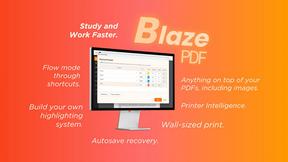
Highlight faster. Study in flow with custom shortcuts and a workflow built around you. Print smarter, or turn any page into a tiled poster.
JsonTranslate
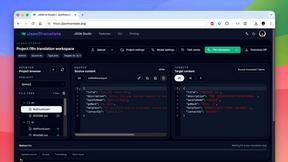
Translate JSON, Markdown, and TXT files while preserving keys, nested paths, and project structure.

Build Mode for Mac
Build Mode is a Mac app that turns focused sessions into visible progress, so you can see the work adding up before the results arrive.
LiteralKit
Free, no-signup Unicode text tools: superscript, fancy fonts, case converter, symbols. Fast and private.

