
Opal
Opal is a visual workspace that organizes all your projects and notes so you can find anything instantly.
Visit
About Opal
Opal is the visual knowledge and project management workspace engineered for the modern builder, creator, and strategist. It is designed for people who think spatially and are tired of losing their most valuable assets—ideas, client details, and project notes—in the black hole of nested folders and buried dashboards. Traditional tools force you to file information away, relying on memory of names and complex hierarchies. Opal revolutionizes this by providing an infinite digital canvas where you can visually place notes, documents, files, and links, organizing them just like you would on a physical desk. This leverages spatial memory: you remember where things are, not just what they're called. The result is instant retrieval, zero friction, and a seamless workflow that keeps your entire operational world visible. Built for solopreneurs, consultants, agency owners, and writers, Opal ensures that every conversation detail, creative spark, and active promise stays top-of-mind. It’s more than an app; it’s a foundational system that stops the time-bleed of constant searching, so you can protect your flow state, scale your operations, and execute your best work without interruption.
Features of Opal
The Infinite Visual Canvas
Opal provides a boundless, zoomable workspace that acts as your digital command center. Unlike restrictive folder trees or linear lists, this canvas lets you drag, drop, and arrange every element of your work—from client notes and project briefs to resource links and creative concepts—exactly where it makes spatial sense to you. This freedom to create visual groupings, stacks, and zones mirrors how your brain naturally organizes information, turning abstract data into a memorable, navigable landscape.
Spatial Memory & Instant Retrieval
The core innovation of Opal is its use of spatial memory. By placing information on a persistent canvas, your brain forms a cognitive map of your workspace. You don't have to remember filenames or search queries; you simply remember that the client contract is over there, next to the project timeline. This makes finding anything instantaneous, eliminating the frustrating hunt through tabs and databases that kills productivity and breaks deep focus.
Multi-Item Side-by-Side Viewing
Opal is built for real, complex work that requires context. You can open and view multiple notes, documents, and links simultaneously, side-by-side, limited only by your screen size. This is essential for tasks like referencing a client brief while writing a proposal, comparing content versions, or synthesizing research. It keeps all relevant information in your field of view, so you never lose the thread or waste time switching between isolated windows.
Visual Project & Client Hubs
Transform your canvas into a dynamic, at-a-glance dashboard for each client or project. You can cluster all related materials—emails, strategy docs, meeting notes, assets, and task lists—into a dedicated zone. This creates a living, visual hub that provides immediate context and status. For solopreneurs and consultants managing multiple clients, this feature ensures nothing slips through the cracks and every detail is proactively managed.
Use Cases of Opal
Agency & Client Services Management
For agency owners and consultants, Opal becomes the single source of truth for every client engagement. Create a dedicated visual hub for each client containing their project brief, communication history, deliverables, feedback, and invoices. Seeing all clients and their status on one canvas prevents oversights, streamlines onboarding, and ensures you’re always prepared for meetings, leading to faster scaling and higher client retention.
Content Creation & Editorial Planning
Writers, creators, and marketers can use Opal to visually map their entire content ecosystem. Lay out your editorial calendar, cluster topic ideas, store research links, draft posts side-by-side, and track published vs. upcoming work. This spatial overview prevents creative ideas from getting lost, makes repurposing content effortless, and provides a clear visual pipeline to manage and scale your content output systematically.
Solopreneur Business Operating System
For the solo founder, Opal consolidates every moving part of the business onto one manageable screen. Keep active projects, SOPs, financial notes, marketing links, and product ideas visually organized. This replaces a chaotic mix of scattered apps, giving you a cohesive operational command center. It reduces cognitive load, minimizes administrative time, and creates a scalable foundation for growth without adding complexity.
Strategic Planning & Knowledge Synthesis
Use Opal’s canvas for deep strategic work, such as business modeling, product development, or campaign planning. Visually connect research data, competitive analysis, goal maps, and action items. This spatial arrangement fosters better pattern recognition, ideation, and strategic insight than linear documents, enabling you to build and execute more innovative, cohesive strategies for rapid growth.
Frequently Asked Questions
How is Opal different from tools like Notion or Trello?
While Notion excels at structured databases and Trello at linear task lists, Opal is built for spatial, non-linear thinking. Instead of forcing information into rigid tables or columns, Opal gives you a free-form canvas where you remember the location of items. It’s designed for instant visual retrieval and maintaining context across all your work, reducing the time spent navigating or searching within a system. It complements deep work rather than interrupting it.
Is there a learning curve to using a spatial canvas?
The learning curve is intentionally minimal. Opal’s interface mimics the intuitive act of placing items on a physical desk or whiteboard. Most users find they can start organizing meaningfully within minutes. The power comes from your brain’s innate ability to remember spatial relationships, which feels natural. You organize by dragging and dropping, not by learning complex syntax or rules.
Can I collaborate with my team in Opal?
Opal is currently optimized as a powerful personal workspace for solopreneurs, founders, and individual professionals to master their own workflow and information. This focused approach allows for unparalleled depth and personalization in how you manage your projects and knowledge, forming a solid foundation for individual productivity that scales as you grow.
What happens if I have thousands of notes? Will it get cluttered?
The infinite canvas is designed to scale with you. You can zoom out for a high-level overview of your entire business landscape or zoom in to focus on a specific project cluster. The key is visual organization—grouping related items into zones or hubs. This method actually prevents the digital clutter common in folder systems, as your brain uses spatial memory to navigate, not a convoluted directory tree.
Similar to Opal
Novastart
Apps and files on an infinite canvas where people and AI agents work together.

Panzoe
Panzoe is an all-in-one AI platform for personal productivity, business automation, AI assistants, content creation, and custom AI solutions.

MD TO TEXT
Free online Markdown to Text converter: paste Markdown to strip formatting, get clean readable plain text, copy instantly, all in your browser.
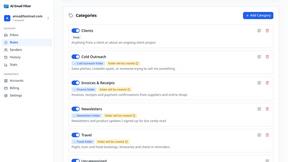
AI Email Filter
AI Email Filter sorts incoming mail into folders using plain-language prompts you write. Works with any IMAP mailbox; bring your own LLM if you want.
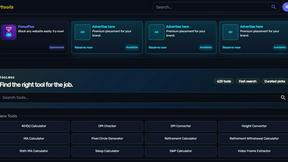
Kody Tools
Free collection of online developer utilities, code formatters, and digital converters designed to streamline your daily workflow.
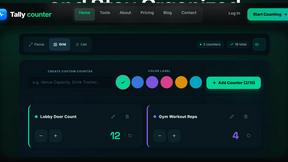
Tally Counter
Online tally counter for tracking attendance, workouts, inventory, visitors, sports scores, habits, and everyday counting tasks.
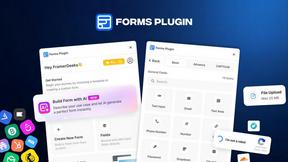
Forms Plugin
The #1 Native Form Builder Plugin for Framer - No Code, No Embeds, No External Platforms.
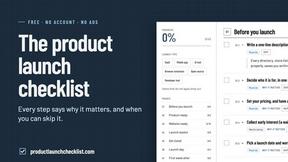
Product Launch Checklist
A free launch checklist for SaaS, apps, AI tools and more. Every step says why it matters and when you can skip it.