

Explore 20 alternatives to Opal. Compare features, pricing, and find the best fit for your needs.

Panzoe
Panzoe is an all-in-one AI platform for personal productivity, business automation, AI assistants, content creation, and custom AI solutions.

MD TO TEXT
Free online Markdown to Text converter: paste Markdown to strip formatting, get clean readable plain text, copy instantly, all in your browser.
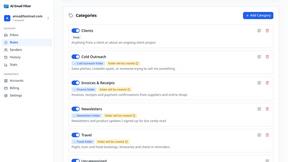
AI Email Filter
AI Email Filter sorts incoming mail into folders using plain-language prompts you write. Works with any IMAP mailbox; bring your own LLM if you want.
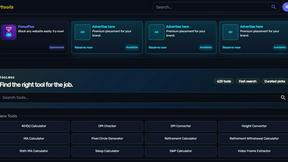
Kody Tools
Free collection of online developer utilities, code formatters, and digital converters designed to streamline your daily workflow.
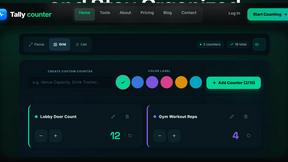
Tally Counter
Online tally counter for tracking attendance, workouts, inventory, visitors, sports scores, habits, and everyday counting tasks.
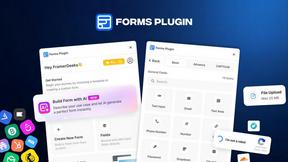
Forms Plugin
The #1 Native Form Builder Plugin for Framer - No Code, No Embeds, No External Platforms.
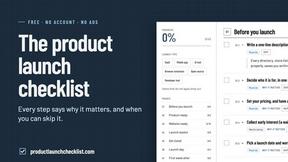
Product Launch Checklist
A free launch checklist for SaaS, apps, AI tools and more. Every step says why it matters and when you can skip it.

HomeAnswerBook
Practical, independent guides to home repairs, maintenance, costs, troubleshooting, and everyday fixes.
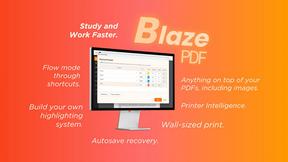
BlazePDF
Highlight faster. Study in flow with custom shortcuts and a workflow built around you. Print smarter, or turn any page into a tiled poster.

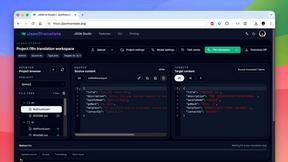
JsonTranslate
Translate JSON, Markdown, and TXT files while preserving keys, nested paths, and project structure.
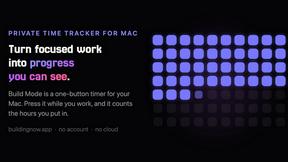
Build Mode for Mac
Build Mode is a Mac app that turns focused sessions into visible progress, so you can see the work adding up before the results arrive.
LiteralKit
Free, no-signup Unicode text tools: superscript, fancy fonts, case converter, symbols. Fast and private.



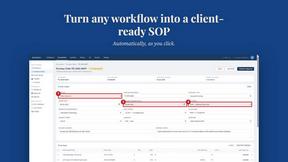
MySOP.guru
Capture any workflow in your browser and export a branded, step-by-step SOP with screenshots. €5 per document, no subscription.

PerPageFax
PerPageFax lets you send a fax online from any browser for a flat $0.50 per page — no account, no subscription, no fax machine.

About Opal Alternatives
Opal is a visual workspace that redefines project and knowledge management by leveraging spatial memory. It falls into the category of productivity and management tools, but it stands apart by offering an infinite canvas where you can visually organize notes, files, and links. This approach is designed for those who think spatially and find traditional, linear folder structures limiting, helping them keep their entire operational world visible and instantly accessible. Users often explore alternatives for various reasons, such as budget constraints, specific feature requirements not yet available, or the need for compatibility with different platforms or operating systems. Some may seek more traditional project management features like Gantt charts or require deeper integrations with existing software stacks. When evaluating other tools, it's crucial to consider your primary workflow style—whether you thrive on visual, spatial organization or prefer structured lists and databases. Also, assess scalability, collaboration needs, and security features to ensure the platform can grow with your ambitions and protect your intellectual property.
FAQs about Opal Alternatives
What is Opal?
Opal is a visual knowledge and project management workspace built on the principle of spatial memory. It provides an infinite digital canvas where you can drag, drop, and visually organize notes, documents, files, and links. This method mimics organizing items on a physical desk, helping you remember where information is located for instant retrieval and a frustration-free workflow.
Who is Opal for?
Opal is built for solopreneurs, consultants, agency owners, writers, and professionals whose work revolves around conversations, details, and dynamic projects. It's ideal for anyone who thinks spatially and feels constrained by nested folders or traditional apps, offering a visual system to keep all active projects, client details, and creative ideas visible and top-of-mind.
What are the main features of Opal?
Opal's core feature is its infinite visual canvas for spatial organization, allowing you to place and connect elements freely. It supports dragging and dropping various content types like notes, documents, and web links. The platform is designed to leverage spatial memory for instant information retrieval and is tailored to maintain flow state for individuals managing multiple moving parts in their business.
Why choose Opal?
Choose Opal if you want to break free from searching through nested folders and forgotten tabs. Its visual, spatial approach aligns with how many people naturally think and remember, making project and knowledge management intuitive. It keeps your entire operational landscape visible, reducing cognitive load and allowing you to focus on executing your best work without constant context switching.