
AI Formatter
Transform raw text into polished professional documents with AI Formatter's 1000+ customizable templates instantly.
VisitPublished on:
October 14, 2025
Pricing:
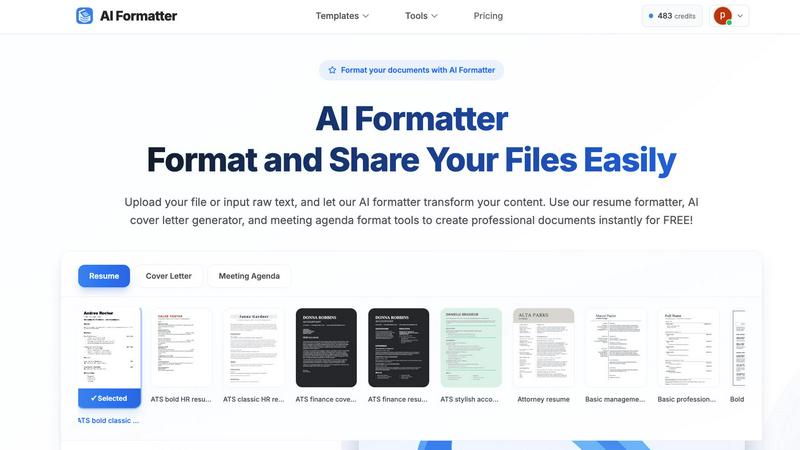
About AI Formatter
AI Formatter is an innovative, cloud-based SaaS solution designed to revolutionize the way documents are formatted. It effectively eliminates the time-consuming process of manual formatting, allowing users to convert raw, unstructured text or uploaded files into polished, professional documents in mere seconds. Whether you are a job seeker aiming to create ATS-optimized resumes and cover letters, or a professional looking to standardize meeting agendas, invoices, and reports, AI Formatter meets your diverse document needs. By leveraging advanced AI technology, the platform comprehends context and structure, applying the most suitable formatting that adheres to industry standards while ensuring a 95% success rate in passing Automated Tracking Systems. The value proposition is clear: save over 2 hours per document while guaranteeing professional results. With a generous free tier and scalable options, AI Formatter is an indispensable tool for individuals and teams eager to enhance productivity and elevate their document quality.
Features of AI Formatter
ATS-Optimized Templates
AI Formatter offers a library of 162 professional templates specifically designed to be ATS-optimized. These templates help ensure that your resumes and cover letters not only look great but also pass automated screening systems, increasing your chances of landing interviews.
Multi-Format Upload Support
Users can upload documents in various formats, including PDF, DOC, DOCX, and TXT, with a maximum size of 10MB. This flexibility allows for a seamless experience whether you are formatting existing documents or starting from scratch with raw text input.
Intuitive Editing Tools
Once your document is formatted, AI Formatter provides an intuitive editor that allows you to review and customize your content. You can make necessary adjustments and download your documents in multiple formats, including Word and PDF, ensuring versatility in sharing.
Document Sharing Features
AI Formatter simplifies the sharing process by allowing users to share their formatted documents directly from the platform. This feature streamlines collaboration and enhances productivity, making it easy to distribute professional-grade documents to colleagues or clients.
Use Cases of AI Formatter
Job Seekers
Job seekers can utilize AI Formatter to create standout resumes and cover letters that are tailored to specific job applications. With ATS-optimized templates, they can significantly improve their chances of getting noticed by recruiters.
Professionals Standardizing Reports
Businesses and professionals can use AI Formatter to standardize their reports, meeting agendas, and invoices. This ensures a cohesive brand image while saving time on formatting, allowing them to focus on content quality.
Students Preparing Academic Documents
Students can benefit from AI Formatter when preparing academic documents such as theses, dissertations, or project reports. The platform helps them maintain a professional appearance while adhering to institutional formatting guidelines.
Freelancers Managing Client Work
Freelancers can leverage AI Formatter to quickly format documents for various clients, whether it's invoices, project proposals, or contracts. This capability allows them to deliver polished work efficiently, enhancing client satisfaction.
Frequently Asked Questions
How does AI Formatter ensure ATS compatibility?
AI Formatter uses advanced AI algorithms to format documents according to industry standards, ensuring that they are compatible with Automated Tracking Systems and increasing your chances of being shortlisted.
Can I edit my document after formatting?
Yes, AI Formatter provides an intuitive editing tool that allows you to review and customize your formatted document before downloading it in your preferred format.
What file formats does AI Formatter support?
AI Formatter supports multiple file formats including PDF, DOC, DOCX, and TXT, allowing you to upload existing documents or input raw text seamlessly.
Is there a free tier available?
Yes, AI Formatter offers a generous free tier that allows users to start formatting documents without any upfront cost, making it accessible for individuals and teams looking to improve their document quality.
Similar to AI Formatter
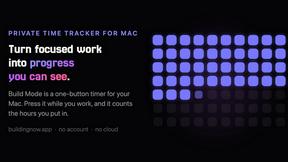
Build Mode for Mac
Build Mode is a Mac app that turns focused sessions into visible progress, so you can see the work adding up before the results arrive.
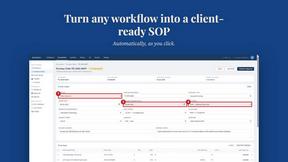
MySOP.guru
Capture any workflow in your browser and export a branded, step-by-step SOP with screenshots. €5 per document, no subscription.
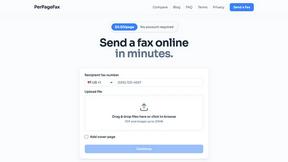
PerPageFax
PerPageFax lets you send a fax online from any browser for a flat $0.50 per page — no account, no subscription, no fax machine.
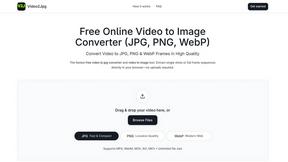
Video2Jpg
Convert video to JPG, PNG, or WebP frames in your browser. High-quality video to image converter with no uploads—fast, private, and free.

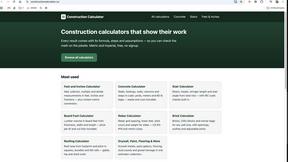
Construction Calculator
Free construction calculators with transparent formulas, steps, assumptions, and metric or imperial units.


Glanced
Follow news, blogs, newsletters, and podcasts in a free RSS reader, with AI summaries, top stories, full-text search, saved searches, and a catalog.