
SparkPix vs TinyFast
Side-by-side comparison to help you choose the right product.

SparkPix
Edit photos effortlessly with SparkPix by simply typing your requests to enhance, restore, and transform images instantly online.
Last updated: March 11, 2026

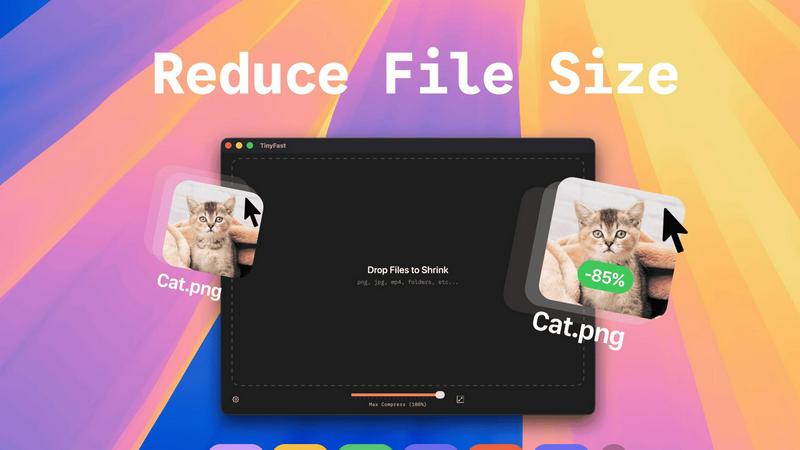
TinyFast instantly compresses your files locally on Mac for faster, private workflows.
Last updated: February 28, 2026
Visual Comparison
SparkPix

TinyFast
Feature Comparison
SparkPix
AI Photo Editor
The AI Photo Editor allows users to type specific instructions like "remove background" or "enhance colors," and the AI executes these commands in under 30 seconds. This feature democratizes photo editing, enabling anyone to achieve professional-quality results without prior experience.
Background Remover
With the one-click background removal feature, users can quickly isolate subjects from portraits, product images, or complex scenes. This functionality is perfect for e-commerce applications or creating standout social media content, making it easy to generate clean, polished images.
Unblur Image
The Unblur Image feature uses advanced AI algorithms to fix motion blur, out-of-focus shots, and compression artifacts. This ensures that your images maintain clarity and sharpness, even after edits, making it an essential tool for restoring the quality of your photos.
Photo Restoration
SparkPix excels in photo restoration, allowing users to repair old, faded, scratched, or damaged photographs. This feature is particularly beneficial for preserving family archives and cherished memories, transforming neglected images into vibrant representations of the past.
TinyFast
Blazing-Fast Local Compression
Experience file size reduction at the speed of your Mac's hardware. TinyFast utilizes highly optimized native compression engines to process batches of files in seconds, not minutes. This eliminates the entire cycle of uploading to a server, waiting in a queue, and downloading back—a massive time save that compounds over hundreds of files. Your workflow maintains its momentum without ever hitting a compression bottleneck.
100% Private & Secure by Design
Your confidential files and sensitive intellectual property remain exclusively on your device. TinyFast is architected with a privacy-first mindset, ensuring no asset is ever uploaded to a cloud server or third-party system. This is critical for professionals working under Non-Disclosure Agreements (NDAs), with client materials, or any proprietary content, providing total peace of mind and control.
Universal File Type Support
TinyFast is your single, universal tool for compression across a vast spectrum of formats. Comprehensively support images (PNG, JPG, WebP, SVG, HEIC, GIF, BMP, TIFF), videos (MP4, MOV, M4V), documents (PDF, DOCX), code files (JS, CSS, JSON), and audio (MP3). This eliminates the need to juggle multiple specialized online tools, streamlining your entire asset optimization workflow into one powerful application.
Batch Processing & Smart Resizing
Scale your optimization efforts effortlessly by dragging and dropping entire folders of files for simultaneous compression. Beyond just reducing file size, TinyFast includes intelligent resolution resizing for images and videos, allowing you to automatically scale dimensions to meet specific platform requirements or storage constraints, all within the same lightning-fast, local operation.
Use Cases
SparkPix
Personal Photo Enhancement
Individuals can use SparkPix to enhance their personal photos, whether for family albums or social media posts. The AI-driven editing capabilities ensure that every image can be transformed into a stunning visual that captures attention.
Professional Marketing Materials
Businesses can leverage SparkPix to create eye-catching marketing materials. By utilizing features like background removal and photo enhancement, companies can produce high-quality visuals that resonate with their target audience and elevate their brand image.
Creative Projects
Artists and creatives can explore SparkPix's style transfer feature, which allows them to convert photos into various artistic styles, such as anime or watercolor. This opens up new avenues for creative expression and innovation in their projects.
Memory Preservation
Families can use SparkPix to restore and enhance old photographs, preserving memories for future generations. By repairing damages and restoring colors, users can breathe new life into their historical pictures, ensuring they remain part of family heritage.
TinyFast
Web Developer Asset Optimization
Front-end developers and web engineers can drastically improve site performance by locally compressing all website assets before deployment. Optimize hundreds of product images, hero graphics, SVG icons, and JavaScript/CSS bundles in seconds, ensuring faster page load times and better SEO scores without ever exposing code or assets to external services.
Content Creator Workflow Acceleration
Bloggers, social media managers, and video creators can prepare content for publication at unprecedented speed. Batch compress screen recordings, edited video clips, and high-resolution photos directly from their editing software. This keeps their content pipeline moving quickly and ensures files are perfectly sized for platforms like WordPress, YouTube, or Instagram without quality loss.
Design Agency Client Deliverables
Design agencies handling sensitive client branding materials, high-fidelity mockups, and prototype videos can use TinyFast to securely prepare files for delivery and presentation. Compressing large PSD exports, PDF portfolios, and 4K video proofs locally guarantees client confidentiality and professional, manageable file sizes for email or client portals.
App Developer Build Size Management
Mobile and desktop app developers can integrate TinyFast into their build process to reduce the final application bundle size. Compressing embedded images, textures, audio files, and documentation locally helps meet strict app store size limits, leading to faster download times for end-users and more efficient use of resources.
Overview
About SparkPix
SparkPix is an innovative AI-powered photo editing platform designed to make photo enhancement accessible to everyone, regardless of their technical skills. With SparkPix, users can effortlessly edit photos by simply typing commands, eliminating the need for advanced tools like Photoshop. This user-friendly interface caters to a wide audience, including casual photographers, social media enthusiasts, and professionals looking for quick, high-quality edits. The main value proposition lies in its ability to transform photos in less than 30 seconds, offering features such as background removal, photo restoration, and style transfer. Whether you want to enhance family photos, create stunning social media graphics, or restore cherished memories, SparkPix provides a seamless and efficient solution that empowers users to achieve professional results without the steep learning curve.
About TinyFast
TinyFast is the definitive local file compression engine for the modern macOS creator, built to scale your productivity while safeguarding your intellectual property. In an era where digital workflows are bottlenecked by slow uploads, data caps, and privacy concerns, TinyFast delivers a revolutionary solution: professional-grade file optimization that happens entirely on your Mac. It empowers designers, developers, marketers, and content creators to instantly shrink images, videos, documents, and audio files through a supremely intuitive drag-and-drop interface. The core value is uncompromising speed and absolute security. Your files never leave your machine, eliminating the risks associated with online tools. By processing everything locally with optimized native engines, TinyFast removes waiting, protects sensitive assets under NDAs, and integrates seamlessly into any high-velocity creative or development pipeline. It's more than a tool; it's a strategic upgrade for anyone looking to accelerate their output and maintain complete control over their digital assets.
Frequently Asked Questions
SparkPix FAQ
How does the AI Photo Editor work?
The AI Photo Editor processes user commands input as text, allowing for quick transformations of images. Users simply type what they want to change, and the AI applies those edits in less than 30 seconds, simplifying the editing process.
Is SparkPix suitable for beginners?
Absolutely! SparkPix is designed for users of all skill levels. Its intuitive interface and simple text commands make it easy for beginners to edit photos without needing prior experience in graphic design or photo editing software.
Can I use SparkPix on mobile devices?
Yes, SparkPix is a web-based platform that works seamlessly across desktop, iPhone, and Android devices. There is no need for downloads, allowing for flexibility and convenience in photo editing on the go.
What are the pricing options for SparkPix?
SparkPix offers a free plan that includes 5 credits with no credit card required. Users can start editing immediately and can upgrade their plans starting at $9.99 for 350 credits, making it accessible for various needs and budgets.
TinyFast FAQ
Is TinyFast really completely free?
Yes, TinyFast offers a fully-featured Free Forever plan. You can compress up to 5 files per day with access to all compression features and supported file types, entirely for free. This allows you to thoroughly test the app's speed and integration into your workflow before considering an upgrade for unlimited use.
What happens to my files during compression?
Nothing leaves your Mac. TinyFast processes all compression and resizing tasks 100% locally on your machine. Your original files are read, an optimized version is created, and then you choose where to save the new file. The app does not transmit any data over the internet, ensuring total privacy.
What is the difference between the Lifetime and Monthly plans?
The Lifetime plan requires a single, one-time payment of €17.99 for unlimited compressions, all features, lifetime updates, and future support. The Monthly plan is a subscription at €2.99/month (after a 3-day trial) for the same unlimited access. The Lifetime plan is designed for maximum long-term value and cost savings.
Can I compress an entire folder of files at once?
Absolutely. TinyFast supports robust batch processing. Simply drag and drop an entire folder onto the app, and it will automatically compress all supported files within it. This is ideal for optimizing project assets, photo libraries, or video batches in one go, saving you immense time and manual effort.
Alternatives
SparkPix Alternatives
SparkPix is an innovative AI photo editor that allows users to enhance and manipulate images through simple text commands. This web-based platform is designed for anyone seeking to edit photos without requiring advanced skills, making it accessible for casual users and professionals alike. However, users often explore alternatives for various reasons, including pricing structures, specific features that may be lacking, or compatibility with different devices and operating systems. When searching for an alternative, it's essential to consider the features that matter most to you, such as ease of use, specific editing capabilities, and pricing plans that suit your budget. Additionally, evaluate whether the platform supports the devices and systems you plan to use, ensuring a seamless editing experience that fits your workflow.
TinyFast Alternatives
TinyFast is a revolutionary macOS application that instantly compresses images, videos, and documents directly on your device. It belongs to the category of local file optimization tools, designed for creators and professionals who prioritize speed and uncompromising data privacy. By processing files entirely on your Mac, it eliminates the security risks and workflow bottlenecks of cloud-based services. Users often explore alternatives for various reasons. These can include budget considerations, the need for cross-platform compatibility beyond macOS, or a desire for different feature sets like batch processing styles or support for additional file formats. The search for the right tool is a natural part of scaling a productive and efficient digital workflow. When evaluating an alternative, key factors to consider are the core processing location for security, the range of supported file types, the speed and simplicity of the user interface, and the overall value for your specific use case. The ideal solution should seamlessly integrate into your creative or technical process without compromising on performance or control over your assets.