
Crops vs ScreenDemos
Side-by-side comparison to help you choose the right product.

Crops is an AI-driven platform that streamlines digital asset management, ensuring efficient organization and.
Last updated: March 1, 2026

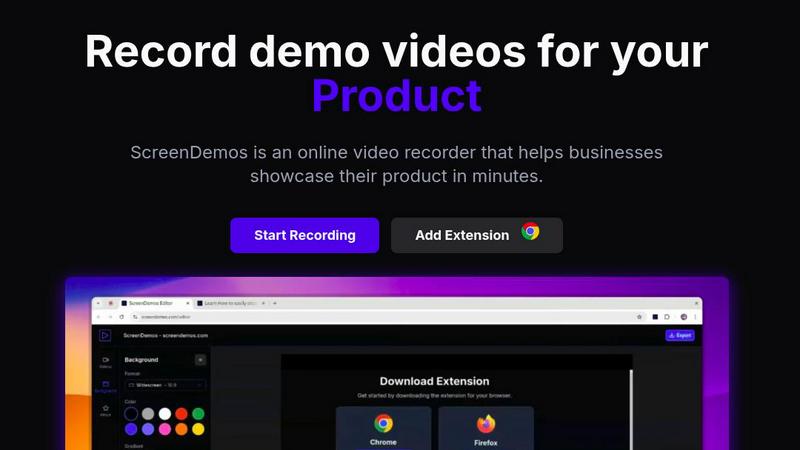
ScreenDemos lets you effortlessly create professional product demo videos with automatic effects in just minutes.
Last updated: February 28, 2026
Visual Comparison
Crops

ScreenDemos
Feature Comparison
Crops
Smart Asset Organization
Crops utilizes advanced AI technology to automatically tag and categorize every digital asset uploaded. This intelligent organization ensures that your creative library is instantly searchable, allowing your team to find the right asset in seconds instead of hours. With assets capable of residing in multiple boards without duplication, the complexity of file management is simplified, enhancing overall productivity.
Streamlined Approvals
The platform centralizes all feedback and approvals in one accessible location, directly on the asset itself. Stakeholders can annotate designs visually, making it easy to track approval statuses through custom workflows. By providing secure review links without requiring logins, Crops accelerates campaign timelines with clear, contextual feedback, eliminating the chaos often associated with approvals.
AI Quality Control
Crops employs sophisticated AI to conduct thorough quality checks on your content, catching errors before they reach stakeholders. The AI scans for typos, accessibility issues, and placeholder text, ensuring that nothing slips through the cracks. By integrating these quality checks into your workflow, Crops enables teams to deliver flawless work with confidence, reducing the risk of costly mistakes.
Secure, Simple Sharing
Sharing assets has never been easier with Crops. The platform allows users to generate secure links for clients and stakeholders, giving control over passwords, expiration dates, and download permissions. Recipients can review and comment without needing to create accounts, providing a professional presentation that aligns with your brand while expediting the feedback process.
ScreenDemos
Automatic Zoom Effects
ScreenDemos enhances viewer engagement by automatically adding professional zooms and pans during recordings. This feature directs the viewer's attention to critical elements of the demo, ensuring that important information is highlighted effectively without requiring manual editing.
Smooth Animated Cursor
The platform incorporates a smooth animated cursor that increases visibility and ease of understanding in videos. This feature allows viewers to follow along effortlessly, especially during complex demonstrations, making the content more approachable and user-friendly.
Shortcuts Hints
To enrich the viewer experience, ScreenDemos displays keyboard shortcuts on the screen during recordings. This feature not only aids comprehension but also empowers viewers to replicate actions quickly, enhancing the overall instructional value of the demos.
Custom Backgrounds
With customizable backgrounds, users can align their videos with their branding and aesthetic preferences. This feature allows for greater creativity and personalization, making it easier to create visually appealing content that resonates with the intended audience.
Use Cases
Crops
Enhanced Team Collaboration
Crops is ideal for creative teams looking to enhance their collaboration efforts. By centralizing feedback and approvals, team members can focus on their creative tasks without getting bogged down by scattered communications. The platform fosters a collaborative environment where ideas can flow freely and efficiently.
Efficient Campaign Launches
Marketing teams can leverage Crops to streamline the launch of campaigns. With organized assets and easy access to approvals, campaigns can be launched faster and with greater accuracy. The AI quality control feature ensures that every piece of content is polished and ready to go, minimizing last-minute revisions.
Simplified Client Review Process
For agencies working with multiple clients, Crops simplifies the client review process. Secure sharing links allow clients to review and provide feedback on assets without the hassle of navigating complex systems. This ease of access enhances client satisfaction and speeds up project timelines.
Error-Free Production
Crops is essential for teams that prioritize quality and consistency in their output. By utilizing AI to catch errors early, teams can ensure that only the best work is presented to stakeholders. This focus on quality not only improves the final product but also strengthens the team's reputation for delivering high-quality results.
ScreenDemos
Recording Product Demos
ScreenDemos is ideal for businesses looking to showcase their products in an engaging manner. By recording product demos quickly and effortlessly, teams can highlight features and benefits, helping to drive user interest and engagement.
Creating Onboarding Tutorials
The platform excels at producing onboarding tutorials that streamline the learning process for new users. With its automated features, teams can create informative videos that significantly reduce the time required for training, enhancing the onboarding experience.
Announcing Features
When launching new features, ScreenDemos facilitates swift and effective communication. Teams can create announcement videos that visually demonstrate the functionality of new updates, ensuring that users are well-informed and excited about the innovations.
Sharing on Social Media
ScreenDemos makes it easy to create shareable content for social media platforms. By producing high-quality, engaging videos quickly, teams can enhance their social media presence, driving brand awareness and audience engagement.
Overview
About Crops
Crops is an innovative AI-powered Digital Asset Management (DAM) platform designed to transform the chaotic landscape of creative and marketing workflows. Specifically tailored for scaling teams, Crops provides a robust solution to enhance how digital assets are organized, reviewed, approved, and shared. With its intelligent organization system, Crops addresses the pain points that often drain productivity: the endless hours spent searching for files, feedback scattered across various channels like email and Slack, and costly errors that can slip into production unnoticed. By unifying these processes into one streamlined workspace, Crops empowers creative teams to reclaim valuable time, enhance campaign speed, and confidently deliver on-brand work. It's not just a storage solution; it's a powerful operational engine that enables teams to scale their creative impact while minimizing the headaches that typically accompany asset management.
About ScreenDemos
ScreenDemos is an innovative, browser-based platform revolutionizing how teams create professional-grade video content. Tailored for growth-focused professionals across various sectors such as marketing, product development, design, and customer support, it enables users to produce high-quality video demos in mere minutes. The main value proposition of ScreenDemos lies in its ability to automate the tedious aspects of video production. By intelligently applying cinematic zoom effects, smooth cursor animations, and various visual enhancements in real-time, it eliminates the need for extensive post-production editing. This all-in-one solution empowers modern teams to communicate their ideas quickly and effectively, whether they need to announce new features, create onboarding tutorials, craft sales videos, or share insights on social media. By removing the barriers of installation and complex editing suites, ScreenDemos scales with your ambitions, driving user acquisition, improving customer education, and accelerating product-led growth.
Frequently Asked Questions
Crops FAQ
How does Crops improve asset organization?
Crops employs AI to automatically tag and categorize assets, making them instantly searchable. This eliminates the time wasted searching through various platforms and ensures that your team can quickly find the assets they need.
Can I collaborate with external stakeholders using Crops?
Absolutely! Crops allows you to generate secure review links for clients and external stakeholders, enabling them to leave feedback directly on the assets without needing to create an account.
What types of errors does Crops' AI quality control catch?
Crops' AI quality control checks for a wide range of issues, including typos, accessibility problems, and placeholder text. By integrating these checks into your workflow, you can catch potential errors before they reach stakeholders.
Is there a limit to the number of assets I can manage with Crops?
Crops is designed to scale with your team, allowing you to manage a large volume of digital assets efficiently. The platform's intelligent organization and search capabilities ensure that even extensive libraries remain accessible and manageable.
ScreenDemos FAQ
Is ScreenDemos privacy-friendly?
Yes, ScreenDemos prioritizes user privacy by never collecting or storing any user data. All recordings are processed locally, allowing users to save videos on their devices or on the ScreenDemos website. However, it is advisable not to record sensitive information.
What devices are supported?
ScreenDemos is compatible with all major browsers that support extensions for Chrome and Firefox. It works seamlessly across various operating systems, including Windows, macOS, and Linux, making it accessible for a wide range of users.
Why do I need to give permission to the extension?
The ScreenDemos extension requires permissions to access your screen for recording purposes. This ensures that the platform can capture your screen activity effectively, allowing you to create high-quality video content without compromising your device's security.
Can I edit my recordings after they are made?
Yes, ScreenDemos allows users to preview and edit their recordings after completing the capture. This feature provides additional flexibility, enabling users to refine their videos and ensure they meet their desired quality before sharing.
Alternatives
Crops Alternatives
Crops is an innovative AI-powered digital asset management platform specifically designed to streamline creative workflows and enhance productivity for marketing teams. By utilizing advanced technology to organize, review, and approve digital assets, Crops addresses common pain points such as searching for files, managing feedback, and avoiding errors in production. Users often seek alternatives to Crops for various reasons, including pricing structures, specific feature sets, or compatibility with existing platforms. When exploring alternatives, it is essential to consider factors like ease of use, integration capabilities, and the level of customer support offered to ensure the chosen solution aligns with your team's unique needs and objectives.
ScreenDemos Alternatives
ScreenDemos is an innovative, browser-based tool designed for creating professional product demo videos effortlessly. It falls into the category of online screen recording solutions, catering to diverse teams in marketing, product development, design, and customer support. Users often seek alternatives to ScreenDemos due to factors such as pricing, specific feature sets, platform compatibility, or personal preferences regarding user interface and experience. When searching for an alternative, it's crucial to consider the ease of use, the extent of automation in video production, and the quality of visual enhancements offered. Look for platforms that streamline the recording process, provide robust editing features, and support seamless sharing capabilities to ensure they meet your team's needs while facilitating rapid content creation.