ScreenDemos
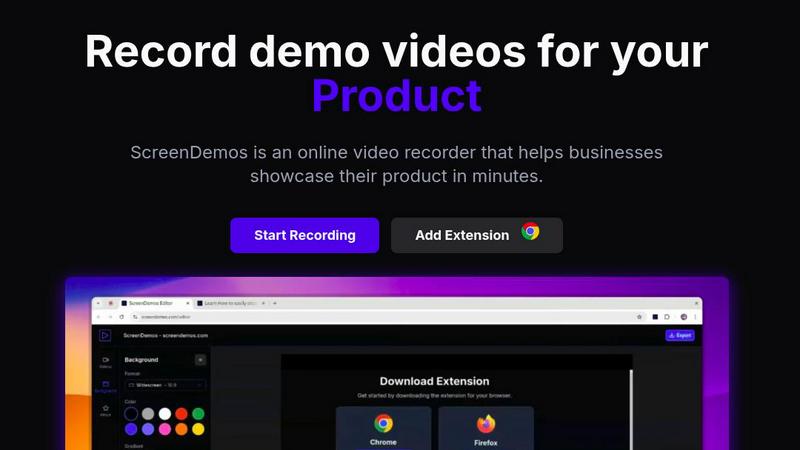
ScreenDemos lets you effortlessly create professional product demo videos with automatic effects in just minutes.
VisitPublished on:
December 5, 2025
Pricing:
About ScreenDemos
ScreenDemos is an innovative, browser-based platform revolutionizing how teams create professional-grade video content. Tailored for growth-focused professionals across various sectors such as marketing, product development, design, and customer support, it enables users to produce high-quality video demos in mere minutes. The main value proposition of ScreenDemos lies in its ability to automate the tedious aspects of video production. By intelligently applying cinematic zoom effects, smooth cursor animations, and various visual enhancements in real-time, it eliminates the need for extensive post-production editing. This all-in-one solution empowers modern teams to communicate their ideas quickly and effectively, whether they need to announce new features, create onboarding tutorials, craft sales videos, or share insights on social media. By removing the barriers of installation and complex editing suites, ScreenDemos scales with your ambitions, driving user acquisition, improving customer education, and accelerating product-led growth.
Features of ScreenDemos
Automatic Zoom Effects
ScreenDemos enhances viewer engagement by automatically adding professional zooms and pans during recordings. This feature directs the viewer's attention to critical elements of the demo, ensuring that important information is highlighted effectively without requiring manual editing.
Smooth Animated Cursor
The platform incorporates a smooth animated cursor that increases visibility and ease of understanding in videos. This feature allows viewers to follow along effortlessly, especially during complex demonstrations, making the content more approachable and user-friendly.
Shortcuts Hints
To enrich the viewer experience, ScreenDemos displays keyboard shortcuts on the screen during recordings. This feature not only aids comprehension but also empowers viewers to replicate actions quickly, enhancing the overall instructional value of the demos.
Custom Backgrounds
With customizable backgrounds, users can align their videos with their branding and aesthetic preferences. This feature allows for greater creativity and personalization, making it easier to create visually appealing content that resonates with the intended audience.
Use Cases of ScreenDemos
Recording Product Demos
ScreenDemos is ideal for businesses looking to showcase their products in an engaging manner. By recording product demos quickly and effortlessly, teams can highlight features and benefits, helping to drive user interest and engagement.
Creating Onboarding Tutorials
The platform excels at producing onboarding tutorials that streamline the learning process for new users. With its automated features, teams can create informative videos that significantly reduce the time required for training, enhancing the onboarding experience.
Announcing Features
When launching new features, ScreenDemos facilitates swift and effective communication. Teams can create announcement videos that visually demonstrate the functionality of new updates, ensuring that users are well-informed and excited about the innovations.
Sharing on Social Media
ScreenDemos makes it easy to create shareable content for social media platforms. By producing high-quality, engaging videos quickly, teams can enhance their social media presence, driving brand awareness and audience engagement.
Frequently Asked Questions
Is ScreenDemos privacy-friendly?
Yes, ScreenDemos prioritizes user privacy by never collecting or storing any user data. All recordings are processed locally, allowing users to save videos on their devices or on the ScreenDemos website. However, it is advisable not to record sensitive information.
What devices are supported?
ScreenDemos is compatible with all major browsers that support extensions for Chrome and Firefox. It works seamlessly across various operating systems, including Windows, macOS, and Linux, making it accessible for a wide range of users.
Why do I need to give permission to the extension?
The ScreenDemos extension requires permissions to access your screen for recording purposes. This ensures that the platform can capture your screen activity effectively, allowing you to create high-quality video content without compromising your device's security.
Can I edit my recordings after they are made?
Yes, ScreenDemos allows users to preview and edit their recordings after completing the capture. This feature provides additional flexibility, enabling users to refine their videos and ensure they meet their desired quality before sharing.
Similar to ScreenDemos
Build Mode for Mac
Build Mode is a Mac app that turns focused sessions into visible progress, so you can see the work adding up before the results arrive.

SubmitMap
A directory of launch platforms: who each accepts, what disqualifies you, and how to submit. Free to read, and your agent can do the submitting.
VidRush AI
AI-powered long video generator. Create multi-modal AI videos by combining images, video, audio, and text.
MySOP.guru
Capture any workflow in your browser and export a branded, step-by-step SOP with screenshots. €5 per document, no subscription.

PerPageFax
PerPageFax lets you send a fax online from any browser for a flat $0.50 per page — no account, no subscription, no fax machine.