
Crops
Crops is an AI-driven platform that streamlines digital asset management, ensuring efficient organization and.
Visit
About Crops
Crops is an innovative AI-powered Digital Asset Management (DAM) platform designed to transform the chaotic landscape of creative and marketing workflows. Specifically tailored for scaling teams, Crops provides a robust solution to enhance how digital assets are organized, reviewed, approved, and shared. With its intelligent organization system, Crops addresses the pain points that often drain productivity: the endless hours spent searching for files, feedback scattered across various channels like email and Slack, and costly errors that can slip into production unnoticed. By unifying these processes into one streamlined workspace, Crops empowers creative teams to reclaim valuable time, enhance campaign speed, and confidently deliver on-brand work. It's not just a storage solution; it's a powerful operational engine that enables teams to scale their creative impact while minimizing the headaches that typically accompany asset management.
Features of Crops
Smart Asset Organization
Crops utilizes advanced AI technology to automatically tag and categorize every digital asset uploaded. This intelligent organization ensures that your creative library is instantly searchable, allowing your team to find the right asset in seconds instead of hours. With assets capable of residing in multiple boards without duplication, the complexity of file management is simplified, enhancing overall productivity.
Streamlined Approvals
The platform centralizes all feedback and approvals in one accessible location, directly on the asset itself. Stakeholders can annotate designs visually, making it easy to track approval statuses through custom workflows. By providing secure review links without requiring logins, Crops accelerates campaign timelines with clear, contextual feedback, eliminating the chaos often associated with approvals.
AI Quality Control
Crops employs sophisticated AI to conduct thorough quality checks on your content, catching errors before they reach stakeholders. The AI scans for typos, accessibility issues, and placeholder text, ensuring that nothing slips through the cracks. By integrating these quality checks into your workflow, Crops enables teams to deliver flawless work with confidence, reducing the risk of costly mistakes.
Secure, Simple Sharing
Sharing assets has never been easier with Crops. The platform allows users to generate secure links for clients and stakeholders, giving control over passwords, expiration dates, and download permissions. Recipients can review and comment without needing to create accounts, providing a professional presentation that aligns with your brand while expediting the feedback process.
Use Cases of Crops
Enhanced Team Collaboration
Crops is ideal for creative teams looking to enhance their collaboration efforts. By centralizing feedback and approvals, team members can focus on their creative tasks without getting bogged down by scattered communications. The platform fosters a collaborative environment where ideas can flow freely and efficiently.
Efficient Campaign Launches
Marketing teams can leverage Crops to streamline the launch of campaigns. With organized assets and easy access to approvals, campaigns can be launched faster and with greater accuracy. The AI quality control feature ensures that every piece of content is polished and ready to go, minimizing last-minute revisions.
Simplified Client Review Process
For agencies working with multiple clients, Crops simplifies the client review process. Secure sharing links allow clients to review and provide feedback on assets without the hassle of navigating complex systems. This ease of access enhances client satisfaction and speeds up project timelines.
Error-Free Production
Crops is essential for teams that prioritize quality and consistency in their output. By utilizing AI to catch errors early, teams can ensure that only the best work is presented to stakeholders. This focus on quality not only improves the final product but also strengthens the team's reputation for delivering high-quality results.
Frequently Asked Questions
How does Crops improve asset organization?
Crops employs AI to automatically tag and categorize assets, making them instantly searchable. This eliminates the time wasted searching through various platforms and ensures that your team can quickly find the assets they need.
Can I collaborate with external stakeholders using Crops?
Absolutely! Crops allows you to generate secure review links for clients and external stakeholders, enabling them to leave feedback directly on the assets without needing to create an account.
What types of errors does Crops' AI quality control catch?
Crops' AI quality control checks for a wide range of issues, including typos, accessibility problems, and placeholder text. By integrating these checks into your workflow, you can catch potential errors before they reach stakeholders.
Is there a limit to the number of assets I can manage with Crops?
Crops is designed to scale with your team, allowing you to manage a large volume of digital assets efficiently. The platform's intelligent organization and search capabilities ensure that even extensive libraries remain accessible and manageable.
Explore more in this category:
Similar to Crops

Build Mode for Mac
Build Mode is a Mac app that turns focused sessions into visible progress, so you can see the work adding up before the results arrive.

SubmitMap
A directory of launch platforms: who each accepts, what disqualifies you, and how to submit. Free to read, and your agent can do the submitting.
MySOP.guru
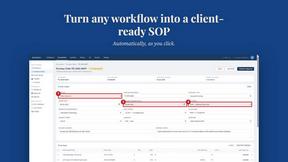
Capture any workflow in your browser and export a branded, step-by-step SOP with screenshots. €5 per document, no subscription.


PerPageFax
PerPageFax lets you send a fax online from any browser for a flat $0.50 per page — no account, no subscription, no fax machine.


Video2Jpg
Convert video to JPG, PNG, or WebP frames in your browser. High-quality video to image converter with no uploads—fast, private, and free.