

Alternatives to Very Good Calendar Sync
Very Good Calendar Sync silently unifies your work, personal, and client calendars on your Mac without linking accounts or exposing sensitive data.
Explore 20 alternatives to Very Good Calendar Sync. Compare features, pricing, and find the best fit for your needs.
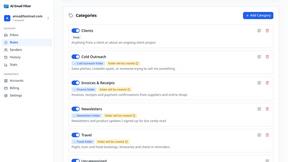
AI Email Filter
AI Email Filter sorts incoming mail into folders using plain-language prompts you write. Works with any IMAP mailbox; bring your own LLM if you want.
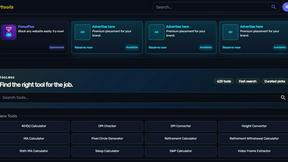
Kody Tools
Free collection of online developer utilities, code formatters, and digital converters designed to streamline your daily workflow.
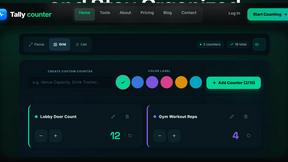
Tally Counter
Online tally counter for tracking attendance, workouts, inventory, visitors, sports scores, habits, and everyday counting tasks.
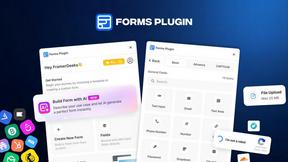
Forms Plugin
The #1 Native Form Builder Plugin for Framer - No Code, No Embeds, No External Platforms.
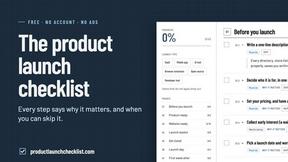
Product Launch Checklist
A free launch checklist for SaaS, apps, AI tools and more. Every step says why it matters and when you can skip it.

HomeAnswerBook
Practical, independent guides to home repairs, maintenance, costs, troubleshooting, and everyday fixes.
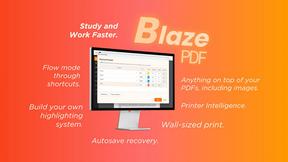
BlazePDF
Highlight faster. Study in flow with custom shortcuts and a workflow built around you. Print smarter, or turn any page into a tiled poster.

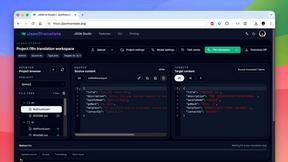
JsonTranslate
Translate JSON, Markdown, and TXT files while preserving keys, nested paths, and project structure.
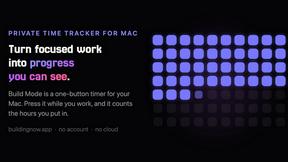
Build Mode for Mac
Build Mode is a Mac app that turns focused sessions into visible progress, so you can see the work adding up before the results arrive.
LiteralKit
Free, no-signup Unicode text tools: superscript, fancy fonts, case converter, symbols. Fast and private.



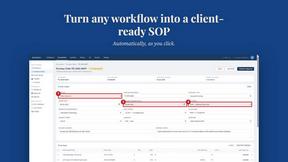
MySOP.guru
Capture any workflow in your browser and export a branded, step-by-step SOP with screenshots. €5 per document, no subscription.

PerPageFax
PerPageFax lets you send a fax online from any browser for a flat $0.50 per page — no account, no subscription, no fax machine.

Video2Jpg
Convert video to JPG, PNG, or WebP frames in your browser. High-quality video to image converter with no uploads—fast, private, and free.

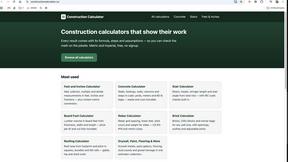
Construction Calculator
Free construction calculators with transparent formulas, steps, assumptions, and metric or imperial units.

About Very Good Calendar Sync Alternatives
Very Good Calendar Sync is a privacy-focused macOS utility that quietly automates calendar synchronization across different accounts, falling squarely into the productivity and management category. While its core value proposition—keeping your calendars perfectly synchronized automatically and privately—is compelling, users often begin searching for alternatives due to specific constraints. Common drivers include the need for cross-platform support beyond macOS, a desire for team-based or collaborative syncing features, a different pricing model that fits a tighter budget, or simply a preference for a more feature-rich interface with additional integrations. When evaluating any alternative, the key is to prioritize solutions that offer granular control over what gets synced, robust privacy protections, and a seamless background operation that doesn’t require constant manual intervention. The best choice will scale with your workflow, handling multiple calendar sources without compromising data security or introducing complexity. The ideal alternative should mirror the core strengths of Very Good Calendar Sync while addressing your specific pain points. Look for tools that provide clear, user-defined rules for syncing—such as filtering by weekdays, specific hours, or event details—so you maintain control over your schedule. Equally important is the security posture; ensure any alternative keeps your data local or uses end-to-end encryption with no third-party access. Finally, consider the ecosystem: does the tool integrate with your existing calendar providers and operating system? A solution that scales with you will offer quiet, reliable background sync, allowing you to focus on growth without the mental overhead of calendar chaos.
FAQs about Very Good Calendar Sync Alternatives
What is Very Good Calendar Sync?
Very Good Calendar Sync is a macOS utility designed to automatically and privately synchronize multiple calendars, such as work and personal accounts. It operates quietly in the background, monitoring calendars for changes and syncing them without requiring manual intervention. The app ensures your calendar data never leaves your Mac, using only native macOS Calendar.app access for maximum privacy.
Who is Very Good Calendar Sync for?
This tool is built for professionals who manage multiple calendars and need seamless synchronization without compromising privacy. It is ideal for consultants managing client calendars, employees balancing work and personal schedules, freelancers juggling multiple projects, or anyone tired of manually checking and updating different calendar apps. The focus is on users who value automation and data security on macOS.
Is Very Good Calendar Sync free?
The provided content does not specify whether Very Good Calendar Sync is free or has a pricing model. Based on the description, it is a productivity app that offers a set-it-and-forget-it experience, which often implies a paid license or one-time purchase for continued use. Users should check the official product page for current pricing details and any trial options.
What are the main features of Very Good Calendar Sync?
Key features include automatic background syncing of any calendar available in macOS Calendar.app, with granular control over syncing rules. Users can choose specific weekdays to sync, set daily hours like 9 AM to 6 PM, and define a start date for synchronization. Additionally, users decide what event details to share, such as only showing busy time versus full event information, all while keeping data entirely on the Mac.