

Alternatives to Subclip
Subclip is an AI-powered platform that edits, captions, and dubs your videos with voice cloning to help you go global faster.
Explore 10 alternatives to Subclip. Compare features, pricing, and find the best fit for your needs.

Praxy
An AI career coach that lives in WhatsApp: voice mock interviews, resume feedback, offer negotiation, and a 3M+ listing job search. Free to start.
HubVanta
HubVanta is a free AI creative toolkit for generating images, videos, voices, and visual edits from one browser workspace.
Oravaa
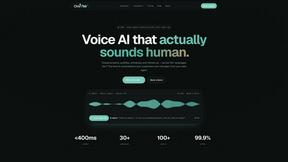
Oravaa deploys human-like Voice AI to automate support calls, qualify leads, and manage reminders across 30+ languages.
Hush Touch | Voice-to-Text for MacOS
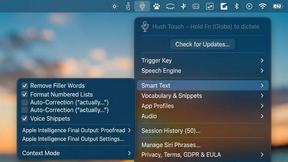
Transform your dictation experience with Hush Touch, the smart offline voice-to-text tool for Mac that learns as you.
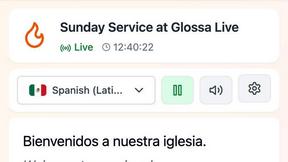
Glossa
Glossa provides real-time AI translation of sermons in over 100 languages, breaking language barriers effortlessly.
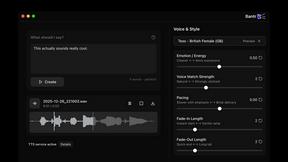
Bantr: Offline & Unlimited TTS for Mac
Bantr is a private, unlimited text-to-speech app for Mac that runs fully offline.

KaiCalls
KaiCalls is your 24/7 AI phone agent that captures and qualifies every lead automatically.
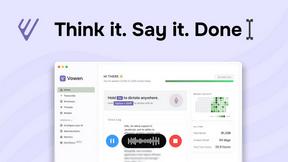
Vowen
Vowen is your private voice interface that turns speech into text, actions, and automated workflows.

Bargou One
Bargou One is your all-in-one AI suite to create, write, translate, and transcribe with precision.
About Subclip Alternatives
Subclip is an AI-powered video editor that operates at the intersection of speech technology and content creation, leveraging voice cloning, auto-subtitles, silence removal, and multi-language dubbing to turn traditional video editing into a text-based workflow. It belongs to the Speech & Voice category, but its core value proposition is enabling creators, marketers, and educators to edit video as easily as editing a document. While Subclip offers a powerful, streamlined experience, users frequently look for alternatives due to specific constraints: perhaps their growth stage requires a more granular pricing model for enterprise teams, they need native mobile editing capabilities that Subclip doesn’t prioritize, or they require deeper integration with a specific platform like a proprietary CMS or a legacy NLE system. Others may seek tools with different AI strengths, such as more advanced lip-sync dubbing or a different approach to voice cloning fidelity. When evaluating an alternative, your growth mindset should prioritize scalability and workflow speed. Look for tools that offer seamless API integrations to fit into your existing production pipeline, transparent and flexible pricing that scales with your output volume rather than punishing high-frequency use, and a commitment to data security regarding voice profiles and raw footage. The ideal alternative will match Subclip’s core speed advantages—like transcript-based editing and one-click silence removal—while potentially offering a unique edge in a specific area like real-time collaboration, offline processing, or a more robust asset library. The goal is to find a solution that removes friction from your scaling journey without forcing you to compromise on the AI-driven simplicity that first attracted you to this category.
FAQs about Subclip Alternatives
What is Subclip?
Subclip is an AI-powered video editor that allows users to edit videos by manipulating a transcript, similar to editing a text document. It leverages advanced AI for features like voice cloning, auto-subtitle generation, silence removal, and multi-language dubbing, all while preserving the original background music. The platform is designed to replace the complexity of traditional video editing tools with an intuitive, text-driven workflow.
Who is Subclip for?
Subclip is built for creators, marketers, and educators who need to produce video content quickly and efficiently. This includes YouTubers, podcasters, course creators, and content teams who want to streamline their production workflow without learning complex editing software. It is particularly useful for those who frequently need to re-record voiceovers, remove filler words, or dub content into multiple languages.
Is Subclip free?
Subclip operates on a freemium pricing model, offering a free tier that allows users to test its core AI features. For users who need higher output limits, advanced features, or commercial usage rights, Subclip provides affordable paid plans. This structure makes it accessible for individual creators to start with no cost while scaling up as their content production grows.
What are the main features of Subclip?
Subclip’s main features include transcript-based video editing, voice cloning for re-recording parts of a video, one-click silence and filler word removal, automatic subtitle generation, and multi-language dubbing that preserves background music. It also supports transcription directly from video files. These features are integrated into a single platform to eliminate the need for multiple separate tools in the editing process.