
Vowen
Vowen is your private voice interface that turns speech into text, actions, and automated workflows.
Visit
About Vowen
Vowen is the revolutionary voice interface that transforms your computer into a true productivity powerhouse. Designed for macOS and Windows, it acts as a seamless voice layer across your entire digital workspace, allowing you to work at the speed of thought. At its core, Vowen offers ultra-fast, private transcription that processes your speech locally in over 99 languages, ensuring your data never leaves your machine. But it goes far beyond simple dictation. Vowen intelligently connects your voice to context-aware AI, enabling you to generate smart replies, code, summaries, and more, all tailored to your active task. It captures meetings to produce structured notes, automates everyday tasks with voice commands, and provides powerful utilities for media conversion, file management, and translation. Built with a privacy-first, free-to-use model, Vowen is engineered for developers, writers, students, content creators, professionals, and accessibility users—anyone ready to scale their output, break creative barriers, and reclaim hours in their day by speaking instead of typing.
Features of Vowen
Instant, Private Transcription
Vowen delivers blazing-fast, offline transcription that keeps your data completely secure and private. Simply hold a shortcut, speak, and your words appear instantly in any application, right where your cursor is. Supporting 99+ languages, this feature eliminates the lag and privacy concerns of cloud-based services, enabling unlimited dictation, goal tracking, and progress monitoring without any compromises.
Context-Aware AI Mode
Activate AI Mode to supercharge your voice commands with intelligent automation. Vowen analyzes what you're working on and can generate smart replies, draft emails, summarize text, explain concepts, write code, or translate content on the fly. By connecting your own AI API keys, you create a personalized, voice-powered assistant that understands context and acts accordingly.
Smart Meeting & Lecture Notes
Effortlessly capture your screen and audio during virtual meetings on Zoom, Teams, Google Meet, or lectures. Vowen processes this locally to produce clean, structured notes complete with identified action items, key decisions, highlights, and next steps. This transforms passive listening into active, organized documentation, saving hours of manual note-taking.
Voice Control & Automation
Go beyond text and use your voice to control your entire workflow. Launch applications, open websites, or initiate complex AI-powered sequences with simple commands. The Memory Bank feature allows you to store and index files, giving Vowen richer context to handle repetitive tasks and provide more accurate, context-aware assistance across all your work.
Use Cases of Vowen
For Developers & Technical Writers
Document code, write detailed commit messages, and prompt AI tools like GitHub Copilot or ChatGPT entirely by voice. Explain complex technical concepts faster by combining speech with on-screen context. Use voice utilities to convert config files between JSON, YAML, TOML, and XML instantly, streamlining development workflows and accelerating documentation output.
For Writers & Content Creators
Overcome writer's block and dramatically increase content output. Speak your first drafts for articles, scripts, novels, or social media posts naturally. Use AI Mode to brainstorm ideas, refine tone, and generate outlines. The seamless app integration ensures you stay in a creative flow, turning spoken thoughts into polished text faster than typing ever could.
For Students & Researchers
Capture every word from lectures, video tutorials, and study sessions with perfect, searchable transcripts. Use AI-powered summarization to distill hours of content into key takeaways for efficient studying. Draft essays and research notes by voice, ensuring you never miss a critical idea while actively listening and engaging with the material.
For Accessibility & Ergonomics
Vowen provides an intuitive, voice-first interface that removes barriers for individuals who find typing difficult, painful, or inefficient. It enables full computer control and content creation through speech, offering a powerful alternative for navigation, communication, and productivity without the physical strain of traditional input methods.
Frequently Asked Questions
Is Vowen really free?
Yes, Vowen is completely free to use. There is no subscription fee, credit card required, or hidden costs. You can access core features like unlimited local transcription, voice control, and utilities at no charge. Optional AI features may require you to bring your own API key for certain cloud models, but the app itself remains free.
Does Vowen work offline?
Absolutely. Vowen's core transcription engine is designed to run entirely on your device. This means your speech is processed locally for instant results, enhanced privacy, and full functionality without an internet connection. Some advanced AI features that leverage cloud models will require an online connection if you choose to use them.
What languages are supported?
Vowen supports transcription and voice commands in over 99 languages and dialects. This extensive coverage makes it a powerful tool for a global user base, enabling multilingual dictation, translation, and communication directly from your desktop.
Is my data private and secure?
Privacy is a foundational principle for Vowen. All audio processing for core transcription happens locally on your computer—your voice data is never sent to or stored on external servers. Your documents and the content you create remain under your control, ensuring enterprise-grade security for personal and professional use.
Explore more in this category:
Similar to Vowen
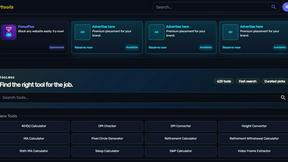
Kody Tools
Free collection of online developer utilities, code formatters, and digital converters designed to streamline your daily workflow.
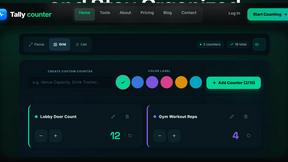
Tally Counter
Online tally counter for tracking attendance, workouts, inventory, visitors, sports scores, habits, and everyday counting tasks.
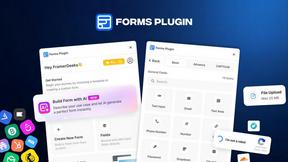
Forms Plugin
The #1 Native Form Builder Plugin for Framer - No Code, No Embeds, No External Platforms.
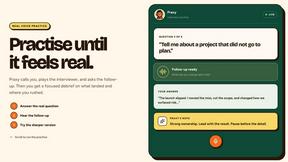
Praxy
An AI career coach that lives in WhatsApp: voice mock interviews, resume feedback, offer negotiation, and a 3M+ listing job search. Free to start.

Product Launch Checklist
A free launch checklist for SaaS, apps, AI tools and more. Every step says why it matters and when you can skip it.

HomeAnswerBook
Practical, independent guides to home repairs, maintenance, costs, troubleshooting, and everyday fixes.
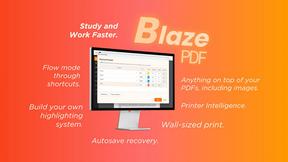
BlazePDF
Highlight faster. Study in flow with custom shortcuts and a workflow built around you. Print smarter, or turn any page into a tiled poster.
