

Alternatives to CodeAva
CodeAva helps developers ship faster by auditing websites, inspecting code, and providing browser-based tools for debugging and validation.
Explore 20 alternatives to CodeAva. Compare features, pricing, and find the best fit for your needs.


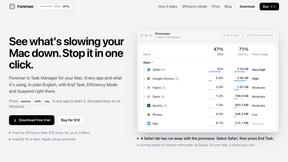
Foreman
See every app and what it's using in plain English, and end or slow down the one that's hogging your Mac.

Uniclip
Clip pages, take full-page screenshots and batch-capture list data to Notion, Feishu, Obsidian, Markdown, CSV or JSON.

TroveKey
Search tabs, Chrome bookmarks and history, run browser commands, and save webpages and social posts locally—no account.
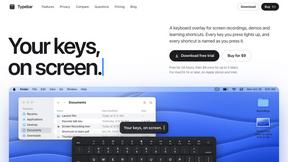
Typebar
Every key you press lights up on an on-screen keyboard, and each shortcut is named as you press it.
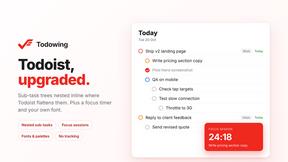
Todowing
Chrome extension that shows nested sub-tasks inline in Todoist's Today, Upcoming, Filters and Labels views. Free tier, $19.99 lifetime unlock.



Everywhere
Fast file search for the Mac. Results as you type, files inside Mail and Photos, works with Wi-Fi off. $19 once.

Basalt
Eighteen PDF tools in one native Mac window: merge, split, compress, OCR, Bates numbering, forms, signing and redaction. Offline. $29 once.

Voice Keyboard Pro
Hold a key, say what you mean, let go. Clean, punctuated text lands at the cursor in any app on your Mac or iPhone.

Mainspring
Mainspring turns the settings macOS hides into 90+ one-click, fully reversible power-ups for Finder, Dock, screenshots and more. $29 once.
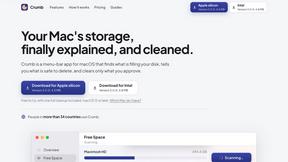
Crumb
A Mac menu bar app for a full disk. See what is using your space, read whether it comes back on its own, and remove only what you tick.

Inkling
Catch a thought without leaving what you are doing. Notes, checklists and a little companion in your Mac's notch. $12 once.

Manatee
A Mac app that opens damaged video, PDFs, archives and documents and writes out everything it can still read. $9 once, no uploads.

ogimagegenerator.dev
Paste a URL and AI designs on-brand Open Graph images from your page's colours, fonts and logo. Free, no sign-up.
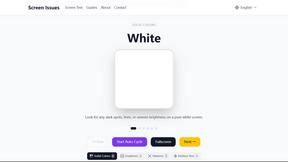
Screen Issues
Free Online Screen Test Tool - Instantly diagnose dead pixels, lines, color issues, and flickering. Multiple test modes, no download needed.

Context Board
Context Board brings your numbers, docs, clients, content and day into one workspace that Claude and Codex can read and update.
About CodeAva Alternatives
CodeAva is a developer productivity platform that sits at the intersection of Dev Tools, Analytics & Data, and SEO, offering a browser-based toolkit for debugging, validation, formatting, and conversion tasks. Users commonly look for alternatives when they encounter limitations in pricing models, such as restrictive free tiers or unexpected subscription costs, or when they need specific platform integrations that CodeAva may not yet support. Others seek alternatives due to the need for offline functionality, team collaboration features, or more advanced automation capabilities for complex workflows. When evaluating alternatives, look for tools that offer a clean, ad-free interface with fast load times, support for the specific file formats or languages you work with, and a transparent pricing structure that scales with your usage. The best alternatives will prioritize practical utility over feature bloat, ensuring that common tasks like JSON validation, code formatting, or data conversion can be completed in seconds without navigating distracting interfaces. Consider whether the tool supports batch processing, API access for integration into your existing pipeline, and a commitment to data privacy since many developer tools handle sensitive code or configuration files. For teams, collaboration features like shared workspaces or version history may be critical, while solo developers might prioritize speed and simplicity above all else.
FAQs about CodeAva Alternatives
What is CodeAva?
CodeAva is a browser-based developer productivity platform that provides fast, utility-first tools for debugging, validation, formatting, conversion, and everyday technical workflows. It is designed to eliminate the frustration of slow, cluttered, or outdated online tools by offering a clean, ad-free experience that works directly in the browser without any installations. The platform is growing into an Automated Validation Assistant, supporting deeper validation, auditing, and troubleshooting workflows for technical users.
Who is CodeAva for?
CodeAva is built for developers, QA teams, technical SEO professionals, support engineers, and builders who need to solve small but constant technical tasks quickly in the browser. It is ideal for anyone who works with code, data, or validation workflows and values speed, simplicity, and a distraction-free interface. The platform is particularly useful for technical users who frequently perform one-off tasks like formatting JSON, validating HTML, or converting data formats as part of their daily work.
Is CodeAva free?
CodeAva currently focuses on providing practical utility-first tools that are accessible directly in the browser, with an emphasis on being fast and free from distracting ads or unnecessary installs. While specific pricing details may evolve as the platform grows into its Automated Validation Assistant phase, the core value proposition is built around removing barriers for technical users. Users can expect a transparent approach to pricing that scales with usage, though many core tools are designed to remain freely accessible for everyday tasks.
What are the main features of CodeAva?
CodeAva offers a suite of browser-based tools for debugging, validation, formatting, and conversion, covering common developer workflows without cluttered interfaces or ads. Key capabilities include fast JSON and code formatting, data format conversion (such as CSV to JSON), and validation tools for HTML, CSS, and other structured data. The platform is designed for practical utility, enabling technical users to complete tasks in seconds, and is actively expanding into automated validation and auditing features for more complex troubleshooting needs.