
ytskim
ytskim transcribes and summarizes YouTube videos, saving you hours of manual note-taking and content analysis.
Visit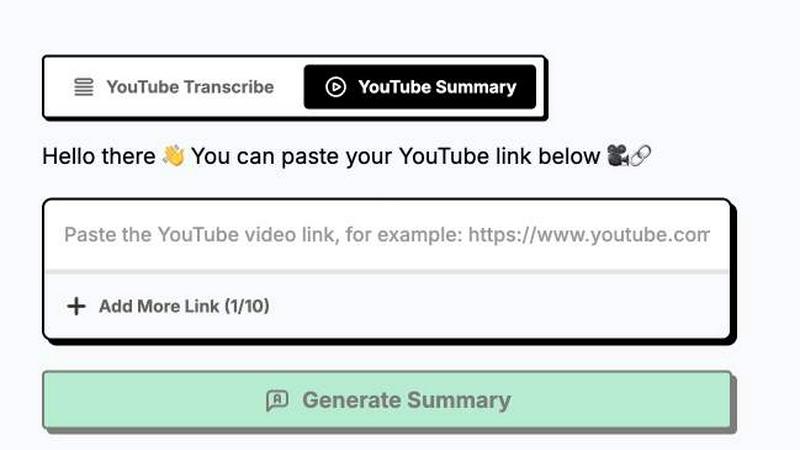
About ytskim
ytskim is a cutting-edge AI tool designed to extract accurate transcripts and generate structured summaries from any YouTube video in seconds. Built for content creators, researchers, students, marketers, and developers, ytskim eliminates the tedious process of manually watching, transcribing, and summarizing video content. Instead, it leverages advanced natural language processing and speech recognition models to deliver clean, timestamped transcripts and concise, actionable summaries that capture the key insights of any video. The core value proposition of ytskim is speed and precision. Where traditional methods can take hours of manual work or require multiple disjointed tools, ytskim delivers results in a fraction of the time. Users simply paste a YouTube URL, and within moments, they receive a full transcript with speaker identification and a structured summary broken down into logical sections. This makes ytskim an indispensable asset for anyone looking to repurpose video content into blog posts, study notes, social media captions, or internal documentation. The tool is designed with a growth mindset, focusing on scaling productivity for individuals and teams who need to process high volumes of video content efficiently. Whether you are a student trying to study lecture recordings, a journalist researching interviews, or a content marketer repurposing video for SEO, ytskim provides the foundational layer for turning unstructured video data into structured, usable text. The interface is clean and intuitive, requiring no technical expertise, making it accessible to a wide range of users. ytskim is not just a transcription tool; it is a content acceleration platform that empowers users to move faster, learn more, and create more with less effort.
Features of ytskim
High-Accuracy Speech Recognition
ytskim utilizes state-of-the-art AI models to achieve industry-leading accuracy in transcribing spoken words from YouTube videos. It handles multiple languages, varying audio qualities, and different accents with remarkable precision. This feature ensures that the raw transcript is a reliable foundation for all downstream tasks, from note-taking to content repurposing. By minimizing errors and correctly identifying homophones and technical jargon, ytskim saves users from the time-consuming chore of manual editing and correction, allowing them to trust the output and move directly to analysis.
Structured AI Summaries
Beyond simple transcription, ytskim intelligently analyzes the full video content to generate a structured, multi-paragraph summary. This summary is not a generic blurb but is broken down into logical sections, highlighting key arguments, data points, and conclusions. The AI identifies the narrative flow of the video and presents it in a clear, readable format. This feature is invaluable for users who need to quickly grasp the essence of a long video without watching it in its entirety, effectively compressing hours of content into a few minutes of reading.
Timestamped Transcript Navigation
Every transcript generated by ytskim comes with precise timestamps linked to each segment of text. This allows users to click on any part of the transcript and jump directly to that moment in the YouTube video. This feature is a massive time-saver for researchers and editors who need to verify quotes, review specific visual cues, or extract clips from the source material. It bridges the gap between text and video, providing a seamless, interactive experience that makes content review and fact-checking incredibly efficient.
Multi-Format Export and Copy
ytskim provides flexible export options to fit into any workflow. Users can copy the transcript or summary to their clipboard with a single click, or download them as plain text files, markdown documents, or structured JSON data. This versatility is critical for developers who need to feed the data into other applications, writers who want to paste it into a blog editor, or researchers who need to archive it in a specific format. The tool is built for integration, ensuring that the extracted data moves frictionlessly into your existing productivity stack.
Use Cases of ytskim
Academic Research and Study
Students and researchers can use ytskim to transcribe and summarize lecture recordings, conference talks, and academic interviews. Instead of spending hours replaying a 60-minute lecture to find a specific concept, they can generate a full transcript and structured summary in seconds. This allows for faster note-taking, easier citation, and more efficient study sessions. The timestamped navigation is particularly useful for referencing specific arguments in papers or presentations, turning passive video watching into an active, searchable research asset.
Content Repurposing for Marketing
Content marketers and social media managers can leverage ytskim to transform long-form YouTube videos into multiple pieces of content. A single video can be transcribed to create a blog post, summarized for an email newsletter, and quoted for social media threads. This drastically scales content output without requiring additional recording or scripting. By capturing the core message and key quotes, ytskim enables marketers to maximize the ROI of every video they produce, driving SEO value and audience engagement from a single source.
Journalistic Fact-Checking and Interview Analysis
Journalists and reporters can use ytskim to quickly process hours of recorded interviews. The tool provides a searchable transcript that makes it easy to find specific statements, verify quotes, and cross-reference information. The AI summary helps journalists identify the most newsworthy angles and key takeaways from a conversation without having to listen to the entire recording multiple times. This accelerates the editorial workflow, allowing reporters to publish stories faster while maintaining high accuracy and accountability.
Developer Documentation and Knowledge Management
Software developers and technical writers can use ytskim to extract documentation and explanations from tutorial videos, conference talks, and code walkthroughs. Instead of pausing and replaying a video to capture a specific command or architectural decision, they can generate a structured summary that captures the technical steps and rationale. This extracted knowledge can then be integrated into internal wikis, project documentation, or training materials, making institutional knowledge more accessible and searchable for the entire team.
Frequently Asked Questions
How accurate is the transcription?
ytskim uses advanced AI models that achieve high accuracy rates, typically above 95% for clear, English-language content. Accuracy can vary based on audio quality, background noise, speaker accents, and the presence of technical or niche vocabulary. The tool is continuously updated to improve performance across a wide range of languages and audio conditions. For critical applications, we recommend reviewing the transcript for any minor errors, but for most use cases, the output is reliable and ready to use immediately.
Can I use ytskim for videos in languages other than English?
Yes, ytskim supports transcription and summarization for a wide and growing list of languages, including Spanish, French, German, Japanese, Korean, and many more. The AI is trained on multilingual datasets to provide accurate results across different linguistic structures. When you paste a YouTube URL, the tool automatically detects the primary language of the video and processes it accordingly. The structured summary will also be generated in the same language as the source video.
What is the maximum video length ytskim can process?
ytskim is designed to handle videos of varying lengths, from short clips under a minute to full-length lectures and presentations that are several hours long. The processing time scales with the length of the video, but the tool is optimized to deliver results quickly. For extremely long videos, there may be a slightly longer wait time, but the core functionality remains the same. There is no hard cap on video length for most subscription plans, making it suitable for processing entire course playlists or conference recordings.
How does the structured summary differ from a simple transcript?
A simple transcript is a verbatim, word-for-word account of everything spoken in the video, including filler words and pauses. In contrast, ytskim's structured summary is an AI-generated analysis that condenses the video into its core arguments and key points. It organizes the information into logical sections, removes redundancy, and presents a clear, readable narrative. While the transcript is ideal for detailed fact-checking, the summary is designed for rapid comprehension and content repurposing, providing the "what you need to know" in a fraction of the time.
Explore more in this category:
Similar to ytskim
Novastart
Apps and files on an infinite canvas where people and AI agents work together.

Panzoe
Panzoe is an all-in-one AI platform for personal productivity, business automation, AI assistants, content creation, and custom AI solutions.
MD TO TEXT
Free online Markdown to Text converter: paste Markdown to strip formatting, get clean readable plain text, copy instantly, all in your browser.
AI Email Filter
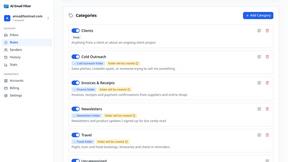
AI Email Filter sorts incoming mail into folders using plain-language prompts you write. Works with any IMAP mailbox; bring your own LLM if you want.
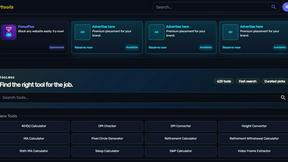
Kody Tools
Free collection of online developer utilities, code formatters, and digital converters designed to streamline your daily workflow.
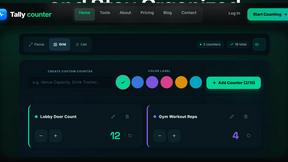
Tally Counter
Online tally counter for tracking attendance, workouts, inventory, visitors, sports scores, habits, and everyday counting tasks.
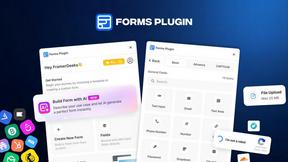
Forms Plugin
The #1 Native Form Builder Plugin for Framer - No Code, No Embeds, No External Platforms.
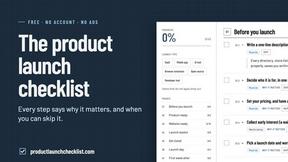
Product Launch Checklist
A free launch checklist for SaaS, apps, AI tools and more. Every step says why it matters and when you can skip it.