
Tin Computer
Tin Computer is an autonomous growth agent that optimizes your product by shipping experiments, fixing bugs, and learning from user data around the.
Visit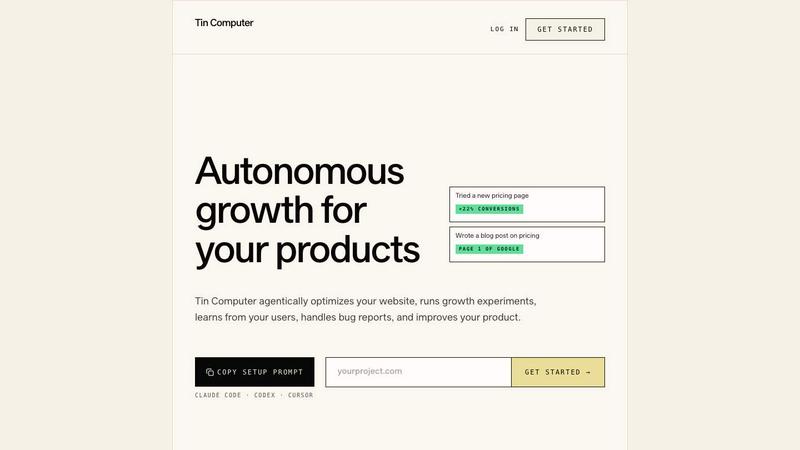
About Tin Computer
Tin Computer is an autonomous AI growth agent purpose-built for small SaaS teams and indie founders who want to ship growth experiments without hiring a full-time team or burning cash on ads. Instead of waiting for a roadmap meeting or a backlog review, you simply point Tin Computer at your project, connect it to your existing stack, and it begins running a continuous, organic growth playbook on the surfaces you already own. It works across four key growth levers: organic SEO (blog posts, comparison pages, and technical fixes), product engineering (bug fixes, small features, and onboarding tweaks), analytics (funnel diagnostics, cohort analysis, and experiment tracking), and customer insights. Tin Computer ships real, reviewable pull requests to your GitHub repository, which you can approve and merge at your own pace. It plugs directly into your existing tools including GitHub, Stripe, Google Analytics, Search Console, PostHog, Sentry, Vercel, and more. There is no ad spend, no cold outreach, and no manual grind. The results speak for themselves: Claw Messenger, a dormant side project, grew from $480 to $11,580 ARR and 118 paying customers in just 92 days using Tin Computer. This is autonomous, always-on growth for founders who want to build a portfolio of products and let AI handle the heavy lifting of experimentation and optimization.
Features of Tin Computer
Autonomous Growth Playbook Execution
Tin Computer does not wait for a brief or a backlog item. It reads your entire product funnel through connected analytics and identifies exactly what is slowing growth down. From there, it autonomously selects the next highest-impact experiment, whether that is a pricing change, a new comparison page, a tighter signup flow, or an SEO fix. It builds the change, opens a pull request, and ships it without requiring a human to write a single line of code or a ticket. The agent learns from every result, keeping what worked and discarding what did not, creating a self-improving loop that runs 24/7.
Integrated Specialist Team Behind One Interface
Behind the single Tin Computer agent sits a full team of specialized AI roles, each owning a lane the way a real hire would. This includes a Strategist, Research Analyst, Organic Growth Engineer, Paid Acquisition Engineer, Sales Outreach specialist, Product Analyst, Financial Analyst, Product Engineer, and Customer Support Engineer. You talk to one agent, but the work is distributed across these specialists who collaborate to analyze data, generate insights, build experiments, and ship improvements. This structure ensures that every aspect of growth, from SEO to product engineering to analytics, is covered continuously without you needing to manage multiple tools or people.
Seamless Integration with Your Existing Stack
Tin Computer connects directly to the tools you already use and trust. It integrates with GitHub to read your code and ship changes as pull requests, Stripe to analyze billing and pricing data, Google Analytics and Search Console for traffic and SEO insights, PostHog for product analytics and cohort analysis, Sentry for error tracking and bug reports, Vercel for deployment, and support email for customer feedback. This plug-and-play approach means you do not need to migrate data or learn new systems. Tin Computer works within your current workflow, making it incredibly easy to turn on and start seeing results immediately.
Continuous Learning and Experimentation Loop
Tin Computer operates on a three-step continuous loop: Notice, Ship, and Learn. First, it notices what is stuck or slowing growth by reading your funnel and analytics. Second, it ships the fix or experiment from start to finish, including building the code, writing the copy, and opening the pull request. Third, it watches the result, analyzes the impact, and keeps what worked while discarding what did not. This loop runs perpetually, meaning your product is always being optimized, tested, and improved without any manual intervention. Over time, the agent gets smarter about what works for your specific product and audience.
Use Cases of Tin Computer
Reviving Dormant Side Projects
Founders often have side projects that flatline after launch due to lack of time or resources. Tin Computer is ideal for breathing life back into these dormant products. By connecting it to the project's GitHub, Stripe, and analytics, the agent autonomously runs growth experiments, improves SEO, fixes bugs, and ships new features. The Claw Messenger case study is a perfect example: a project with only $480 ARR and four paying customers grew to $13,500 ARR and 146 paying customers in 112 days, entirely driven by Tin Computer. This use case allows founders to build a portfolio of growing products without spreading themselves thin.
Continuous Organic SEO Optimization
For SaaS teams that rely on organic search traffic, Tin Computer acts as a dedicated SEO engineer. It writes and publishes blog posts, builds comparison pages, and implements technical SEO fixes directly through pull requests. It reads your Search Console data to identify keyword opportunities and content gaps, then creates and ships the content. This ensures your website is constantly being optimized for search engines and AI search (GEO) without you needing to manage an SEO agency or content calendar. The result is a steady stream of organic traffic growth that compounds over time.
Product-Led Growth Experimentation
Tin Computer is built for product-led growth teams who want to run continuous experiments on their core product. It can tweak onboarding flows, test trial lengths, adjust pricing tiers, implement referral programs, and ship small feature improvements. Because it reads your product analytics from PostHog or Google Analytics, it identifies the exact friction points in your funnel and experiments with solutions. For example, if a user asks for a referral program, Tin Computer can build and ship it the same day. This allows startups to iterate on their product experience at a speed that would require a full growth team.
Automated Bug Fixing and Customer Support
Tin Computer integrates with Sentry and your support email to automatically handle bug reports and customer issues. When a new error is logged, the agent reads the stack trace, identifies the root cause, and ships a fix as a pull request. It also monitors support emails for common questions and feedback, using that data to inform product improvements and new features. This use case frees up engineering time, reduces response times, and ensures that user feedback directly informs the product roadmap without requiring manual triage.
Frequently Asked Questions
How does Tin Computer connect to my existing tools?
Tin Computer plugs directly into your existing stack through secure API integrations. You connect it to GitHub, Stripe, Google Analytics, Search Console, PostHog, Sentry, Vercel, and your support email. The setup process is straightforward: you authorize each integration, and Tin Computer begins reading data and shipping changes. It works with web-based SaaS products, marketing sites, blogs, indie dev tools, marketplaces, and directories built with frameworks like Lovable, Bolt, or Replit. It does not currently support mobile apps, native desktop apps, or drag-and-drop no-code platforms like Bubble or Webflow.
What kind of changes does Tin Computer ship?
Tin Computer ships a wide variety of changes depending on what it identifies as the highest-impact growth lever. This includes organic SEO improvements like blog posts and comparison pages, technical fixes and bug patches, product engineering changes like onboarding tweaks and small features, pricing adjustments, and analytics tracking improvements. All changes are opened as pull requests on your GitHub repository, which you review and merge at your own pace. You have full control over what gets deployed, ensuring code quality and alignment with your vision.
How fast can I expect to see results?
Results vary based on your product's current state and the tier you choose. The Claw Messenger case study showed significant growth in under four months, going from $480 to $13,500 ARR with 146 paying customers. Tin Computer ships a set number of tasks per week depending on your plan, with the Standard plan shipping 30 tasks per week and the Unlimited Growth plan shipping unlimited tasks. Many users see early improvements in funnel metrics, SEO traffic, and customer engagement within the first few weeks as the agent learns and begins optimizing.
Is Tin Computer safe to use with my production code?
Yes, safety is a core design principle. Tin Computer works by opening pull requests on your GitHub repository, which means you review every change before it is merged and deployed. It does not have direct write access to production unless you approve the PR. Additionally, you can configure which repositories and branches the agent has access to. The agent is designed to make small, reversible changes and learns from the outcomes, reducing risk over time. You are always in control of what gets shipped.
Pricing of Tin Computer
Tin Computer offers two straightforward pricing tiers designed for growing SaaS teams. The Standard plan is $99 per month and includes 30 tasks per week, ideal for founders who want consistent, manageable growth. The Unlimited Growth plan is $299 per month and includes unlimited tasks per week, perfect for teams ready to accelerate growth as fast as possible. Both plans include all features of Tin Computer, including the full specialist team, all integrations, and continuous learning. You can cancel anytime and move up or down between tiers as your needs change. A full pricing comparison with manual growth work is available on the website.
Similar to Tin Computer
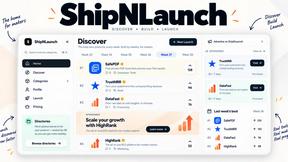
ShipNLaunch
Launch and discover SaaS, AI tools, developer tools, and indie software with permanent product pages and ongoing discovery.
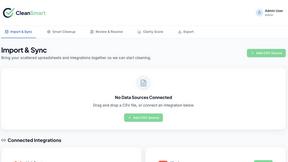
CleanSmart
CleanSmart removes duplicates, fixes formatting, fills gaps, and flags anomalies in one automated pass. No code. No data engineers.

Enlisted
Search 20,000+ open-source and SaaS tools by the job you need done or the app you want to replace.
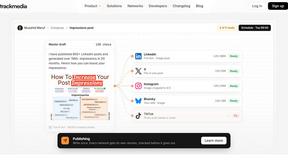
TrackMedia
Your Social Media Content Engine That Drives Revenue. Distribute content to every social platform and track it in real time with AI agents.


Forms Plugin
The #1 Native Form Builder Plugin for Framer - No Code, No Embeds, No External Platforms.

Ideogram Studio
Create text-rich logos, posters, ads, packaging, and ecommerce visuals with Ideogram 4 AI workflows and guided prompts.