StreamVox - AI Live Translator
StreamVox delivers real-time AI subtitles and translation for calls and media, breaking language barriers effortlessly on your Windows PC.
Visit
About StreamVox - AI Live Translator
StreamVox is an innovative real-time AI translator designed for Windows users, revolutionizing how we interact with audio content across various platforms. Whether you're in a business meeting, gaming with friends, or watching international streams, StreamVox breaks down language barriers by adding live subtitles and providing instant translation for any audio playing on your PC. With support for over 49 input and target languages, this tool caters to a diverse audience, from professionals needing seamless communication to casual users looking to enjoy content in different languages. The main value proposition of StreamVox lies in its ultra-low latency translation capabilities, ensuring that conversations and content flow naturally, making it an essential tool for anyone navigating multilingual environments.
Features of StreamVox - AI Live Translator
Extensive Language Support
StreamVox offers support for over 49 input languages and the same number of AI-powered target languages, making it incredibly versatile for global communication. This wide range allows users to engage with diverse content and audiences without the hassle of language limitations.
Smart Audio Capture
With three distinct audio modes—System Audio, Microphone, and Per-App Capture—StreamVox provides users with flexible options to capture only the audio they need. This feature is particularly beneficial for isolating audio during calls or from specific applications like Zoom, Chrome, and Discord, enhancing clarity while ignoring unnecessary background noise.
Customizable Display Options
Users can choose between two display modes: Line-by-line for fast-paced environments like gaming and live chats, or Paragraph mode for a more natural reading experience. Additionally, the transparent overlay can be customized in terms of font size, color, and opacity, ensuring it fits seamlessly into any workflow.
Phone Link Integration
StreamVox integrates with Microsoft Phone Link, allowing users to translate mobile calls in real-time directly on their PC screens. This feature bridges the gap between mobile and desktop communication, making it easier for users to stay connected and understand conversations in their preferred language.
Use Cases of StreamVox - AI Live Translator
International Business Meetings
StreamVox is a game-changer for professionals participating in international meetings. By providing real-time translations during video calls on platforms like Zoom or Teams, users can effectively communicate without language barriers, fostering collaboration and understanding.
Gaming with Global Friends
For gamers communicating with friends from different countries, StreamVox delivers real-time subtitles for in-game voice chats. This ensures that players can strategize and interact fluidly, regardless of the languages spoken, enhancing the overall gaming experience.
Enjoying Foreign Content
StreamVox allows users to watch movies, shows, or streams on platforms like Netflix or Twitch without waiting for official subtitles. The live translation feature enhances the viewing experience, making foreign content accessible and enjoyable for everyone.
Language Learning Support
Language learners can use StreamVox to immerse themselves in foreign media while receiving instant translations. This tool can facilitate better understanding and retention of new vocabulary and phrases by allowing learners to engage with authentic content in real-time.
Frequently Asked Questions
How does StreamVox ensure low latency in translations?
StreamVox utilizes advanced AI algorithms to process audio in real-time, ensuring that translations occur with minimal delay. This allows for smooth and natural conversations, making it ideal for live interactions.
Is my audio data stored or shared when using StreamVox?
No, StreamVox is committed to user privacy. All audio is processed in real-time without being stored or shared, ensuring that your conversations remain confidential and secure.
Can I customize the appearance of the overlay?
Absolutely! StreamVox allows users to customize the overlay's font size, color, and transparency. This ensures that the subtitles fit your preferences and do not obstruct your view of the content.
What platforms does StreamVox support?
StreamVox is compatible with Windows 10 and 11 (64-bit) and works seamlessly with popular applications like Zoom, Teams, Discord, and various video players, making it versatile for a range of users.
Explore more in this category:
Similar to StreamVox - AI Live Translator
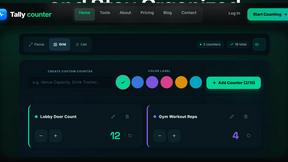
Tally Counter
Online tally counter for tracking attendance, workouts, inventory, visitors, sports scores, habits, and everyday counting tasks.
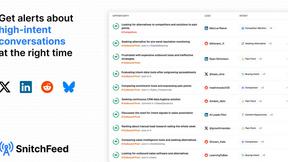
SnitchFeed
SnitchFeed is an agentic social listening tool that surfaces high-intent conversations on LinkedIn, X, Hackernews, and more for GTM and product teams.


AI STL Generator
The fastest AI STL generator to turn prompts and images into 3D printable STL files.

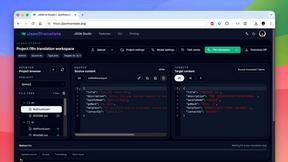
JsonTranslate
Translate JSON, Markdown, and TXT files while preserving keys, nested paths, and project structure.

Labrynth AI
AI regulatory intelligence platform that turns complex requirements into cited, audit-ready outputs.