
FlashSlides
FlashSlides instantly creates professional presentations from any topic, link, or document.
VisitPublished on:
January 20, 2026
Pricing:

About FlashSlides
FlashSlides is a next-generation AI presentation generator engineered to disrupt how individuals and teams create visual content. It transforms the traditionally time-consuming and skill-intensive process of building slide decks into a seamless, three-step workflow that delivers professional results in under a minute. The platform is built for a scaling world, empowering users from students to executives to articulate their ideas with clarity and impact without being bottlenecked by design tools or formatting complexities. Its core value proposition lies in democratizing professional presentation design, allowing users to focus purely on their core message and strategic goals. By accepting diverse inputs like a simple topic description, a YouTube URL, a website link, or uploaded documents (PDF/Word), FlashSlides provides unparalleled flexibility. It then leverages advanced AI to generate not only coherent, structured content but also unique, contextually relevant images for each slide. This end-to-end automation enhances productivity exponentially, facilitates better communication, and enables users to iterate and scale their content creation to meet the demands of a fast-paced environment.
Features of FlashSlides
Multi-Format Input Flexibility
FlashSlides breaks down content barriers by accepting input from virtually any source. You are not limited to typing a topic. You can paste a YouTube URL for a video summary, drop a website link to distill key information, or upload PDF and Word documents. This feature streamlines the research-to-presentation pipeline, allowing users to quickly transform existing materials and resources into a polished deck without manual copy-pasting or reformatting, saving critical time in the ideation phase.
Intelligent Slide & Image Generation
At the heart of FlashSlides is a powerful AI engine that does the heavy lifting. Once you provide input, the AI automatically structures the content into a logical flow across a user-selected number of slides (1-50). Crucially, it doesn't just generate text; it creates custom, AI-generated images for each slide that are visually matched to the content. This ensures a cohesive and engaging visual narrative that would typically require separate design software and significant creative effort.
One-Click Export & Share
When your presentation is ready, FlashSlides provides instant, frictionless distribution. You can download your deck directly as a fully editable PowerPoint (.pptx) file, giving you complete freedom to customize it further in any compatible software. Alternatively, you can share your presentation via a unique, generated URL, enabling real-time collaboration and viewing without requiring recipients to have any specific software or login credentials.
Customizable Slide Deck Length
Control the depth and detail of your presentation with precision. The tool allows you to select any number of slides from 1 to 50 before generation. This granular control lets you tailor the output for a quick lightning talk, a detailed project report, or a comprehensive business proposal, ensuring the final deck perfectly matches your time constraints and communication objectives.
Use Cases of FlashSlides
Rapid Business Proposal Development
Business professionals and consultants can accelerate client engagement by generating data-driven, visually compelling proposal decks in minutes. By inputting project outlines or pasting relevant research links, FlashSlides creates a structured narrative with professional aesthetics, enabling teams to respond to opportunities faster and with greater consistency, ultimately improving win rates and operational scalability.
Dynamic Educational Content Creation
Teachers and educators can revolutionize lesson planning by instantly converting curriculum topics, textbook chapters (via PDF upload), or educational video links into engaging slide decks. This use case saves countless hours of manual preparation, allowing educators to focus on pedagogy and student interaction while providing students with visually stimulating and organized learning materials.
Efficient Startup Pitch Crafting
Startup founders and entrepreneurs can iterate on their investor pitch decks with unprecedented speed. By quickly generating multiple versions based on different value proposition angles or competitive analyses, teams can test messaging and design, refine their story, and prepare for crucial meetings without the overhead of a design team, enabling agile development of their most critical business asset.
Streamlined Student Project Assembly
Students at all levels can meet tight deadlines and elevate their academic work. By transforming research paper content, project notes, or source material URLs into a structured presentation with relevant imagery, students can produce high-quality project reports and class presentations that demonstrate deep understanding and professional polish, freeing up time for deeper research and study.
Frequently Asked Questions
How does FlashSlides generate presentations so quickly?
FlashSlides utilizes advanced large language and image generation models. When you provide a topic or source material, the AI analyzes the content, identifies key themes and a logical structure, and writes concise points for each slide. Simultaneously, it interprets the slide's context to prompt an AI image generator, creating a unique visual. This parallel processing happens in the cloud, delivering a complete deck in about 30 seconds.
Is there a free plan available?
Yes, FlashSlides operates on a generous freemium model designed for growth and accessibility. Every registered user receives 1 free presentation generation per day without requiring a credit card. This allows anyone to experience the full power of the platform. For users who need to scale their creation, additional credits can be purchased to generate more presentations.
Can I edit the presentations after they are generated?
Absolutely. When you download your presentation as a PowerPoint (.pptx) file, you gain full editing rights. You can open the file in Microsoft PowerPoint, Google Slides, Apple Keynote, or any other compatible presentation software to modify text, replace images, change layouts, or add brand elements. FlashSlides provides the perfect first draft for your customization.
Are the presentations and images created private?
By default, presentations are public and may be featured in the public archive to inspire the community. However, you maintain control. You can make any presentation private directly from your user dashboard, ensuring that sensitive business proposals, internal reports, or confidential academic work remain completely confidential and accessible only to you.
Similar to FlashSlides

Build Mode for Mac
Build Mode is a Mac app that turns focused sessions into visible progress, so you can see the work adding up before the results arrive.

Motiofy
Motiofy is an AI creative workspace that helps creators and teams turn ideas into polished visual stories.

VidRush AI
AI-powered long video generator. Create multi-modal AI videos by combining images, video, audio, and text.
MySOP.guru
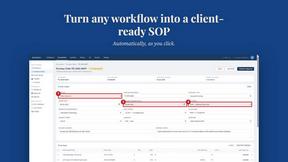
Capture any workflow in your browser and export a branded, step-by-step SOP with screenshots. €5 per document, no subscription.


PerPageFax
PerPageFax lets you send a fax online from any browser for a flat $0.50 per page — no account, no subscription, no fax machine.

Delta Report
Free, Live 3D Satellite, Space Weather & Climate Tracker in real time on an interactive globe alongside articles and insights.

Video2Jpg
Convert video to JPG, PNG, or WebP frames in your browser. High-quality video to image converter with no uploads—fast, private, and free.