
File Studio
File Studio empowers you to privately convert, edit, and manage files and PDFs offline on your computer with ease.
Visit
About File Studio
File Studio is a powerful desktop application crafted for individuals who prioritize the security and privacy of their documents. This innovative tool caters to a diverse user base, including photographers, freelancers, and remote workers, who require efficient management of sensitive files like passports, IDs, and contracts. With an impressive array of features, File Studio allows users to merge, split, reorder, rotate, and password-protect their PDFs while also facilitating conversions between over 20 file formats, such as HEIC, WebP, and various RAW types. The application stands out by providing a 100% offline experience, meaning that users can confidently manage their files without the risk of data breaches or the need to upload anything to the cloud. Available for both Mac and Windows, and offered with a one-time purchase model, File Studio is the perfect solution for those who seek reliable file management tools without the complications of subscriptions or online accounts.
Features of File Studio
Powerful PDF Management
File Studio offers a comprehensive set of tools for managing PDFs, allowing users to merge, split, reorder, rotate, and unlock files easily. This ensures full control over PDF documents without the need to connect to the internet, preserving privacy and security.
Advanced Image Processing
With support for over 20 image formats, including HEIC, WebP, and various RAW types, File Studio enables users to convert, resize, compress, and edit images efficiently. The application's image processing tools are designed to enhance workflow while ensuring high-quality output.
Batch Processing Capabilities
File Studio allows users to process multiple files simultaneously, making it easy to convert, resize, or compress entire folders in one go. This feature significantly boosts productivity, particularly for those managing large volumes of documents and images.
Complete Offline Functionality
All processing within File Studio is performed locally on the user's device, eliminating the need for internet connectivity. This 100% offline approach guarantees that sensitive files remain private and secure, giving users peace of mind.
Use Cases of File Studio
Document Management for Freelancers
Freelancers often handle sensitive documents, including contracts and client IDs. File Studio enables them to manage these files offline, ensuring that they maintain confidentiality and security while performing essential tasks.
Photo Editing for Photographers
Photographers can utilize File Studio to convert RAW images to more accessible formats, resize photos for web use, and batch process large collections of images without compromising quality, all while keeping their work private.
Secure File Handling for Remote Workers
Remote workers can rely on File Studio to manage sensitive documents like passports and identification forms securely. The offline functionality ensures that these important files are processed without any risk of data exposure.
Efficient Workflow for Businesses
Businesses can streamline their document workflows by using File Studio to consolidate multiple PDFs into single documents, modify images for presentations, and handle file conversions, all while maintaining strict privacy standards.
Frequently Asked Questions
Is my data ever uploaded?
No, File Studio processes everything locally on your device. Your files never leave your computer, ensuring 100% offline processing and complete privacy.
Do you offer a free trial?
Yes, File Studio provides a free trial so users can explore its features and capabilities before committing to a purchase.
Can I use File Studio on multiple devices?
File Studio licenses are typically tied to a single device. However, you can check the licensing terms for details on using the software across different devices.
What types of files can I convert with File Studio?
File Studio supports over 20 file formats, including various image and document types. Users can convert files between formats like HEIC, JPG, PDF, and many more, ensuring versatile file management.
Explore more in this category:
Similar to File Studio

Build Mode for Mac
Build Mode is a Mac app that turns focused sessions into visible progress, so you can see the work adding up before the results arrive.
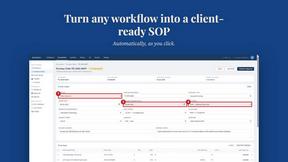
MySOP.guru
Capture any workflow in your browser and export a branded, step-by-step SOP with screenshots. €5 per document, no subscription.

PerPageFax
PerPageFax lets you send a fax online from any browser for a flat $0.50 per page — no account, no subscription, no fax machine.

Video2Jpg
Convert video to JPG, PNG, or WebP frames in your browser. High-quality video to image converter with no uploads—fast, private, and free.


Construction Calculator
Free construction calculators with transparent formulas, steps, assumptions, and metric or imperial units.


Glanced
Follow news, blogs, newsletters, and podcasts in a free RSS reader, with AI summaries, top stories, full-text search, saved searches, and a catalog.