
Easymotion - AI Motion Graphic Generator
Easymotion lets you create professional motion graphics, map animations, and social videos in minutes by simply chatting with AI.
Visit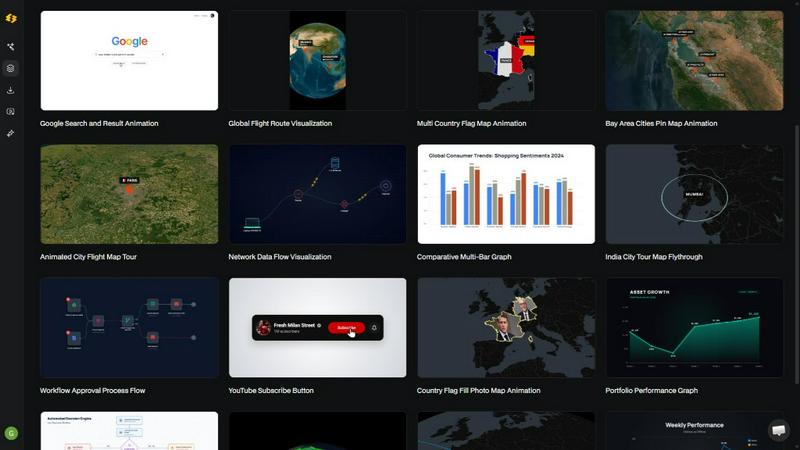
About Easymotion - AI Motion Graphic Generator
Easymotion is an AI-powered motion graphics generator and map animation platform built for a new era of content creation. It directly addresses the pain point of creators, editors, marketers, founders, and data storytellers who are tired of spending hours in complex timeline-based software like After Effects. The platform allows users to turn ideas, static visuals, and data files into polished, professional animated videos simply by chatting with AI. Instead of wrestling with keyframes and intricate interfaces, you describe what you want in plain English, and Easymotion handles the animation curves, transitions, and visual styling. The core value proposition is speed and accessibility: create motion graphics in under five minutes, iterate instantly through conversational edits, and export ready-to-publish videos for any platform. Whether you need a SaaS product promo, an animated flowchart, a data-driven chart, a UI explainer, or a geographic storytelling map with flight routes and location pins, Easymotion eliminates the bottleneck of traditional motion design. It is built for growth-minded teams and individuals who need to ship more content, faster, without sacrificing quality or brand consistency. With support for multiple aspect ratios, transparent background exports, and a rich template library, Easymotion empowers anyone to move from idea to animated video in minutes, directly in the browser.
Features of Easymotion - AI Motion Graphic Generator
AI-Powered Chat-to-Animation
The core engine of Easymotion is its conversational AI interface. Instead of learning complex software, you simply type a prompt describing the animation you want, such as "Design a social media promo video for my coffee shop." The AI interprets your request and generates a fully animated scene complete with motion graphics, transitions, and visual styling. This removes the technical barrier to entry, allowing anyone to create professional motion graphics without prior design experience. The chat interface also enables rapid iteration; you can refine colors, pacing, labels, layout, and overall style by typing new instructions, making the creative process fluid and fast.
Static Image and Data to Animation
Easymotion transforms static assets into dynamic video content with minimal effort. Upload an image, and the AI brings it to life with stunning motion, adding subtle or dramatic animations that enhance visual storytelling. For data-driven content, the platform supports CSV and XLSX file uploads. Simply upload a spreadsheet, and Easymotion automatically generates animated charts, graphs, and data visualizations that are far more engaging than static slides. This feature is a game-changer for data storytellers and marketers who need to present insights in a format that stops the scroll on social media or captures attention in presentations.
Professional Map Animation Studio
Easymotion includes a dedicated map animation maker that is faster and more intuitive than traditional GIS or motion design tools. Users can create animated flight routes, pinpoint locations with custom markers, highlight countries or regions with flag fills, and build geographic storytelling visuals. The platform supports various map styles and allows for customization of routes, pins, and transitions. This capability is ideal for travel content, logistics explainers, global business presentations, and any video that requires geographic context. The map animations are rendered smoothly and can be exported in any standard aspect ratio.
Flexible Export and Aspect Ratio Support
To ensure every video is ready for its intended platform, Easymotion offers comprehensive export options. Users can download their finished animations as MP4 or MOV files, including videos with transparent backgrounds (alpha channel) for seamless integration into existing editing workflows. The platform supports all major social media aspect ratios: 16:9 for YouTube and landscape content, 9:16 for TikTok and Instagram Reels, 1:1 for square social posts, and 4:5 for feed-friendly vertical formats. This flexibility means creators can produce one animation and repurpose it across multiple channels without rework.
Use Cases of Easymotion - AI Motion Graphic Generator
Social Media Content Creation for Growth
Creators and marketers can use Easymotion to rapidly produce high-engagement video content for platforms like TikTok, Instagram, YouTube Shorts, and LinkedIn. By turning static graphics, data points, or simple ideas into animated videos, they can increase viewer retention and drive higher engagement rates. The platform enables the creation of product teasers, educational clips, animated infographics, and brand stories that stand out in crowded feeds. With sub-five-minute creation times, users can post more frequently and test different creative directions without burning out their design resources.
Data Visualization and Storytelling
Data analysts, consultants, and business leaders can transform boring spreadsheets into compelling animated narratives. Easymotion allows users to upload CSV or XLSX files and instantly generate animated bar charts, line graphs, and other data visualizations. These animated visuals are perfect for quarterly reports, investor presentations, educational content, and social media posts that aim to explain complex information quickly. The ability to add motion to data points and transitions makes the information more memorable and engaging than static charts, leading to higher audience retention and understanding.
Map-Based Geographic Storytelling
Travel bloggers, logistics companies, news outlets, and educators can leverage Easymotion to create stunning map animations that tell a geographic story. Users can animate flight routes between cities, show the expansion of a business across regions, highlight travel itineraries, or visualize global data points. The map animation feature is particularly effective for content that requires a sense of place and movement, such as travel reels, global business updates, or educational videos about world events. The intuitive interface means no GIS expertise is needed to produce professional-looking map videos.
Rapid Marketing Campaign and Product Demos
Marketing teams and founders can use Easymotion to create polished product demos, feature explainers, and campaign videos without waiting on external designers or freelancers. The platform supports the creation of animated UI explainers, workflow charts, and product promos that clearly communicate value propositions. Because the AI allows for instant edits and iterations, teams can respond to feedback quickly and ship campaigns the same day. This speed is critical for startups and growth-stage companies that need to maintain a consistent content output and adapt to market trends rapidly.
Frequently Asked Questions
What is Easymotion and how does it differ from traditional animation software?
Easymotion is an AI-powered motion graphics generator that lets you create professional animated videos by chatting with AI. Unlike traditional software like After Effects, which requires learning complex timelines, keyframes, and animation curves, Easymotion handles all the technical heavy lifting. You simply describe your vision in plain English, and the AI generates the animation. This makes it accessible to anyone, regardless of design experience, and reduces video creation time from hours to minutes.
What types of videos can I create with Easymotion?
You can create a wide variety of motion graphics and animations, including SaaS product promos, animated flowcharts, data visualizations like bar charts and line graphs, UI explainers, quizzes, social media videos, and professional map animations. Map animations support flight routes, location pins, flag fill highlights, and geographic storytelling. The platform is versatile enough for YouTube content, TikTok and Instagram Reels, presentations, client deliverables, and any other video format that benefits from motion graphics.
How does the AI animation generation process work?
The process is simple and involves three steps. First, you describe the animation you want in plain English using the chat interface, or you can upload an image, spreadsheet, or PDF to convert into an animation. Second, you refine the result by chatting with the AI to adjust colors, pacing, labels, layout, and visual style until you are satisfied. Finally, you export your completed video as an MP4 or MOV file, including options for transparent background exports. The AI handles all keyframes and animation curves automatically.
Can I customize the animations to match my brand?
Yes, Easymotion offers extensive customization options. After generating an animation, you can use the chat interface to adjust colors, fonts, logos, labels, pacing, and overall visual style to align with your brand guidelines. The platform also includes a premium template library that provides proven motion graphics layouts, which you can customize for your brand, campaign, or client content. This ensures that every video you create maintains a consistent and professional brand identity.
Pricing of Easymotion - AI Motion Graphic Generator
Based on the provided content, specific pricing details, plans, or tier costs are not available. The website indicates that users can start creating for free with no credit card required, suggesting a free tier exists, but no structured pricing information is present in the context. Therefore, this section is omitted as per the instructions.
Similar to Easymotion - AI Motion Graphic Generator
ImageAgent
Create and edit AI images through conversation, using text or reference images and refining results in chat.

CloneWebsite
Clone any webpage pixel-perfect, export HTML/CSS/ZIP or React/Vue components.
Adobe Alternatives
Explore open-source creative software by workflow, platform and development stage, with comparisons and official project links.

Hotel Lobby AI
Hotel Lobby AI turns two separate portraits into a stylish duet video inside an orange recording booth. Choose each performer's side, framing, and dur
GenX
All-in-one AI workspace to generate images, videos, and audio with multiple leading AI models.
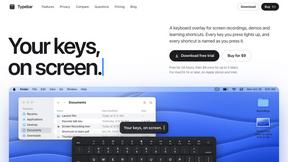
Typebar
Every key you press lights up on an on-screen keyboard, and each shortcut is named as you press it.

Bloom
An adaptive AI tutor that turns topics or your materials into courses, lessons, and answers tailored to how you learn.
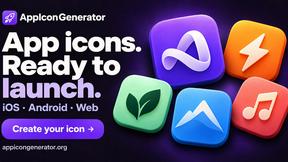
AppIconGenerator
Generate iOS and Android app icons from any image and export all platform sizes for free.