

Alternatives to Easymotion - AI Motion Graphic Generator
Easymotion lets you create professional motion graphics, map animations, and social videos in minutes by simply chatting with AI.
Explore 20 alternatives to Easymotion - AI Motion Graphic Generator. Compare features, pricing, and find the best fit for your needs.
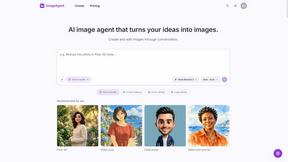
ImageAgent
Create and edit AI images through conversation, using text or reference images and refining results in chat.

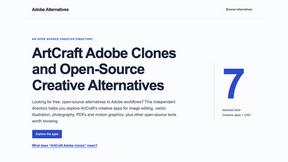
Adobe Alternatives
Explore open-source creative software by workflow, platform and development stage, with comparisons and official project links.

Hotel Lobby AI
Hotel Lobby AI turns two separate portraits into a stylish duet video inside an orange recording booth. Choose each performer's side, framing, and dur
GenX
All-in-one AI workspace to generate images, videos, and audio with multiple leading AI models.
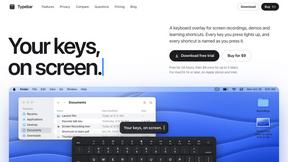
Typebar
Every key you press lights up on an on-screen keyboard, and each shortcut is named as you press it.

Bloom
An adaptive AI tutor that turns topics or your materials into courses, lessons, and answers tailored to how you learn.

AppIconGenerator
Generate iOS and Android app icons from any image and export all platform sizes for free.

YIX
AI image and video generation, photo editing, restoration and free prompt tools in one browser studio.
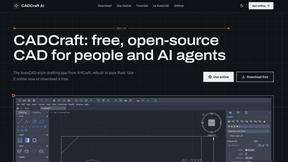
CADCraft
Free open-source 2D CAD software for precise drafting and automated design workflows.
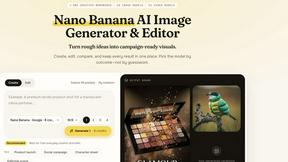
Nano AI
Create and edit AI images, generate videos, and compare models in one creative workbench.
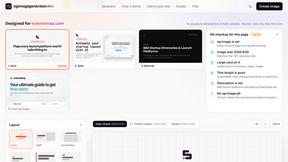
ogimagegenerator.dev
Paste a URL and AI designs on-brand Open Graph images from your page's colours, fonts and logo. Free, no sign-up.
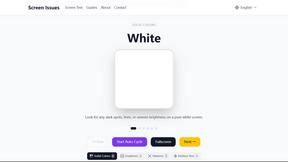
Screen Issues
Free Online Screen Test Tool - Instantly diagnose dead pixels, lines, color issues, and flickering. Multiple test modes, no download needed.


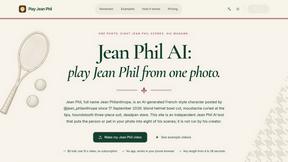
Play Jean Phil
Play Jean Phil turns one photo of a person or pet into a Jean Philanthrope AI video in one of eight scenes. No app, no prompt.

Gas Station Dance AI Generator
Browser AI generator that recreates the viral gas station dance video from 1-3 photos, no filming or prompts.

Unforgettable Car AI
Unforgettable Car AI makes the 15-second Unforgettable car trend video from one selfie: hold up a red 2 and 4, then a car appears.

Ozil Goal AI
Ozil Goal AI turns one photo into an AI remake of Mesut Özil's famous 2016 chip-and-dribble goal against Ludogorets
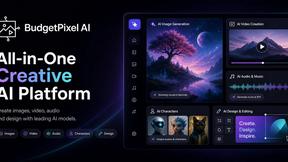
Budgetpixel AI
Create and edit AI images, videos, music, and designs in one workspace, with multiple models, reusable characters, and API access.
About Easymotion - AI Motion Graphic Generator Alternatives
Easymotion is an AI-powered motion graphic generator and map animation platform that sits at the intersection of content creation, video production, and design tools. It allows users to turn static visuals, spreadsheets, PDFs, and simple prompts into polished animated videos without needing to master complex timeline editing software. While Easymotion excels at automating the creation of SaaS product promos, flowcharts, animated charts, UI explainers, and geographic storytelling, users often look for alternatives due to specific needs around pricing flexibility, feature depth for advanced customization, platform compatibility for their existing workflows, or the desire for more granular control over animation timing and effects. The market for AI video tools is expanding rapidly, and what works for one creator’s pipeline may not fit another’s scaling strategy. When choosing an alternative to Easymotion, it is critical to evaluate the tool’s core competency in motion graphics versus map animation, as some platforms specialize in one but not the other. Look for solutions that offer robust export options including transparent backgrounds and multiple aspect ratios for social media, presentations, and client deliverables. Consider whether the platform supports a chat-based editing interface for rapid iteration, or if you require a more traditional keyframe approach. Finally, assess the template library quality and the ability to upload and convert your own assets—like images, spreadsheets, and PDFs—into animation-ready scenes, as this directly impacts how fast you can scale your content production.
FAQs about Easymotion - AI Motion Graphic Generator Alternatives
What is Easymotion - AI Motion Graphic Generator?
Easymotion is an AI motion graphics generator and map animation platform designed for content creators, editors, founders, and marketers. It enables users to transform ideas, files, and static visuals into polished animated videos without relying on complex timeline editing software. The platform supports motion graphics for SaaS product promos, flowcharts, animated charts, UI explainers, and quizzes, as well as map animations for flight routes, location pins, and geographic storytelling. Users can start from a text prompt or convert images, spreadsheets, and PDFs into animation-ready scenes.
Who is Easymotion - AI Motion Graphic Generator for?
Easymotion is built for content creators, editors, founders, and marketers who need a faster way to produce motion graphics, map animations, and reusable video assets directly in the browser. It is ideal for professionals creating SaaS product demos, social media content, client deliverables, presentations, and geographic storytelling visuals. The platform is designed for users who want to bypass complex editing timelines and instead use AI to generate and refine animations through natural language commands.
Is Easymotion - AI Motion Graphic Generator free?
The provided content does not specify whether Easymotion offers a free tier or a free trial. Users should check the official Easymotion website for the most current pricing information, which may include free, freemium, or subscription-based plans. Typically, AI motion graphic tools offer limited free access or a trial period to test core features before committing to a paid plan.
What are the main features of Easymotion - AI Motion Graphic Generator?
Easymotion’s main features include AI-powered generation of motion graphics from prompts, images, spreadsheets, and PDFs, as well as a dedicated map animation maker for geographic visuals. Users can edit animations by chatting with AI to adjust colors, pacing, labels, layout, and visual style. The platform includes a premium template library for starting from proven layouts, and supports exports as MP4 or MOV, including videos with transparent backgrounds. It offers multiple aspect ratios including 16:9, 9:16, 1:1, and 4:5 for YouTube, TikTok, Instagram Reels, and social posts.