
Caption.IM
Caption.im transforms audio into real-time captions, translations, and summaries on your Mac, enhancing productivity and accessibility effortlessly.
Visit
About Caption.IM
Caption.IM is an innovative, privacy-first AI captioning assistant designed specifically for macOS users. This powerful tool revolutionizes the way you interact with audio content by converting any sound from your Mac into real-time captions, translations, recordings, and structured meeting notes. One of its standout features is that it operates locally on your device, ensuring that your audio data remains private and secure. Unlike traditional browser extensions or meeting bots that often struggle with compatibility, Caption.IM captures system audio directly, making it versatile enough to work seamlessly across a multitude of applications such as Zoom, Google Meet, Microsoft Teams, YouTube, online courses, podcasts, livestreams, and more. Whether you're a remote worker, educator, or content creator, Caption.IM enhances productivity and accessibility by generating live subtitles for conversations, translating multilingual content in real-time, and transforming lengthy discussions into coherent summaries and actionable insights. Embrace the future of audio management with Caption.IM, where your conversations become searchable and translatable knowledge instantly.
Features of Caption.IM
Real-time transcription
Caption.IM provides unparalleled real-time transcription capabilities, allowing users to generate live captions for meetings, videos, podcasts, and calls. This feature ensures that no important information is missed, making it ideal for busy professionals and students alike.
Instant translation
With Caption.IM's instant translation feature, users can understand content in multiple languages as it generates real-time translated subtitles. This functionality is essential for multilingual teams, breaking language barriers and facilitating smoother communication during meetings or collaborative sessions.
Floating subtitle window
The elegant floating subtitle window is a standout feature that offers a transparent overlay, seamlessly integrating with macOS. This design not only enhances usability but also ensures that the subtitles do not obstruct the content you are viewing, providing a distraction-free experience.
AI meeting summaries
After conversations, Caption.IM automatically generates structured summaries and key insights, saving you time and effort. This feature is particularly beneficial for professionals who need to keep track of important discussions and decisions made during meetings, allowing for better follow-up and action items.
Use Cases of Caption.IM
Remote meetings
In the era of remote work, Caption.IM is the perfect companion for virtual meetings. It captures and displays real-time captions, ensuring all participants can follow along, regardless of their hearing ability or language proficiency.
Online learning
Educators and students alike can benefit from Caption.IM during online classes. The app provides live subtitles for lectures, making it easier for students to absorb information and participate actively, ensuring a more inclusive learning environment.
Multilingual teams
For businesses with diverse teams spread across different countries, Caption.IM facilitates communication by providing instant translations. This feature ensures that everyone is on the same page, fostering collaboration and understanding among team members.
Accessibility
Caption.IM is a game-changer for individuals with hearing impairments. By generating real-time captions and meeting summaries, it enhances accessibility and inclusivity, allowing everyone to engage fully in conversations and discussions.
Frequently Asked Questions
What platforms does Caption.IM support?
Caption.IM is designed exclusively for macOS and can work across various applications such as Zoom, Google Meet, Microsoft Teams, YouTube, and more, capturing system audio directly.
Is my data safe with Caption.IM?
Yes, Caption.IM is a privacy-first application that processes all audio data locally on your device. Your conversations and information never leave your Mac, ensuring maximum privacy and security.
Can I use Caption.IM for recorded content?
Absolutely! Caption.IM can generate real-time captions for live audio as well as recorded content, making it a versatile tool for webinars, podcasts, and any other audio materials you need to transcribe.
Does Caption.IM require an internet connection?
While Caption.IM leverages local AI for its core functionalities, an internet connection may be required for features like instant translation or updates. However, your audio data is never transmitted online, maintaining your privacy.
Explore more in this category:
Similar to Caption.IM

Product Launch Checklist
A free launch checklist for SaaS, apps, AI tools and more. Every step says why it matters and when you can skip it.

HomeAnswerBook
Practical, independent guides to home repairs, maintenance, costs, troubleshooting, and everyday fixes.

BlazePDF
Highlight faster. Study in flow with custom shortcuts and a workflow built around you. Print smarter, or turn any page into a tiled poster.
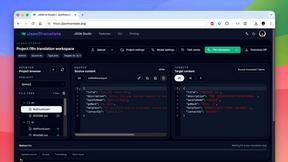
JsonTranslate
Translate JSON, Markdown, and TXT files while preserving keys, nested paths, and project structure.

Build Mode for Mac
Build Mode is a Mac app that turns focused sessions into visible progress, so you can see the work adding up before the results arrive.

LiteralKit
Free, no-signup Unicode text tools: superscript, fancy fonts, case converter, symbols. Fast and private.

