
AssetCenter
AssetCenter tracks every asset from acquisition to retirement on a unified timeline for full lifecycle visibility.
Visit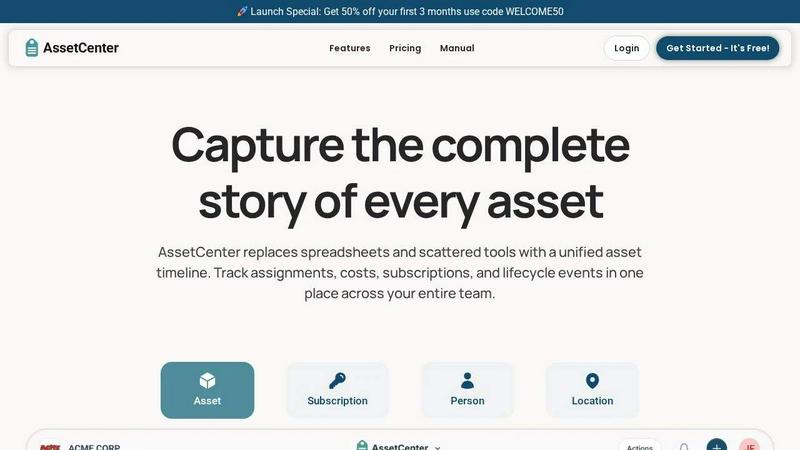
About AssetCenter
AssetCenter is a modern asset management platform designed to give growing organizations complete visibility and control over every asset through a single, unified timeline. Instead of juggling spreadsheets, sticky notes, or disconnected systems, teams can track the entire journey of every asset from acquisition to end-of-life in one clear, chronological view. Every event, including purchases, assignments, maintenance, transfers, subscriptions, and decommissioning, is captured automatically, creating a single source of truth that is easy to understand and act on. Built for startups and scaling businesses, AssetCenter supports any industry with fully customizable categories and fields, allowing you to model your real-world workflows without rigid constraints. Whether you are tracking IT equipment, construction machinery, healthcare devices, or office furniture, you can assign assets to people, locations, or departments, with every change logged for full accountability. With built-in lifecycle tracking, depreciation insights, and an intuitive dashboard, AssetCenter helps teams make smarter decisions, reduce inefficiencies, and stay organized as they grow. The platform also includes a free trial with 25 assets, no time limit, and no credit card required, making it easy to start tracking immediately.
Features of AssetCenter
Unified Timeline for Every Resource
Every asset, subscription, person, and location has its own timeline that captures all events in chronological order. From acquisition and assignment to notes, to-dos, maintenance, and decommission, you can see everything that has happened at a glance. This eliminates scattered data and provides a complete audit trail for accountability and traceability across your entire organization.
Customizable Categories and Events
AssetCenter lets you create unlimited, industry-specific categories to organize assets and subscriptions exactly how your business needs. You can customize prebuilt timeline events for acquisition, lifecycle, and decommission stages, or create your own events to match your workflows. Whether you need to log oil changes, firmware updates, or vandalism, the platform adapts to your processes.
Bulk Import with Excel Templates
Getting started is fast with ready-to-use bulk import Excel templates. Simply download the templates, fill them with your assets, subscriptions, people, and locations, then upload the completed file to import everything into AssetCenter. This feature is ideal for organizations migrating from spreadsheets or other systems, saving hours of manual data entry.
Comprehensive Dashboard and Visibility
The central dashboard brings everything together, giving you real-time visibility into costs, expirations, end-of-life assets, and recent activity across all resources. You can track total spend, stay ahead of subscription renewals, and identify underutilized assets without jumping between pages. This helps teams make data-driven decisions and reduce inefficiencies.
Use Cases of AssetCenter
IT Asset Management for Growing Startups
A scaling tech startup can use AssetCenter to track laptops, monitors, software licenses, and peripherals assigned to remote employees. The unified timeline captures each device from purchase to assignment, maintenance, and eventual retirement. The dashboard shows upcoming subscription renewals and warranty expirations, preventing unexpected costs and ensuring every team member has the right equipment.
Healthcare Equipment Tracking and Compliance
Hospitals and clinics can manage medical devices, infusion pumps, and diagnostic equipment with custom categories for each asset type. The timeline logs calibration events, firmware updates, and maintenance repairs, creating a complete audit trail for regulatory compliance. Assigning assets to specific departments or locations ensures accountability and reduces equipment loss.
Construction and Field Operations Management
Construction firms can track heavy machinery, tools, and vehicles across multiple job sites. Custom events like oil changes, safety inspections, and repairs are logged automatically. The dashboard provides visibility into equipment location, maintenance schedules, and total costs, helping project managers reduce downtime and optimize resource allocation across projects.
Education and Nonprofit Resource Management
Schools and nonprofits can manage laptops, tablets, projectors, and furniture assigned to students or staff. The timeline captures checkouts, returns, and maintenance events, ensuring assets are used efficiently and accounted for. Bulk import templates make it easy to onboard hundreds of items quickly, while the free trial allows organizations to test the platform with no financial commitment.
Frequently Asked Questions
What does the free trial include?
The free trial includes access to the entire AssetCenter platform with 25 assets, no time limit, and no credit card required. You can create custom categories, use the unified timeline, import data via Excel templates, and explore the dashboard. There are no hidden fees or expiration dates, so you can fully evaluate how AssetCenter fits your organization.
Can I customize the timeline events for my industry?
Yes, AssetCenter is built for flexibility. You can customize prebuilt events for acquisition, lifecycle, and decommission stages, or create your own events to match your workflows. For example, a construction company can add events like oil change or safety inspection, while an IT team can add firmware update or factory reset. This ensures the platform adapts to your specific processes.
How do I import my existing assets into AssetCenter?
You can use the bulk import feature by downloading Excel templates from the import page. Fill in the templates with your assets, subscriptions, people, and locations, then upload the completed file to import everything quickly. This is designed to save time and help you migrate from spreadsheets or other asset management systems with minimal effort.
Is AssetCenter suitable for organizations with multiple locations?
Absolutely. AssetCenter allows you to assign assets to people, locations, or departments, making it ideal for organizations with multiple offices, job sites, or branches. The unified timeline and dashboard provide visibility across all locations, so you can track where every asset is, who is responsible for it, and its current status from a single platform.
Pricing of AssetCenter
AssetCenter offers a free trial with 25 assets, no time limit, and no credit card required. For full pricing details on paid plans, please visit the AssetCenter pricing page on their website. Use code WELCOME50 to get 50% off your first 3 months when you upgrade to a paid plan.
Explore more in this category:
Similar to AssetCenter
Novastart
Apps and files on an infinite canvas where people and AI agents work together.

Panzoe
Panzoe is an all-in-one AI platform for personal productivity, business automation, AI assistants, content creation, and custom AI solutions.
MD TO TEXT
Free online Markdown to Text converter: paste Markdown to strip formatting, get clean readable plain text, copy instantly, all in your browser.
AI Email Filter
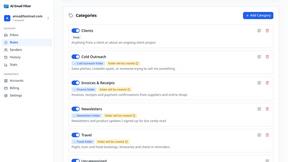
AI Email Filter sorts incoming mail into folders using plain-language prompts you write. Works with any IMAP mailbox; bring your own LLM if you want.
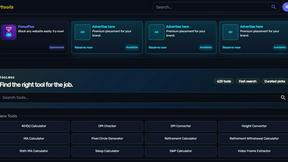
Kody Tools
Free collection of online developer utilities, code formatters, and digital converters designed to streamline your daily workflow.
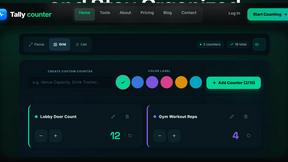
Tally Counter
Online tally counter for tracking attendance, workouts, inventory, visitors, sports scores, habits, and everyday counting tasks.
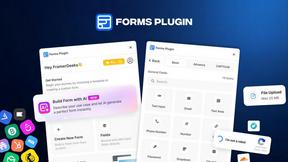
Forms Plugin
The #1 Native Form Builder Plugin for Framer - No Code, No Embeds, No External Platforms.
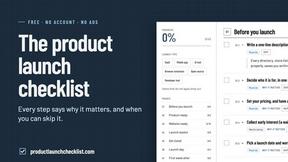
Product Launch Checklist
A free launch checklist for SaaS, apps, AI tools and more. Every step says why it matters and when you can skip it.