
Proofapp vs Refbox
Side-by-side comparison to help you choose the right product.

Proofapp
Streamline design feedback with visual comments directly on your website for faster approvals and fewer revisions.
Last updated: March 4, 2026

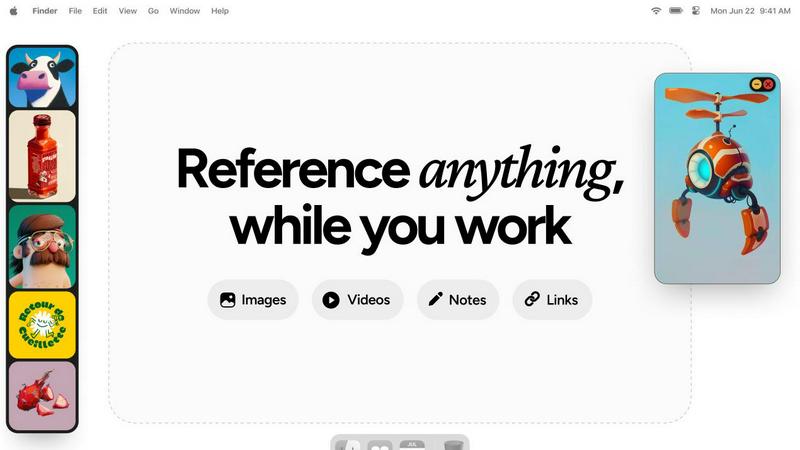
Refbox keeps your reference images and notes accessible above any workspace, enhancing your productivity and creativity.
Last updated: February 28, 2026
Visual Comparison
Proofapp

Refbox
Feature Comparison
Proofapp
Visual Commenting
With Proofapp, users can leave contextual feedback by simply clicking on a screenshot. This eliminates confusion about the location of comments, as annotations are pinned exactly where they belong. No more vague descriptions like "top left, under the nav."
Multi-Breakpoint Testing
Proofapp automatically captures and reviews websites at both desktop and mobile breakpoints. This feature ensures that feedback is applicable across different devices, streamlining the design review process for teams focused on responsive web design.
Secure Share Links
Users can generate secure, expirable links to share projects with clients. This means that clients can view and comment on designs without needing an account, making it easy to collaborate while maintaining control over access.
Real-time Collaboration
Proofapp facilitates real-time collaboration by allowing team members to see comments and updates instantly. Users can reply, resolve feedback, and track progress together, enhancing teamwork and reducing delays in the revision process.
Refbox
Floating Reference Frames
Refbox offers resizable frames that float above any application, ensuring that your references are always visible. This feature allows you to maintain focus on your creative tasks without the need to switch between different windows or applications.
Project-Specific Collections
Organize your media into specific collections for each project, making it easy to access relevant references quickly. This feature enhances productivity by allowing for effortless navigation through your curated inspiration.
Frame-by-Frame GIF Scrubbing
With Refbox, you can scrub through GIFs frame by frame, making it easy to analyze motion and timing in your artworks. This feature is particularly beneficial for animators and designers looking to capture the nuances of movement.
Markdown-Enabled Notes
Take structured notes with markdown support that allows for styling options and checklists. This feature enables users to jot down ideas and thoughts alongside their visual references, ensuring that all necessary information is easily accessible.
Use Cases
Proofapp
Freelancers Collecting Client Feedback
Freelancers can utilize Proofapp to gather precise visual feedback from clients without the hassle of long email threads. By pinning comments directly on designs, they save time and improve client satisfaction.
Agencies Managing Multiple Projects
Agencies can streamline their feedback process across various projects by using Proofapp's multi-page support and real-time collaboration features. This ensures that all team members and clients are on the same page, reducing miscommunication and speeding up project timelines.
Design Teams Seeking Precision
Design teams can benefit from Proofapp's visual commenting and multi-breakpoint testing features, allowing them to receive clear, actionable feedback on their designs. This clarity leads to fewer revisions and a more efficient workflow.
Marketing Teams Reviewing Campaigns
Marketing teams can use Proofapp to review landing pages and campaigns visually, ensuring that all stakeholders can provide input directly on the designs. This leads to more effective marketing materials and improved teamwork.
Refbox
Streamlined Design Process
Graphic designers can utilize Refbox to keep their reference images and mood boards visible while working on new projects. This streamlined access can significantly speed up the design process and improve the overall quality of the output.
Animation Workflow Enhancement
Animators can benefit from the frame-by-frame GIF scrubbing feature to study motion closely. By having references readily available, they can ensure their animations are fluid and accurate, ultimately elevating their final work.
UI/UX Prototyping
UI/UX designers can organize their research, user interface designs, and inspiration into specific collections. This organized approach helps them quickly compare and implement new ideas during prototyping sessions, enhancing creativity.
Photography Projects
Photographers can use Refbox to keep inspiration images, editing notes, and reference materials accessible during shoots or editing sessions. This ability to have everything at hand boosts both speed and accuracy in their workflow.
Overview
About Proofapp
Proofapp is a cutting-edge visual feedback and website review platform designed to enhance collaboration among designers, developers, and their clients. By allowing users to upload any website URL, Proofapp automatically captures high-quality screenshots for both desktop and mobile views. This innovative tool facilitates direct communication by enabling reviewers to pin comments precisely where they are needed, eliminating the frustration of vague feedback. With features such as real-time collaboration, multi-page support, and seamless Slack integration, Proofapp transforms the feedback process into a streamlined experience. It's perfect for freelancers, agencies, and small teams seeking to increase productivity and reduce miscommunication. Say goodbye to endless email chains and unproductive revisions, and embrace a solution that keeps all feedback organized, visual, and actionable.
About Refbox
Refbox is a groundbreaking floating reference app designed to elevate the creative workflow of professionals in various fields, including illustration, 3D art, UI/UX design, animation, and photography. By providing an always-on-top solution for accessing visual and textual references, Refbox eliminates the disruptive context switching that can hinder creativity. Its main value proposition lies in the ability to keep all forms of references—images, videos, GIFs, notes, and bookmarks—consolidated in a sleek, resizable sidebar. This unique approach allows users to maintain their focus and inspiration without the hassle of constant alt-tabbing between applications or folders. With features tailored to meet the demands of modern creatives, Refbox transforms the way individuals organize and interact with their reference materials, ensuring that inspiration is always at their fingertips.
Frequently Asked Questions
Proofapp FAQ
How does Proofapp improve the feedback process?
Proofapp enhances the feedback process by providing a visual platform where comments can be pinned directly onto screenshots. This minimizes miscommunication and ensures that feedback is actionable and easy to understand.
Is there a free trial available?
Yes, Proofapp offers a generous free trial that allows users to access full features for 60 days without requiring a credit card. This lets potential users explore the platform and see its benefits firsthand.
Can clients leave feedback without an account?
Absolutely! Clients can leave feedback via secure, expirable links generated by Proofapp, allowing them to comment directly on designs without the need to create an account.
What kind of security does Proofapp offer?
Proofapp prioritizes security with features like role-based permissions and audit logs, ensuring that all data is handled securely. This gives users peace of mind while collaborating with team members and clients.
Refbox FAQ
How does Refbox integrate with other applications?
Refbox is designed to float above any application, providing instant access to your references without interrupting your workflow. You can minimize or hide the sidebar as needed, making it compatible with any creative software.
Can I customize the layout of my references in Refbox?
Yes, Refbox allows you to organize your references into project-specific collections and view them in a dynamic Masonry grid. You can also resize and reposition frames to best suit your workflow.
Is there a mobile version of Refbox?
Currently, Refbox is optimized for desktop use, allowing professionals to keep their references visible while working across various creative applications. Mobile support may be considered for future updates.
What types of media can I use with Refbox?
Refbox supports a wide range of media types, including images, videos, GIFs, and notes. You can also paste website links to create screenshots and view SVG files, making it a versatile tool for all your reference needs.
Alternatives
Proofapp Alternatives
Proofapp is a visual feedback and website review platform designed to enhance collaboration among designers, developers, and their clients. By allowing users to upload website URLs and automatically generating screenshots for both desktop and mobile views, Proofapp streamlines the feedback process. This helps users eliminate confusion typically associated with scattered emails and vague notes, making it easier to manage revisions and feedback in an organized manner. Despite its many strengths, users often seek alternatives to Proofapp for reasons such as pricing, feature sets, or specific platform requirements. When choosing an alternative, consider factors such as ease of use, integration capabilities, and the ability to handle multi-page projects. It’s essential to find a solution that aligns with your unique workflow and provides the necessary tools to enhance your design review process effectively.
Refbox Alternatives
Refbox is a cutting-edge floating app designed to enhance creative workflows by allowing users to keep their reference images and notes visible above any workspace. As a productivity tool, it appeals to a wide range of creative professionals, including illustrators, 3D artists, UI/UX designers, animators, and photographers. However, users often seek alternatives due to various reasons such as pricing, specific feature sets, or compatibility with different platforms and operating systems. When considering an alternative to Refbox, it’s essential to evaluate factors such as the app’s usability, organization capabilities, and how well it integrates with your existing workflow. Look for features that align with your creative process, such as customizable views, media management options, and the ability to maintain focus without interruptions.