
Refbox
Refbox keeps your reference images and notes accessible above any workspace, enhancing your productivity and creativity.
Visit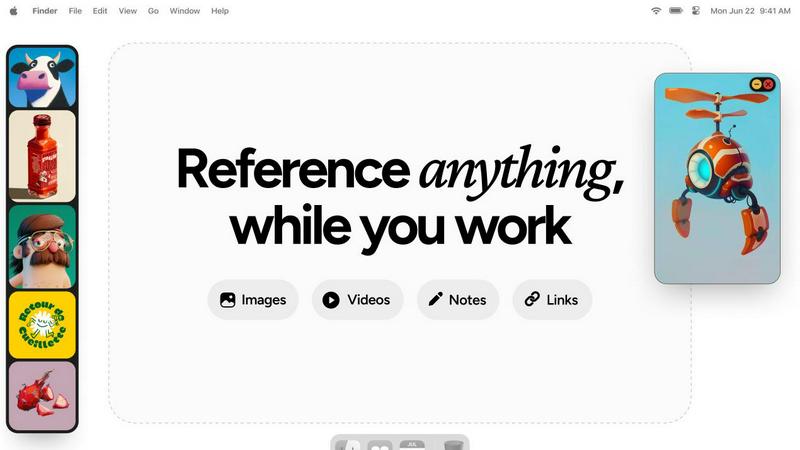
About Refbox
Refbox is a groundbreaking floating reference app designed to elevate the creative workflow of professionals in various fields, including illustration, 3D art, UI/UX design, animation, and photography. By providing an always-on-top solution for accessing visual and textual references, Refbox eliminates the disruptive context switching that can hinder creativity. Its main value proposition lies in the ability to keep all forms of references—images, videos, GIFs, notes, and bookmarks—consolidated in a sleek, resizable sidebar. This unique approach allows users to maintain their focus and inspiration without the hassle of constant alt-tabbing between applications or folders. With features tailored to meet the demands of modern creatives, Refbox transforms the way individuals organize and interact with their reference materials, ensuring that inspiration is always at their fingertips.
Features of Refbox
Floating Reference Frames
Refbox offers resizable frames that float above any application, ensuring that your references are always visible. This feature allows you to maintain focus on your creative tasks without the need to switch between different windows or applications.
Project-Specific Collections
Organize your media into specific collections for each project, making it easy to access relevant references quickly. This feature enhances productivity by allowing for effortless navigation through your curated inspiration.
Frame-by-Frame GIF Scrubbing
With Refbox, you can scrub through GIFs frame by frame, making it easy to analyze motion and timing in your artworks. This feature is particularly beneficial for animators and designers looking to capture the nuances of movement.
Markdown-Enabled Notes
Take structured notes with markdown support that allows for styling options and checklists. This feature enables users to jot down ideas and thoughts alongside their visual references, ensuring that all necessary information is easily accessible.
Use Cases of Refbox
Streamlined Design Process
Graphic designers can utilize Refbox to keep their reference images and mood boards visible while working on new projects. This streamlined access can significantly speed up the design process and improve the overall quality of the output.
Animation Workflow Enhancement
Animators can benefit from the frame-by-frame GIF scrubbing feature to study motion closely. By having references readily available, they can ensure their animations are fluid and accurate, ultimately elevating their final work.
UI/UX Prototyping
UI/UX designers can organize their research, user interface designs, and inspiration into specific collections. This organized approach helps them quickly compare and implement new ideas during prototyping sessions, enhancing creativity.
Photography Projects
Photographers can use Refbox to keep inspiration images, editing notes, and reference materials accessible during shoots or editing sessions. This ability to have everything at hand boosts both speed and accuracy in their workflow.
Frequently Asked Questions
How does Refbox integrate with other applications?
Refbox is designed to float above any application, providing instant access to your references without interrupting your workflow. You can minimize or hide the sidebar as needed, making it compatible with any creative software.
Can I customize the layout of my references in Refbox?
Yes, Refbox allows you to organize your references into project-specific collections and view them in a dynamic Masonry grid. You can also resize and reposition frames to best suit your workflow.
Is there a mobile version of Refbox?
Currently, Refbox is optimized for desktop use, allowing professionals to keep their references visible while working across various creative applications. Mobile support may be considered for future updates.
What types of media can I use with Refbox?
Refbox supports a wide range of media types, including images, videos, GIFs, and notes. You can also paste website links to create screenshots and view SVG files, making it a versatile tool for all your reference needs.
Explore more in this category:
Similar to Refbox
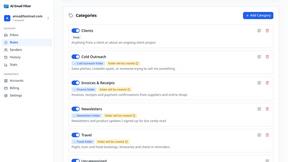
AI Email Filter
AI Email Filter sorts incoming mail into folders using plain-language prompts you write. Works with any IMAP mailbox; bring your own LLM if you want.
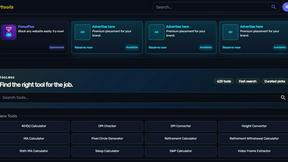
Kody Tools
Free collection of online developer utilities, code formatters, and digital converters designed to streamline your daily workflow.
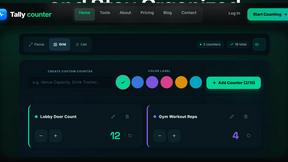
Tally Counter
Online tally counter for tracking attendance, workouts, inventory, visitors, sports scores, habits, and everyday counting tasks.
Forms Plugin
The #1 Native Form Builder Plugin for Framer - No Code, No Embeds, No External Platforms.
Ideogram Studio
Create text-rich logos, posters, ads, packaging, and ecommerce visuals with Ideogram 4 AI workflows and guided prompts.

Product Launch Checklist
A free launch checklist for SaaS, apps, AI tools and more. Every step says why it matters and when you can skip it.
Qwen Image Edit
Browser-based AI image editing and generation with natural-language instructions for backgrounds, text, products, posters, and creative visuals.

HomeAnswerBook
Practical, independent guides to home repairs, maintenance, costs, troubleshooting, and everyday fixes.