
FilexHost vs Quickfix AI
Side-by-side comparison to help you choose the right product.

FilexHost
Effortlessly host and share files in seconds with drag-and-drop simplicity and secure, shareable links.
Last updated: February 26, 2026

Quickfix AI
Quickfix AI swiftly diagnoses your computer's performance issues and provides clear, actionable insights in plain.
Last updated: February 28, 2026
Visual Comparison
FilexHost

Quickfix AI
Feature Comparison
FilexHost
Universal File Support
FileXhost supports a wide range of file types including PDFs, Excel sheets, images, audio, video, ZIP archives, and HTML projects. This versatility ensures that users can host virtually any type of content without worrying about compatibility issues.
Instant Subdomains
Users can create instant subdomains (your-file.filex.host) with zero setup required. This feature allows for quick and easy access to hosted files, providing a professional appearance and enhancing the sharing experience for both senders and recipients.
Smart View Modes
FileXhost offers smart view modes, allowing users to choose between direct rendering of files or a download page. This flexibility ensures that recipients interact with files in the way that best suits their needs, whether they prefer viewing documents inline or downloading them for later use.
Secure by Default
Every link generated by FileXhost comes with free SSL encryption, ensuring that all shared files are secure. This commitment to security builds trust among users and recipients, making it a reliable choice for sharing sensitive information.
Quickfix AI
Context-Aware AI Responses
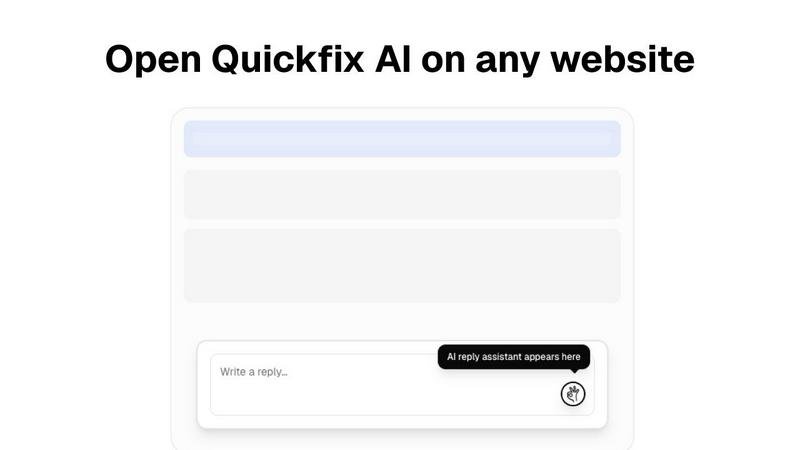
Quickfix AI's browser extension generates context-specific replies that are tailored to the content of your conversations. This feature significantly reduces the time spent on communication, enabling users to respond promptly and maintain engagement without the hassle of manual typing.
Comprehensive System Diagnostics
This feature allows users to run detailed diagnostics on their systems with a single click. Quickfix AI assesses performance metrics such as CPU usage, memory pressure, and disk health, providing users with a clear understanding of their computer's current state.
Plain-English Insights
Quickfix AI stands out by offering insights in plain English. Users can ask questions about their system's performance and receive clear, actionable responses without needing technical expertise, making it accessible for everyone.
Instant Performance Reports
After running a scan, users receive instant reports detailing their system’s performance, security status, and health. This feature helps users identify issues quickly and allows IT support teams to provide faster resolutions to technical problems.
Use Cases
FilexHost
Sharing Client Reports
Professionals can utilize FileXhost to share client reports and presentations effortlessly. By uploading their files and obtaining a secure link, they can bypass cumbersome email attachments and ensure that their work is delivered in a polished format.
Hosting Landing Pages
Developers can take advantage of FileXhost to host landing pages or mock APIs quickly. The platform’s ability to render HTML files as live websites allows developers to showcase their projects without needing to manage complex server configurations.
Distributing Digital Products
Creators and entrepreneurs can distribute digital products, such as e-books or software, using FileXhost. The service’s user-friendly interface and secure sharing options make it an ideal solution for reaching customers efficiently.
Simplifying File Sharing
Individuals needing to share files without the hassle of "request access" emails can benefit from FileXhost. Whether it's for personal or professional use, the platform enables friction-free file delivery that enhances collaboration and communication.
Quickfix AI
Troubleshooting Technical Issues
When users encounter system problems but are unsure of the cause, Quickfix AI provides instant diagnostics and explanations in plain language. This enables users to understand their issues clearly and take appropriate action without frustration.
Enhancing Productivity for Tech Enthusiasts
Gamers, developers, and power users benefit from Quickfix AI by gaining deep insights into system performance. This feature allows them to optimize their machines for better efficiency, providing a competitive advantage in their respective fields.
Streamlining IT Support Processes
IT support teams can leverage Quickfix AI by sharing diagnostic links with clients. This allows them to quickly assess system issues remotely, saving time and facilitating faster resolutions, ultimately improving customer satisfaction.
Simplifying System Management for Mac Users
Quickfix AI is compatible with Mac systems, making it an excellent tool for both personal and professional users. It simplifies system management by providing essential performance data and security insights, ensuring users can maintain their devices effectively.
Overview
About FilexHost
FileXhost is an innovative file hosting solution designed to simplify the way individuals and businesses share and manage their files online. With its intuitive "Drop & Share" workflow, users can effortlessly drag and drop any file type—from documents and images to entire websites—into the platform and receive a secure, instantly shareable URL. This service is ideal for professionals, developers, and creators who need seamless file distribution without the hassle of traditional hosting methods. The main value proposition of FileXhost lies in its user-centric design, which prioritizes speed, security, and simplicity. By eliminating the need for complex configurations or account logins for recipients, FileXhost enables users to focus on what matters most: sharing their work efficiently and effectively.
About Quickfix AI
Quickfix AI is an innovative dual-purpose platform that revolutionizes the way professionals and teams handle digital communication and system diagnostics. Designed to tackle two significant challenges, it streamlines the lengthy process of crafting responses and simplifies the complexities of diagnosing technical issues. As a powerful browser extension, Quickfix AI generates context-aware, AI-written replies across various platforms, including Gmail, LinkedIn, customer support portals, and social media, saving users countless hours. Additionally, it serves as a comprehensive system diagnostics tool, offering instant, easy-to-understand insights into your computer's performance, health, and security. Whether you are an individual, a tech enthusiast, or part of an IT support team, Quickfix AI empowers you to work efficiently and effectively. Its core mission is to eliminate friction—whether it's the hassle of switching tabs to respond to emails or deciphering complex system data—allowing users to focus on high-impact tasks and make informed decisions quickly.
Frequently Asked Questions
FilexHost FAQ
What is FileXhost?
FileXhost is a modern file hosting platform that allows users to upload, host, and share files of various types quickly and securely. It is designed for anyone who needs an efficient way to distribute files without complex setups.
Is it really free?
Yes, FileXhost offers a free plan that allows users to host up to 1,000 files with a maximum size of 25 MB per file. This plan is ad-supported and includes a 7-day expiration for hosted files.
What file types are supported?
FileXhost supports a wide array of file types, including documents (PDF, RTF, TXT), data files (XLSX, CSV, JSON), images (JPG, PNG, WEBP), media files (MP4, MP3), and more. This versatility makes it suitable for various use cases.
How do I update my site?
To update your site on FileXhost, simply upload a new version of your file or website ZIP. The platform automatically generates a new link, allowing you to share the updated content seamlessly with your audience.
Quickfix AI FAQ
Is Quickfix AI free?
Quickfix AI offers a free version for users to download and utilize its core features. For advanced functionalities, check pricing details on the website.
Is my data secure?
Quickfix AI prioritizes user privacy and data security. The platform adheres to strict data protection protocols to ensure that your information remains confidential and secure.
Do I need technical knowledge to use Quickfix AI?
No, Quickfix AI is designed to be user-friendly and accessible for everyone. Its plain-English insights eliminate the need for technical knowledge, making it easy to understand system diagnostics.
How does the sharing code work?
The sharing code feature allows users to share their diagnostic results with IT support teams or colleagues easily. Once shared, support teams can access the system data to provide assistance or troubleshooting without unnecessary delays.
Alternatives
FilexHost Alternatives
FilexHost is a streamlined file hosting and sharing service that allows users to effortlessly upload and distribute a variety of file types. Positioned in the productivity and management category, it simplifies the process of file sharing through a drag-and-drop interface, enabling instant access and sharing with secure URLs. Users often seek alternatives to FilexHost for several reasons, including pricing structures, additional features, or specific platform requirements that better suit their individual or business needs. When choosing an alternative, it's essential to consider factors such as file size limits, security features, ease of use, and the overall user experience to ensure that the chosen solution aligns with your goals for efficient file management and sharing.
Quickfix AI Alternatives
Quickfix AI is an innovative platform that seamlessly integrates advanced AI-driven communication and system diagnostics, empowering users to enhance their productivity and streamline their technical troubleshooting. As a dual-purpose tool, it addresses vital needs in today's fast-paced digital landscape, making it a go-to solution for professionals and teams aiming to maximize efficiency. However, users often seek alternatives for various reasons, including pricing constraints, feature requirements, or specific platform compatibility. When looking for an alternative, it's essential to consider factors such as ease of use, the depth of features, integration capabilities, and whether the tool meets your unique workflow demands. Finding the right fit can significantly enhance your productivity and user experience.