
Quickfix AI
Quickfix AI swiftly diagnoses your computer's performance issues and provides clear, actionable insights in plain.
Visit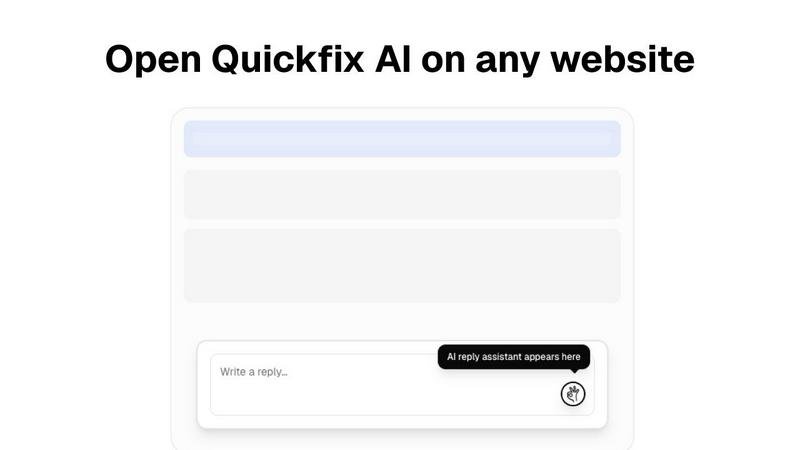
About Quickfix AI
Quickfix AI is an innovative dual-purpose platform that revolutionizes the way professionals and teams handle digital communication and system diagnostics. Designed to tackle two significant challenges, it streamlines the lengthy process of crafting responses and simplifies the complexities of diagnosing technical issues. As a powerful browser extension, Quickfix AI generates context-aware, AI-written replies across various platforms, including Gmail, LinkedIn, customer support portals, and social media, saving users countless hours. Additionally, it serves as a comprehensive system diagnostics tool, offering instant, easy-to-understand insights into your computer's performance, health, and security. Whether you are an individual, a tech enthusiast, or part of an IT support team, Quickfix AI empowers you to work efficiently and effectively. Its core mission is to eliminate friction—whether it's the hassle of switching tabs to respond to emails or deciphering complex system data—allowing users to focus on high-impact tasks and make informed decisions quickly.
Features of Quickfix AI
Context-Aware AI Responses
Quickfix AI's browser extension generates context-specific replies that are tailored to the content of your conversations. This feature significantly reduces the time spent on communication, enabling users to respond promptly and maintain engagement without the hassle of manual typing.
Comprehensive System Diagnostics
This feature allows users to run detailed diagnostics on their systems with a single click. Quickfix AI assesses performance metrics such as CPU usage, memory pressure, and disk health, providing users with a clear understanding of their computer's current state.
Plain-English Insights
Quickfix AI stands out by offering insights in plain English. Users can ask questions about their system's performance and receive clear, actionable responses without needing technical expertise, making it accessible for everyone.
Instant Performance Reports
After running a scan, users receive instant reports detailing their system’s performance, security status, and health. This feature helps users identify issues quickly and allows IT support teams to provide faster resolutions to technical problems.
Use Cases of Quickfix AI
Troubleshooting Technical Issues
When users encounter system problems but are unsure of the cause, Quickfix AI provides instant diagnostics and explanations in plain language. This enables users to understand their issues clearly and take appropriate action without frustration.
Enhancing Productivity for Tech Enthusiasts
Gamers, developers, and power users benefit from Quickfix AI by gaining deep insights into system performance. This feature allows them to optimize their machines for better efficiency, providing a competitive advantage in their respective fields.
Streamlining IT Support Processes
IT support teams can leverage Quickfix AI by sharing diagnostic links with clients. This allows them to quickly assess system issues remotely, saving time and facilitating faster resolutions, ultimately improving customer satisfaction.
Simplifying System Management for Mac Users
Quickfix AI is compatible with Mac systems, making it an excellent tool for both personal and professional users. It simplifies system management by providing essential performance data and security insights, ensuring users can maintain their devices effectively.
Frequently Asked Questions
Is Quickfix AI free?
Quickfix AI offers a free version for users to download and utilize its core features. For advanced functionalities, check pricing details on the website.
Is my data secure?
Quickfix AI prioritizes user privacy and data security. The platform adheres to strict data protection protocols to ensure that your information remains confidential and secure.
Do I need technical knowledge to use Quickfix AI?
No, Quickfix AI is designed to be user-friendly and accessible for everyone. Its plain-English insights eliminate the need for technical knowledge, making it easy to understand system diagnostics.
How does the sharing code work?
The sharing code feature allows users to share their diagnostic results with IT support teams or colleagues easily. Once shared, support teams can access the system data to provide assistance or troubleshooting without unnecessary delays.
Explore more in this category:
Similar to Quickfix AI
Kody Tools
Free collection of online developer utilities, code formatters, and digital converters designed to streamline your daily workflow.


laya.tools
A free directory of 950+ projects built on Laya, the open-source decision model. Updated daily.

Tally Counter
Online tally counter for tracking attendance, workouts, inventory, visitors, sports scores, habits, and everyday counting tasks.

Sprite Sheet Maker
A free browser-based toolkit for creating, cutting, converting, and previewing sprite sheet animations.

Forms Plugin
The #1 Native Form Builder Plugin for Framer - No Code, No Embeds, No External Platforms.

Product Launch Checklist
A free launch checklist for SaaS, apps, AI tools and more. Every step says why it matters and when you can skip it.

HomeAnswerBook
Practical, independent guides to home repairs, maintenance, costs, troubleshooting, and everyday fixes.