
MeetingMind vs Prompt Builder
Side-by-side comparison to help you choose the right product.

MeetingMind
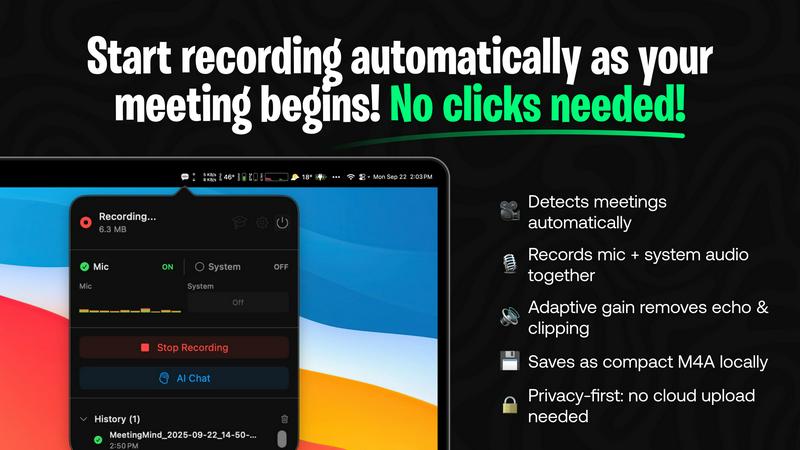
MeetingMind is your private macOS AI that automatically records, transcribes, and summarizes Zoom meetings.
Last updated: March 1, 2026

Prompt Builder
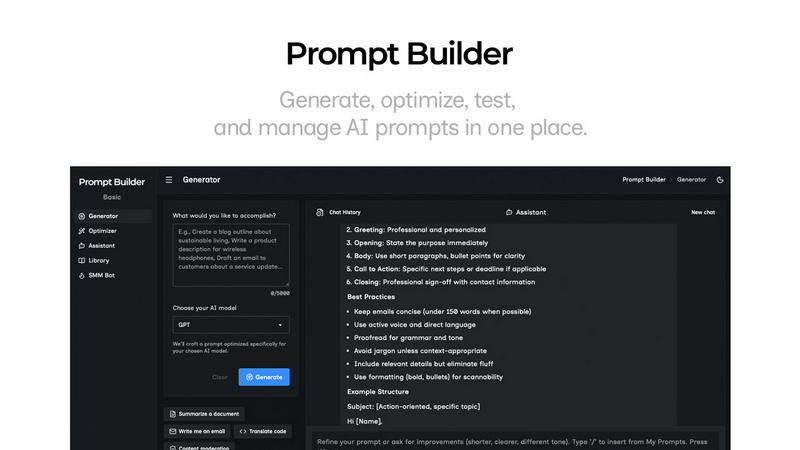
Generate, optimize, test, and manage AI prompts in one place. Turn an idea into a ready-to-use prompt in seconds.
Visual Comparison
MeetingMind
Prompt Builder
Overview
About MeetingMind
MeetingMind is the intelligent meeting assistant engineered for the modern, scaling professional. It transforms the passive act of attending meetings into an active, strategic advantage. Designed exclusively for macOS, it automatically detects and records your Zoom meetings, capturing crystal-clear audio from both your microphone and system. The powerful, on-device AI then delivers real-time, speaker-attributed transcripts and intelligent summaries, turning every discussion into a dynamic, searchable knowledge asset. Built with a privacy-first architecture, all processing happens locally on your Apple Silicon Mac, ensuring your sensitive discussions never leave your control. For founders, managers, consultants, and anyone who lives in meetings, MeetingMind is the ultimate tool to ensure no critical detail, action item, or insight is ever lost, freeing you to be fully present and engaged. It seamlessly integrates into your workflow, sitting quietly in your menu bar, ready to capture value from every conversation without any manual clicks.
About Prompt Builder
Prompt Builder is a prompt engineering workspace for writing, testing, and saving prompts. Describe the task in plain English, and it helps you create a prompt that matches the model you choose. Start with a draft, refine it in chat, save or pin versions, then run them when you are ready. It works with GPT, Claude, Gemini, Llama, Mistral, DeepSeek, Grok, Perplexity, and more. You also get an Optimizer, an assistant for quick tests, and a library of reusable prompts and templates from the community. Turn an idea into a ready-to-use prompt in seconds. Refine it in chat, save it to your Library, and run it anytime.