
LuxSign vs SupaSidebar
Side-by-side comparison to help you choose the right product.

LuxSign enables fast, secure, and legally compliant electronic signatures for documents across the EU, all hosted in.
Last updated: February 26, 2026
SupaSidebar
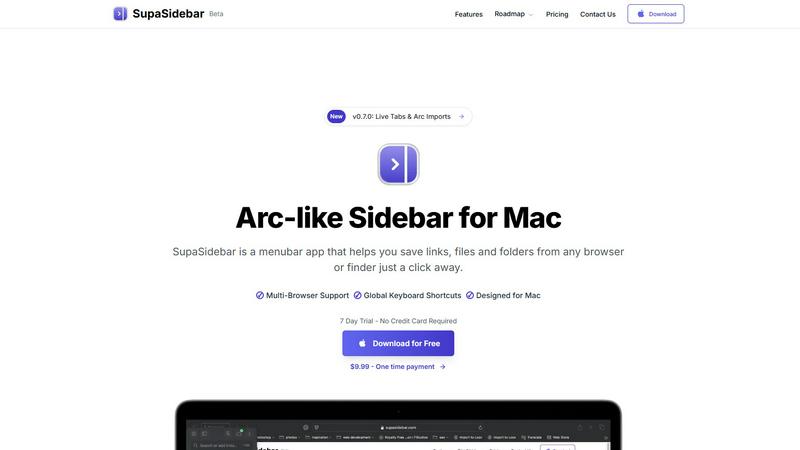
SupaSidebar is your essential Mac tool for quickly saving and accessing links, files, and folders from any app.
Last updated: February 28, 2026
Visual Comparison
LuxSign

SupaSidebar
Feature Comparison
LuxSign
Multiple Signature Methods
LuxSign supports various signature methods to cater to different user preferences. Users can draw their signature using a mouse, type their name, or upload a signature image. This flexibility allows for a personalized signing experience, making it quicker and easier to finalize documents.
Advanced Security
Security is paramount with LuxSign. The platform employs industry-standard encryption during the upload, storage, and transmission of documents. With secure servers located in Luxembourg and compliance with GDPR, users can trust that their sensitive information remains protected at all times.
Collaboration Workspaces
LuxSign enables teams to collaborate effectively through shared workspaces. Users can organize documents into folders, manage access permissions, and work together on signing workflows. This feature enhances teamwork and efficiency, particularly for businesses with multiple contributors involved in document processing.
Complete Audit Trail
For businesses requiring accountability, LuxSign provides a comprehensive audit trail. Each action taken on a document is logged with timestamps, IP addresses, and signer information. This level of detail ensures transparency and serves as a vital tool for compliance and verification purposes.
SupaSidebar
Instant Access to Resources
SupaSidebar allows users to save links, files, and folders from any browser or Finder with just a click. This feature ensures that your essential resources are always at your fingertips, significantly reducing the time spent searching for information.
Global Keyboard Shortcuts
Designed to enhance productivity, SupaSidebar features global keyboard shortcuts that enable users to save or copy URLs quickly. With commands like CMD CTRL S to save and CMD CTRL C to copy the current website link, you can streamline your workflow and eliminate unnecessary clicks.
Recents Tracking
The Recents feature tracks every website you've visited in the last 48 hours, making it easy to find your work without sifting through countless tabs. This functionality allows for efficient retrieval of previously accessed resources, enhancing your work efficiency.
Pinned Items for Quick Access
SupaSidebar lets you pin your favorite items at the top of the list for quick access. This feature is particularly useful for users who frequently open the same resources, allowing them to organize their workspace better and save time.
Use Cases
LuxSign
Streamlining Contract Management
Businesses can utilize LuxSign to streamline their contract management processes. By uploading contracts and sending them for signature, organizations can reduce turnaround times significantly, ensuring that agreements are finalized swiftly and efficiently.
Facilitating Remote Work
In today's remote work environment, LuxSign provides an essential solution for teams spread across different locations. The platform allows users to sign and manage documents from anywhere, making it easier for remote teams to collaborate without the need for physical signatures.
Enhancing Compliance for Regulated Industries
Industries such as finance, healthcare, and legal require strict adherence to compliance standards. LuxSign supports these sectors by offering secure and compliant electronic signatures that meet regulatory requirements, thus minimizing risks associated with paper-based processes.
Simplifying Bulk Signing
LuxSign is ideal for organizations that need to manage multiple documents requiring signatures. The bulk signing feature allows users to send out multiple documents for signature simultaneously, saving time and reducing the administrative burden on teams.
SupaSidebar
Research Projects
For researchers, SupaSidebar offers a streamlined way to manage links, files, and resources. By pinning important sites and tracking recent visits, users can efficiently navigate through their research without losing focus.
Creative Workflows
Creative professionals can benefit from SupaSidebar by keeping their favorite tools and resources readily accessible. With global shortcuts, switching between inspiration sources and tools becomes seamless, fostering creativity and productivity.
Web Development
Developers juggling multiple applications and browser tabs can use SupaSidebar to organize their coding resources. Quick access to documentation, code snippets, and project files allows for a more efficient workflow and reduces context-switching time.
Everyday Productivity
Anyone looking to enhance their daily productivity can leverage SupaSidebar. By consolidating frequently used apps, files, and links in one place, users can maintain organization in their digital workspace, allowing for a smoother workflow throughout the day.
Overview
About LuxSign
LuxSign is a cutting-edge electronic signature platform designed for businesses that prioritize compliance and security. Built in Luxembourg, this cloud-based solution ensures that all your documents are encrypted end-to-end and stored exclusively within the country, guaranteeing full adherence to GDPR regulations. LuxSign is tailored for organizations that require legally valid contracts across the European Union, as it complies with eIDAS SES standards. The platform offers a seamless user experience, making it easy to sign and manage documents online in just a few clicks. With functionalities like parallel and sequential signing workflows, automated email notifications, and advanced security features, LuxSign empowers businesses to streamline their signing processes while ensuring the highest level of data protection. Whether you are a small business or a large enterprise, LuxSign's scalable solutions are designed to meet your document signing needs with efficiency and reliability.
About SupaSidebar
SupaSidebar is an innovative productivity engine specifically designed for Mac users, aiming to enhance the way you manage your workflow and ideas. This beautifully crafted sidebar and command panel is inspired by the Arc browser and conveniently resides in your menubar. It provides instant, universal access to a variety of resources, including links, files, folders, and applications. Ideal for creators, researchers, developers, and anyone juggling multiple tasks across different browsers and applications, SupaSidebar is a solution to the common challenges of tab overload, disorganized bookmarks, and slow context-switching. Its core value lies in its profound simplicity: a unified hub that boosts organization, accelerates browsing, and fosters deep focus. By utilizing powerful global keyboard shortcuts, SupaSidebar works seamlessly across major browsers like Safari, Chrome, Arc, Firefox, and Brave, ensuring that your essential resources are always just a keystroke away. More than just a utility, SupaSidebar serves as a foundational layer for an efficient digital workspace, prioritizing user privacy while propelling productivity to new heights.
Frequently Asked Questions
LuxSign FAQ
What types of documents can I sign with LuxSign?
LuxSign supports various document formats, including PDF, DOC, and DOCX. Users can easily upload files up to 10MB, which are automatically converted for signing.
How does LuxSign ensure the security of my documents?
LuxSign employs end-to-end encryption during the upload, storage, and transmission of your documents. Additionally, all data is stored securely in Luxembourg, complying with GDPR and local data protection regulations.
Can I track the status of my sent documents?
Yes, LuxSign provides real-time tracking for documents sent for signature. Users receive automatic email notifications when documents are sent, viewed, and signed, allowing for efficient follow-up.
Is LuxSign suitable for large enterprises?
Absolutely. LuxSign offers scalable solutions that cater to both small teams and large enterprises. The platform includes features like collaboration workspaces, API access, and custom branding to meet the needs of diverse organizations.
SupaSidebar FAQ
Is SupaSidebar a browser extension?
No, SupaSidebar is a standalone menubar application for Mac that integrates with all major browsers, providing a unified interface for managing resources without the need for a browser extension.
Which browsers does SupaSidebar work with?
SupaSidebar works seamlessly with major browsers including Safari, Chrome, Firefox, Arc, and Brave, ensuring users can access their resources regardless of their preferred browsing platform.
What macOS version do I need?
SupaSidebar requires macOS 13 or higher to function optimally. Make sure your system is up to date to take full advantage of its features.
Where is my data stored?
All data within SupaSidebar remains on your Mac, ensuring your privacy and security. The application does not store your information on external servers, giving you peace of mind while using the tool.
Alternatives
LuxSign Alternatives
LuxSign is an innovative electronic signature platform based in Luxembourg, designed for businesses that prioritize high compliance and security. As an eIDAS SES compliant solution, it ensures that digital signatures are recognized as legally valid across all EU member states. Users often seek alternatives to LuxSign for various reasons, including pricing, specific feature sets, integration capabilities, or unique platform needs that may not be fully met by LuxSign. When exploring alternatives, it is essential to consider factors such as security measures, ease of use, compatibility with existing systems, and scalability to support growing business demands. Additional aspects like customer support, pricing structures, and the ability to customize workflows can significantly influence the choice of an e-signature platform.
SupaSidebar Alternatives
SupaSidebar is a versatile productivity tool designed for Mac users, functioning as a universal sidebar and command panel that enhances workflow efficiency. It allows users to save and access links, files, folders, and applications seamlessly from a single interface, making it ideal for creators, researchers, and multitaskers. Users often seek alternatives to SupaSidebar for various reasons, including pricing concerns, specific feature requirements, or compatibility with different platforms. When evaluating potential alternatives, it's essential to consider factors such as user interface design, ease of access, integration capabilities with browsers and applications, and overall impact on productivity.