

Alternatives to EditTextImage
EditTextImage lets you replace text in any image online in seconds while preserving the original font, color, and perspective.
Explore 20 alternatives to EditTextImage. Compare features, pricing, and find the best fit for your needs.
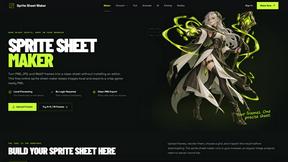
Sprite Sheet Maker
A free browser-based toolkit for creating, cutting, converting, and previewing sprite sheet animations.
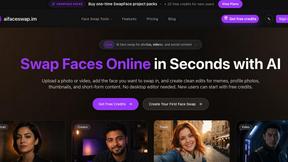
AI Face Swap
Swap Faces Online in Seconds with AI Upload a photo or video, add the face you want to swap in, and create clean edits for memes, profile photos,
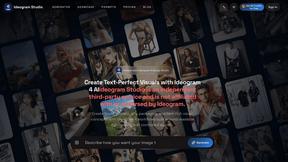
Ideogram Studio
Create text-rich logos, posters, ads, packaging, and ecommerce visuals with Ideogram 4 AI workflows and guided prompts.
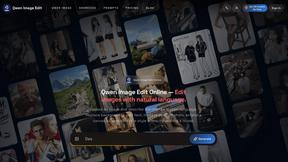
Qwen Image Edit
Browser-based AI image editing and generation with natural-language instructions for backgrounds, text, products, posters, and creative visuals.
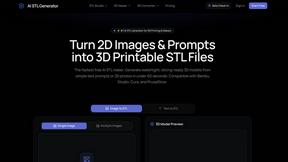
AI STL Generator
The fastest AI STL generator to turn prompts and images into 3D printable STL files.


Z Image Turbo
Fast, controllable Z Image generation for photorealistic visuals, posters, and ecommerce content.
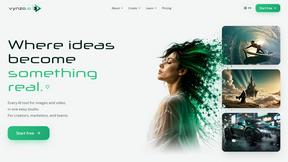
Vynzo
AI image and video studio. Generate from a prompt, animate stills, swap faces, restyle clips and edit — one credit pool, no subscription.
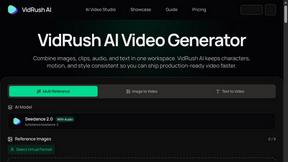
VidRush AI
AI-powered long video generator. Create multi-modal AI videos by combining images, video, audio, and text.

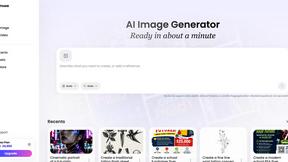
Vismuse
Create polished AI images and videos from prompts or references for social posts, ads, flyers, album covers, and campaigns.
Tikdek
AI video and image generation for creators, marketers, and developers with browser workflows and stable APIs.
Imagine2
Private browser-based AI image generation and editing with text-to-image, targeted edits, and multi-image references.
Perchance AI Image Generator
Free Perchance AI Image Generator that runs in your browser. Multi-model text-to-image with no account required.
Kogashitsuka AI
An online AI image tool that enhances photos and illustrations at their original size or upscales them by 2x or 4x.
Trushot AI
TruShot creates ultra-realistic AI dating photos from just 4 selfies. Generate natural-looking, verification-friendly profile pictures for Tinder, Hin
Animagine XL
Animagine XL is a popular SDXL series trained for anime art, delivering anime characters and illustrations via prompt tags.
MeinaMix
MeinaMix is a popular Stable Diffusion 1.5 checkpoint merge by creator Meina, delivering strong anime and illustration results with short prompts.
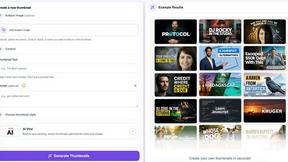
StopScroll
AI YouTube thumbnail maker that generates multiple thumbnail concepts from a URL, title, or prompt.
About EditTextImage Alternatives
EditTextImage is a specialized AI-powered tool in the image generation category that solves a hyper-specific pain point: editing existing text within a finished image without needing the original design file. Unlike general image editors or text generators, it focuses on seamless text replacement by sampling typography, colors, shadows, and perspective directly from the pixels, making it a go-to for marketers, designers, and operators who need speed over complexity. Users often look for alternatives due to pricing concerns—such as the one-time cost for a set number of edits—or because they need a different feature set, like batch processing, higher resolution outputs, or integration into a broader workflow. Others may seek a free or subscription-based model that aligns better with their usage volume, or a tool that supports more complex edits like adding completely new text layers rather than just replacing existing ones. When evaluating alternatives, prioritize tools that offer genuine pixel-level font matching rather than generic overlay, as this is the core value proposition. Look for support for advanced typography features like tracking, kerning, and perspective distortion, which ensure the edit remains indistinguishable from the original. Consider the output quality—2K or higher is a baseline—and whether the tool handles complex backgrounds, gradients, and drop shadows without manual cleanup. Also assess the trial model: a free first edit without a credit card is ideal for testing accuracy, and transparent pricing with no hidden subscriptions or recurring fees is a sign of a product built for genuine utility over lock-in. Avoid tools that require font installations or manual alignment, as they defeat the purpose of a 30-second workflow.
FAQs about EditTextImage Alternatives
What is EditTextImage?
EditTextImage is a specialized online tool that edits text within finished images by using AI to sample the original typeface, color, and layout directly from the pixels. It allows you to replace text in posters, screenshots, or product photos without needing the source design file, Photoshop, or any installed fonts. The tool outputs the edited image at 2K resolution and typically completes the edit in about 10 seconds, making it a high-speed solution for quick text corrections.
Who is EditTextImage for?
EditTextImage is built for startup marketers, designers, content operators, and anyone who frequently needs to fix a typo, swap a date, or A/B test a headline on a finished image but has lost or never had the original design file. It is particularly valuable for growth teams scaling their visual assets, as it removes the dependency on a designer or software license for simple text changes. The tool is also ideal for solo founders and small businesses who need pixel-perfect edits without learning complex design tools.
Is EditTextImage free?
EditTextImage offers a free first edit with no credit card required, allowing you to test the accuracy of the AI text replacement before committing. After that, it uses a one-time payment model of $9.90 for 30 edits, with no subscription or recurring fees. This pay-per-use structure makes it cost-effective for infrequent edits while avoiding the lock-in of monthly subscriptions typical of tools like Canva or Adobe.
What are the main features of EditTextImage?
The core features include AI-powered font sampling that works with paid fonts, hand-lettering, and custom typefaces by extracting the typography from the image pixels. It preserves the original color, drop shadow, and perspective of the text, ensuring the edit blends seamlessly. The tool also delivers 2K resolution outputs, completes edits in roughly 10 seconds, and requires no software installation or font files. It is designed for single-image, high-fidelity text replacement rather than batch processing or full image generation.