
EditTextImage
EditTextImage lets you replace text in any image online in seconds while preserving the original font, color, and perspective.
Visit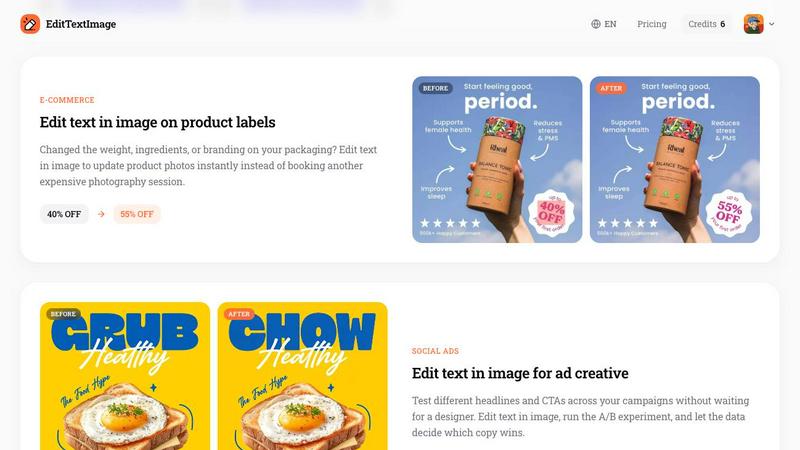
About EditTextImage
EditTextImage is an innovative AI-powered online tool that revolutionizes how you edit text in image files. It eliminates the need for complex software like Photoshop, expensive font files, or recurring subscription fees. The core value proposition is simple: upload any image containing text, specify the original text and your desired replacement, and the AI handles the rest. It samples the typography, color, size, perspective, drop shadows, and background directly from the image pixels. This means paid fonts, hand-lettering, and unique typefaces are preserved perfectly without you needing to own or install them. The entire process takes roughly 10 seconds and outputs at a sharp 2K resolution. EditTextImage is built for marketers, designers, product managers, small business owners, and anyone who has ever needed to fix a typo, swap a date, localize a screenshot, or A/B test a headline on a finished image but lost the original design file. It is the fastest, most accessible way to achieve pixel-perfect text replacement online, with a free first edit and no credit card required to start. The tool is designed for scale, allowing you to iterate on creative assets in seconds, not hours, and is backed by a clear Acceptable Use policy to ensure ethical application.
Features of EditTextImage
Pixel-Perfect AI Typography Sampling
This feature is the core engine of EditTextImage. Instead of simply pasting a new font over the old text, the AI deeply analyzes the pixels surrounding the text area. It identifies the exact typeface, font weight, letter spacing, color gradient, drop shadow, and even perspective or 3D rotation of the original text. It then synthesizes the replacement text to match these properties perfectly. This means that even if you don't have the original font file installed on your computer, the output will look as if it was created in the original design software. The result is a seamless edit that is virtually undetectable, preserving the integrity and design intent of the original image.
Blazing Fast 10-Second Edits
Speed is a critical differentiator for EditTextImage. The entire workflow, from uploading an image to downloading the final result, is designed to take approximately 10 seconds. This is achieved through a highly optimized AI model that processes images locally or on edge servers to minimize latency. For professionals managing multiple assets, this speed translates into massive time savings. Instead of waiting for a designer or spending 30 minutes in Photoshop to make a single text change, you can execute edits in real-time. This allows for rapid iteration on ad creatives, quick fixes for time-sensitive documents, and efficient localization workflows where dozens of screenshots need text updates.
No Subscription, Credit-Based System
EditTextImage breaks away from the traditional SaaS subscription model. There are no monthly or annual fees. Instead, the product operates on a simple, transparent credit system. New users receive one free credit to test the tool with no credit card required. After that, you can purchase a one-time pack of 30 credits for a flat fee of $9.90. These credits never expire, meaning you only pay for what you use, when you use it. This is a startup-friendly, growth-oriented pricing model that removes financial friction. It is perfect for freelancers, small teams, and agencies who need a powerful tool without being locked into a recurring cost.
High-Resolution 2K Output
Quality is not sacrificed for speed. EditTextImage outputs all edited images at a professional 2K resolution. This ensures that the final result is suitable for high-quality printing, digital publishing, and professional presentations. The AI model is trained to maintain the sharpness, clarity, and detail of the original image, even after the text replacement process. This is a critical feature for use cases like product photography, event posters, and marketing materials where resolution and visual fidelity are paramount. You can confidently use the output directly in your campaigns or documents without needing to upscale or re-touch the image.
Use Cases of EditTextImage
Fixing Typos and Errors in Documents
One of the most common and frustrating scenarios is discovering a typo or incorrect date in a finalized document, contract, or invoice where the source file is lost. EditTextImage provides an instant solution. You simply upload the scanned or screenshot version of the document. The AI will accurately identify the text and background, allowing you to correct the error without leaving a trace. This is invaluable for administrative teams, legal professionals, and operations managers who need to maintain accuracy in official records without the overhead of re-creating the entire document from scratch.
Localizing App and Website Screenshots
For product teams expanding into new international markets, creating localized screenshots for app stores and marketing materials is a major bottleneck. Traditionally, this required rebuilding each UI mockup with translated text. EditTextImage streamlines this process. You can take a single screenshot of your app or website and quickly swap the English text for Spanish, French, German, or any other language. The AI preserves the UI elements, button styles, and overall layout, delivering pixel-perfect localized assets in seconds. This allows growth teams to scale their international go-to-market strategy much faster and with fewer design resources.
A/B Testing Ad Creative and Headlines
Marketers and growth hackers rely on constant A/B testing to optimize conversion rates. EditTextImage empowers them to test different headlines, calls to action, and promotional text on existing ad creatives without waiting for a designer. You can take a winning social media ad and quickly generate three or four variations with different copy. The tool maintains the exact same visual hierarchy, font style, and background, ensuring that the only variable in the test is the text itself. This enables data-driven decision making at a much faster pace, helping teams iterate on their best-performing assets to maximize ROI.
Updating Event and Promotional Materials
Event organizers and marketing managers often face last-minute changes to dates, venues, speakers, or pricing. When the original design file is with a designer who is unavailable, EditTextImage is a lifesaver. You can take the finished poster, flyer, or banner and update the specific text elements directly. For example, you can change "This Sunday" to "Next Sunday" or "40% OFF" to "55% OFF" on a product label. The AI handles the perspective and background blending perfectly, allowing you to reuse beautiful existing materials for new campaigns, saving hundreds of dollars in redesign costs every season.
Frequently Asked Questions
What types of images can I edit with EditTextImage?
You can edit text in PNG, JPEG, and WebP image files up to a maximum size of 10 MB. The tool works best on images where the text is clearly visible and has a distinct background. It is designed to handle a wide variety of images, including posters, screenshots, product labels, documents, and social media graphics. The AI is robust enough to handle different fonts, colors, and even some perspective distortions.
Is it free to try EditTextImage?
Yes, absolutely. You get one free credit to try the tool without any commitment. There is no credit card required to sign up or use your first credit. This allows you to test the quality and speed of the text replacement on your own image before deciding to purchase additional credits. Simply sign in with your Google account to claim your free credit.
How does EditTextImage handle paid or custom fonts?
This is one of the most powerful features of the tool. EditTextImage does not require you to have the font file installed. The AI samples the typography directly from the pixels of the uploaded image. It analyzes the shape, weight, spacing, and style of the existing text and then generates the replacement text to match those exact characteristics. This means paid fonts, custom hand-lettering, and unique typefaces are all preserved perfectly in the output.
What happens to my uploaded images and data?
Your privacy and data security are important. Uploaded images are processed temporarily to perform the text edit. The tool has a strict Acceptable Use Policy. It does not process IDs, passports, visa documents, official seals, bank statements, or tampered receipts. Any attempt to use the tool for deceptive purposes, such as falsifying documents or screenshots, will result in account termination without a refund. Request logs may be preserved and shared with law enforcement if necessary. By using the tool, you confirm you own or are licensed to edit the image.
Pricing of EditTextImage
EditTextImage operates on a simple, no-subscription credit system. You start with 1 free credit to test the tool with no credit card required. After your free edit, you can purchase a one-time pack of 30 credits for $9.90. These credits never expire, giving you the flexibility to use them whenever you need them. This pricing model is designed for scalability and growth, allowing you to pay only for what you use without any recurring commitments. Commercial use of the edited images is included with your credits.
Similar to EditTextImage
Sprite Sheet Maker
A free browser-based toolkit for creating, cutting, converting, and previewing sprite sheet animations.
AI Face Swap
Swap Faces Online in Seconds with AI Upload a photo or video, add the face you want to swap in, and create clean edits for memes, profile photos,
Ideogram Studio
Create text-rich logos, posters, ads, packaging, and ecommerce visuals with Ideogram 4 AI workflows and guided prompts.
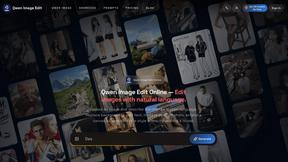
Qwen Image Edit
Browser-based AI image editing and generation with natural-language instructions for backgrounds, text, products, posters, and creative visuals.
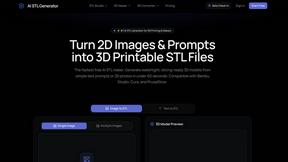
AI STL Generator
The fastest AI STL generator to turn prompts and images into 3D printable STL files.


Z Image Turbo
Fast, controllable Z Image generation for photorealistic visuals, posters, and ecommerce content.
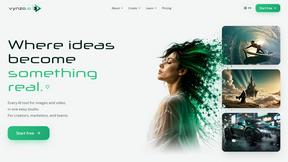
Vynzo
AI image and video studio. Generate from a prompt, animate stills, swap faces, restyle clips and edit — one credit pool, no subscription.