

Alternatives to AI Face Cutout
Upload any photo and our AI instantly isolates faces with hair-level detail, delivering a transparent PNG in under 30 seconds with zero skill.
Explore 20 alternatives to AI Face Cutout. Compare features, pricing, and find the best fit for your needs.
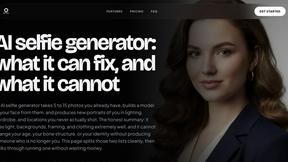
MyPhotoAI
Turn your selfies into AI headshots and portraits. Get 3 photos for US$5 or every photo from one shoot for US$10. No subscription.


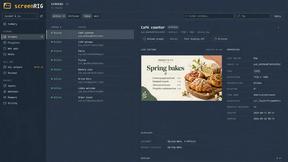
screenRIG
Signage and kiosk infrastructure for AI agents. Your agent publishes images, video, streams, web pages and apps to screens via one plugin.screenRIG is
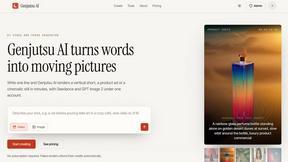
Genjutsu AI
Genjutsu AI turns your ideas into cinematic videos, product ads, social shorts, and high-quality images in minutes.
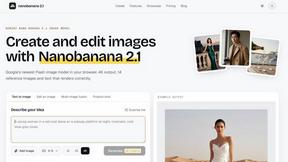
nanobanana 21
A fast, simple image studio powered by Nano Banana 2.1. Create and edit high-quality images with accurate details and readable text.
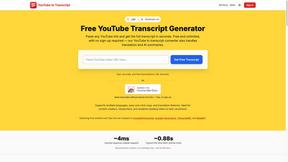
GetYouTubeTranscript
Free YouTube transcripts on the web, a Chrome extension, and an API + MCP server so AI assistants can read YouTube.
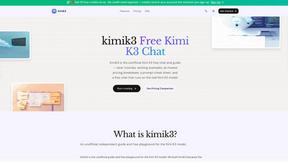
kimik3
An independent, unofficial guide and playground for the Kimi K3 model with free chat trials, tutorials, and transparent pricing.
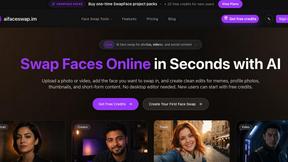
AI Face Swap
Swap Faces Online in Seconds with AI Upload a photo or video, add the face you want to swap in, and create clean edits for memes, profile photos,

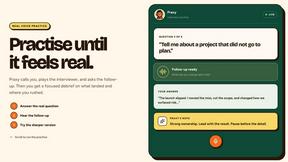
Praxy
An AI career coach that lives in WhatsApp: voice mock interviews, resume feedback, offer negotiation, and a 3M+ listing job search. Free to start.
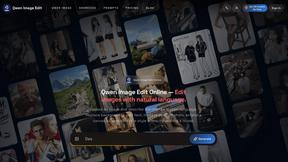
Qwen Image Edit
Browser-based AI image editing and generation with natural-language instructions for backgrounds, text, products, posters, and creative visuals.
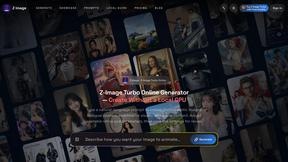
Z Image Turbo
Fast, controllable Z Image generation for photorealistic visuals, posters, and ecommerce content.

About AI Face Cutout Alternatives
AI Face Cutout is an AI-powered tool that specializes in isolating faces from any photo with hair-level precision, placing it squarely in the image editing and AI assistant category. It eliminates the need for manual Photoshop skills by leveraging a model trained exclusively for face detection and cutout, making it ideal for creators, marketers, and developers who need clean, print-ready results from group photos or individual portraits. Users often look for alternatives due to specific pricing constraints, a need for different platform integrations, or a desire for additional editing features beyond face isolation, such as full-body background removal or real-time collaboration tools. When evaluating an alternative to AI Face Cutout, focus on the precision of the AI model for your specific use case, especially if you require hair-level detail or batch processing at scale. Consider the output resolution and DPI support to ensure your images meet print or high-resolution display standards, and check the privacy policy for how your uploads are handled, particularly if you work with sensitive content. Look for a tool that offers a free tier for testing, seamless integration with your existing workflow, and transparent pricing that scales with your volume, so you can maintain a growth mindset without hitting unexpected barriers.
FAQs about AI Face Cutout Alternatives
What is AI Face Cutout?
AI Face Cutout is a specialized AI-powered tool designed to isolate faces from any photo with hair-level precision, removing backgrounds automatically without requiring any Photoshop skills. It belongs to the AI Assistants and Image & Photo categories, and its model is trained exclusively for face detection to produce cleaner cutouts than general-purpose background removers. The tool supports batch processing for group photos and delivers up to 2K resolution output at 300 DPI for print-ready results.
Who is AI Face Cutout for?
AI Face Cutout is built for startup founders, marketers, content creators, and developers who need fast, scalable face isolation for social media, e-commerce, or print materials. It is also ideal for photographers and graphic designers who want to automate tedious manual cutout work, especially for group photos or high-volume projects. The tool's privacy-first processing makes it suitable for professionals handling sensitive or client-facing imagery.
Is AI Face Cutout free?
Yes, AI Face Cutout offers a free tier that allows users to test the tool's capabilities and process a limited number of images at no cost. This makes it accessible for individuals or small teams evaluating the product before committing to a paid plan. For larger volumes or advanced features like batch processing and high-resolution exports, users can explore scalable pricing options designed to grow with their needs.
What are the main features of AI Face Cutout?
The main features include AI-powered face isolation with hair-level precision, batch processing for group photos, and output up to 2K resolution at 300 DPI for print-ready results. It also features privacy-first processing with automatic deletion of uploaded images, ensuring your data remains secure. The tool requires no manual editing skills, making it a streamlined solution for both single and bulk face cutout tasks.