
Picture Enhancer
Picture Enhancer lets you deblur, upscale, and restore photos instantly in your browser with AI, no software needed, and guests get three free tries.
Visit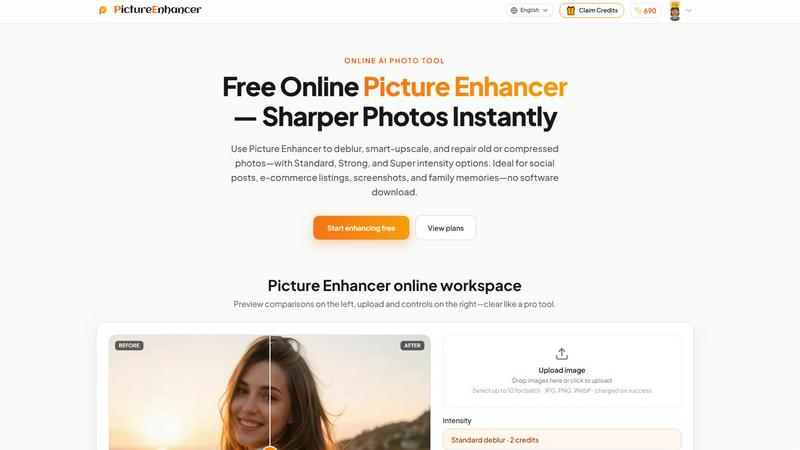
About Picture Enhancer
Picture Enhancer is a free online AI photo enhancement tool built for creators, sellers, and everyday users who need sharper, cleaner images fast without installing software or dealing with complex workflows. This product leverages advanced AI to deblur, smart-upscale, and restore old or compressed photos, transforming low-quality visuals into professional-grade assets in seconds. Whether you are a social media manager polishing portraits, an e-commerce seller upscaling product shots, or someone preserving family memories from faded prints, Picture Enhancer delivers watermark-free results with just a few clicks. The platform supports JPG, PNG, and WebP formats and offers three intensity tiers—Standard, Strong, and Super—so you can dial in exactly how much enhancement your image needs. Guests get three free lifetime tries per IP with no signup required, making it risk-free to test the quality. Signed-in users gain access to a credit-based system where new accounts receive starter credits, and credits are only charged when an enhancement succeeds. Paid users unlock Super intensity tiers and batch processing for up to 10 images at once, scaling productivity for high-volume work. The entire experience is built around a simple three-step workflow: upload your photo, choose your mode and intensity, then compare before and after with a slider before downloading. Picture Enhancer is ideal for social posts, e-commerce listings, screenshots, and family photos, and it processes images privately and securely to complete your enhancement request. With a startup mindset focused on growth and accessibility, Picture Enhancer removes barriers to high-quality image enhancement for anyone who needs it.
Features of Picture Enhancer
AI Deblur Mode
Picture Enhancer uses advanced AI to rebuild edges and texture from camera shake, soft focus, and mild motion blur, making faces and text read clearly again. You can choose Standard, Strong, or Super deblur intensity to match the severity of the blur in your photo. This feature is particularly powerful for salvaging candid shots, event photos, and screenshots where sharpness is critical but the original capture was less than perfect. The AI analyzes the image structure and intelligently reconstructs lost detail without introducing artifacts.
Smart Upscale Mode
Smart Upscale delivers 2x or 4x enlargement that adds genuine detail rather than simply stretching pixels, making it perfect for social media covers, product hero shots, or print previews when you start from a small file. The AI understands image content and fills in missing information naturally, so upscaled photos look crisp and realistic. This feature is a game-changer for e-commerce sellers who need high-resolution product images from original low-resolution files.
Old Photo and Damage Restore
Restore mode reduces scratches, fade, and compression artifacts from scanned family prints and old photographs. Strong and Super restore intensities handle heavier damage, including creases, discoloration, and significant wear, breathing new life into cherished memories. The AI intelligently distinguishes between image content and damage, preserving original details while removing unwanted blemishes and restoring color balance for a natural look.
Three Intensity Tiers and Batch Processing
Every mode offers Standard, Strong, and Super intensity tiers so you can control the enhancement level precisely. Standard uses 2 credits, Strong uses 4 credits, and Super uses 6 credits, with credits charged only on successful results. Paid users unlock Super tiers and batch processing for up to 10 images at once, dramatically speeding up workflows for high-volume tasks like uploading product catalogs or processing entire photo collections.
Use Cases of Picture Enhancer
Portraits and Everyday Photos
Reduce mild blur in portraits and everyday photos so faces, clothing, and background details look cleaner and more professional for social media feeds, portfolios, or personal albums. Whether you are posting on Instagram, updating your LinkedIn profile picture, or sharing vacation memories, Picture Enhancer ensures your images make a strong impression. The AI deblur and upscale features work together to sharpen soft focus and enlarge small crops without losing quality.
E-commerce and Product Shots
Upscale product detail and tame compression noise so your listings stand out on marketplaces like Amazon, Etsy, or Shopify. High-quality product images drive conversions, and Picture Enhancer helps you transform low-resolution supplier photos or compressed mobile shots into crisp, detailed visuals that build trust with buyers. Batch processing lets you enhance up to 10 images at once, saving hours of manual editing time.
Screenshots and UI Captures
Sharpen text edges and clean up compression artifacts in screenshots for tutorials, support threads, documentation archives, or social media posts. Whether you are creating a step-by-step guide, reporting a bug, or sharing a design mockup, Picture Enhancer makes text and UI elements read clearly. The deblur mode is especially effective for screenshots that lose clarity during compression or resizing.
Old Photo Memories
Repair fade, scratches, and damage from scanned family prints so your precious memories are ready to share digitally or print for gifts and albums. Picture Enhancer restores color balance and removes years of wear, making old photos look vibrant and new. Strong and Super restore modes handle heavily damaged images, allowing you to preserve family history and share it with future generations.
Frequently Asked Questions
What is Picture Enhancer?
Picture Enhancer is a free online AI photo enhancement tool that deblurs, smart-upscales, and restores old or compressed photos. It supports JPG, PNG, and WebP formats and offers Standard, Strong, and Super intensity tiers. Guests get three free lifetime tries per IP with no signup required, while signed-in users use a credit system where credits are only charged on successful enhancements.
Can I try Picture Enhancer without signing in?
Yes, guests get three free lifetime tries per IP address with no signup required. This allows you to test the quality of the AI enhancement before committing to an account. After using your free tries, you can sign in to use credits, and new accounts receive starter credits to begin enhancing immediately.
How does billing work after sign-in?
After signing in, you use credits to enhance images. Credits are charged only when a result succeeds: Standard uses 2 credits, Strong uses 4 credits, and Super uses 6 credits. Paid users can choose between monthly subscription plans that grant credits each cycle or permanent credit packs that never expire. Super intensity tiers and batch processing for up to 10 images are exclusive to paid users.
Are my photos safe?
Yes, your photos are processed privately and securely. Picture Enhancer uses your images only to complete your enhancement request and does not store or share them beyond the processing window. The platform is committed to protecting your privacy, and you can download your results immediately after enhancement.
Pricing of Picture Enhancer
Picture Enhancer offers a flexible pricing model designed to scale with your needs. Guests receive three free lifetime tries per IP with no signup required, making it easy to test the quality. Signed-in users receive starter credits upon creating a new account. Credits are consumed per successful enhancement: Standard intensity costs 2 credits, Strong costs 4 credits, and Super costs 6 credits. Paid users unlock Super intensity tiers and batch processing for up to 10 images at once. Monthly subscription plans grant credits each billing cycle, while permanent credit packs never expire, giving you full control over your budget and usage. All paid plans are watermark-free and support the full range of enhancement features.
Explore more in this category:
Similar to Picture Enhancer

ColorBestie
AI color previews and marker color suggestions for coloring pages.

MyPhotoAI
Turn your selfies into AI headshots and portraits. Get 3 photos for US$5 or every photo from one shoot for US$10. No subscription.
AIPetGen
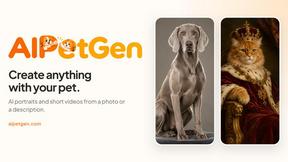
AI pet image generator with photo-to-pet and free credits
Genjutsu AI
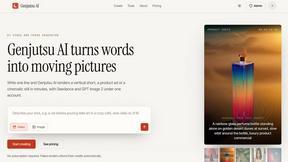
Genjutsu AI turns your ideas into cinematic videos, product ads, social shorts, and high-quality images in minutes.
nanobanana 21
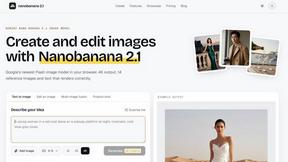
A fast, simple image studio powered by Nano Banana 2.1. Create and edit high-quality images with accurate details and readable text.

ImageGPT
ImageGPT is an all-in-one AI creative platform for generating, editing and transforming images and videos using AI.

AI Album Cover Maker
Create release-ready album covers from a prompt or photo. Generate, refine, and export art for singles, EPs, mixtapes, and playlists.
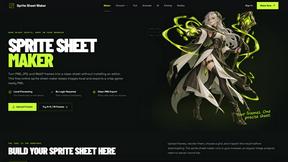
Sprite Sheet Maker
A free browser-based toolkit for creating, cutting, converting, and previewing sprite sheet animations.