

Alternatives to Picture Enhancer
Picture Enhancer lets you deblur, upscale, and restore photos instantly in your browser with AI, no software needed, and guests get three free tries.
Explore 20 alternatives to Picture Enhancer. Compare features, pricing, and find the best fit for your needs.
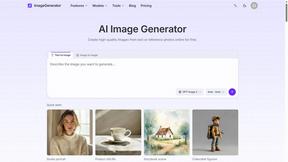
ImageGenerator
Create and edit AI images online with multiple models, text-to-image, image-to-image, background removal, and upscaling.


MyPhotoAI
Turn your selfies into AI headshots and portraits. Get 3 photos for US$5 or every photo from one shoot for US$10. No subscription.

Genjutsu AI
Genjutsu AI turns your ideas into cinematic videos, product ads, social shorts, and high-quality images in minutes.
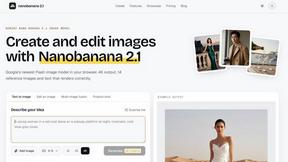
nanobanana 21
A fast, simple image studio powered by Nano Banana 2.1. Create and edit high-quality images with accurate details and readable text.

ImageGPT
ImageGPT is an all-in-one AI creative platform for generating, editing and transforming images and videos using AI.

AI Album Cover Maker
Create release-ready album covers from a prompt or photo. Generate, refine, and export art for singles, EPs, mixtapes, and playlists.
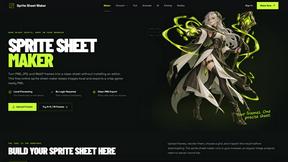
Sprite Sheet Maker
A free browser-based toolkit for creating, cutting, converting, and previewing sprite sheet animations.
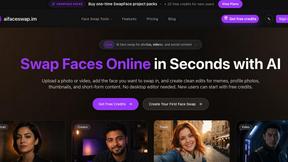
AI Face Swap
Swap Faces Online in Seconds with AI Upload a photo or video, add the face you want to swap in, and create clean edits for memes, profile photos,

Ideogram Studio
Create text-rich logos, posters, ads, packaging, and ecommerce visuals with Ideogram 4 AI workflows and guided prompts.
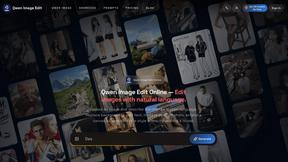
Qwen Image Edit
Browser-based AI image editing and generation with natural-language instructions for backgrounds, text, products, posters, and creative visuals.
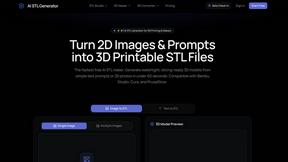
AI STL Generator
The fastest AI STL generator to turn prompts and images into 3D printable STL files.


Z Image Turbo
Fast, controllable Z Image generation for photorealistic visuals, posters, and ecommerce content.

Vynzo
AI image and video studio. Generate from a prompt, animate stills, swap faces, restyle clips and edit — one credit pool, no subscription.

VidRush AI
AI-powered long video generator. Create multi-modal AI videos by combining images, video, audio, and text.


About Picture Enhancer Alternatives
Picture Enhancer is a free, browser-based AI photo enhancement tool that belongs to the image generation and editing category, specifically focused on deblurring, upscaling, and restoring photos without requiring any software installation. Users commonly look for alternatives when they outgrow the free tier’s limited guest tries, need higher processing limits for bulk work, or require advanced features like batch processing beyond ten images. Others may seek platforms with different pricing models, such as one-time payments instead of credit-based systems, or tools that integrate directly with specific workflows like e-commerce platforms or social media schedulers. When evaluating alternatives, consider the balance between image quality and processing speed, the availability of free trials or lifetime access options, and whether the tool supports your preferred file formats and output resolutions without watermarks. The key factors to assess in an alternative include the credit or subscription structure, especially if you need consistent high-volume enhancement for professional use. Look for transparent success-based charging to avoid paying for failed jobs, and check if the tool offers adjustable intensity levels like Standard, Strong, or Super to match your specific image needs. Scalability matters—choose a solution that grows with your workload, whether through monthly credits that renew or permanent packs that never expire. Additionally, prioritize platforms that provide clear before-and-after previews and secure processing, especially if you handle sensitive content like product photos or personal images. The best alternative will align with your usage frequency, budget, and technical requirements while maintaining the simplicity of a no-install, browser-based experience.
FAQs about Picture Enhancer Alternatives
What is Picture Enhancer?
Picture Enhancer is a free online AI photo enhancer that operates directly in your browser with no software installation. It allows users to upload JPG, PNG, or WebP images and apply Deblur, Upscale, or Restore effects at adjustable intensity levels. The tool provides a side-by-side before-and-after preview and delivers watermark-free downloads only when the enhancement succeeds.
Who is Picture Enhancer for?
Picture Enhancer is designed for creators, sellers, and everyday users who need sharper images quickly and efficiently. It is ideal for professionals handling social media posts, e-commerce product listings, screenshots, and family photo restoration. The platform suits both casual users who need occasional enhancements and power users who require batch processing up to ten images.
Is Picture Enhancer free?
Yes, Picture Enhancer offers a free tier where guests receive three lifetime tries per IP address without requiring any signup or payment. Users who sign in receive starter credits, and additional credits can be purchased through monthly plans or permanent packs. Credits are only charged when a job succeeds, with costs of 2 credits for Standard, 4 for Strong, and 6 for Super intensity.
What are the main features of Picture Enhancer?
The main features include three enhancement modes—Deblur, Upscale, and Restore—each with three intensity options: Standard, Strong, and Super. Users can preview results before downloading, and paid users unlock Super tiers and batch enhancement for up to ten images simultaneously. The platform supports JPG, PNG, and WebP formats, and all processing happens securely in the browser without software installation.