
About Phishly
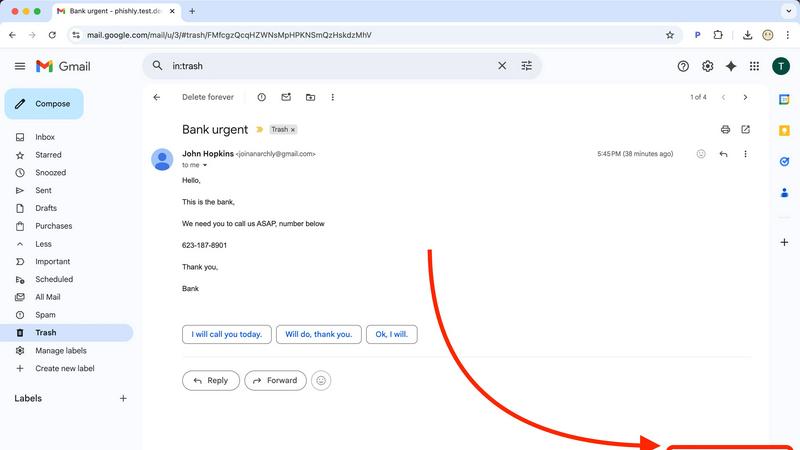
In today's digital-first world, your inbox is the frontline of your business's security. Phishly is the intelligent, proactive shield you need, designed to scale with your ambition. We are an AI-powered phishing detection platform that transforms how individuals and growing businesses defend against sophisticated email threats. Available as a seamless Chrome extension for Gmail and a versatile web tool, Phishly puts enterprise-grade security analysis directly in your hands without the enterprise complexity or cost. Simply open any email and click "Scan with Phishly" or paste suspicious content onto our website for an instant, deep-dive analysis. Our advanced AI engine meticulously scans for a comprehensive range of phishing indicators—from suspicious domains and spoofed sender addresses to urgent language and psychological social engineering tactics. It then delivers a clear, actionable risk assessment: Safe, Medium Risk, or High Risk, each accompanied by a detailed, plain-English explanation. Built with a foundational commitment to privacy, we only analyze emails you explicitly choose to scan, ensuring your data remains yours. Phishly is the essential growth tool for entrepreneurs, freelancers, and SMBs who demand simple, powerful protection that empowers their team and secures their trajectory. It's free to use, requires zero technical knowledge, and delivers the instant clarity you need to make confident decisions and keep moving forward.
Features of Phishly
AI-Powered Deep Scan
Our core AI engine conducts a multi-layered forensic analysis of every email you submit. It goes beyond simple link checking to examine the email's DNA: dissecting domain reputation, header information for spoofing, grammatical inconsistencies, and the nuanced language of social engineering like urgency, fear, or too-good-to-be-true offers. This comprehensive scan ensures even the most cleverly disguised phishing attempts are identified before they can cause harm.
Clear-Cut Risk Assessment & Explanation
Phishly cuts through the noise with straightforward, color-coded risk ratings: Safe (Green), Medium Risk (Yellow), and High Risk (Red). But we don't just give you a score. Each result includes a detailed breakdown explaining why the email was flagged, pointing out specific suspicious elements. This educational component empowers users to become more security-savvy over time, building a stronger human firewall within your organization.
Privacy-First, On-Demand Analysis
Your privacy is non-negotiable. Unlike systems that scan all your emails automatically, Phishly operates on a strict, user-initiated model. We only analyze the specific email you open and choose to scan or the text you paste into our web tool. This ensures maximum control and transparency, giving you powerful security insights without ever compromising the confidentiality of your broader inbox or communications.
Seamless Gmail Integration & Web Tool
Security should fit into your workflow, not disrupt it. Our lightweight Chrome extension integrates directly into your Gmail interface, adding a simple "Scan with Phishly" button for one-click analysis. For emails outside Gmail or for team-wide scrutiny, our companion web tool allows you to paste any email content for an instant check. This dual-approach flexibility ensures protection wherever you work.
Use Cases of Phishly
Empowering Non-Technical Teams
Small businesses and startups often lack dedicated IT security staff. Phishly democratizes protection by giving every employee—from sales to operations—a simple, one-click tool to verify suspicious emails. This instantly elevates your organization's security posture, reduces risk, and prevents costly breaches without requiring complex training or security expertise.
Verifying Urgent Financial or Login Requests
Phishing attacks often impersonate banks, payment platforms, or IT departments with urgent requests to "verify your account" or "update your payment details." Before clicking any link or replying with sensitive information, users can scan the email with Phishly. Our AI detects spoofed sender addresses and suspicious links, providing immediate peace of mind or a critical warning.
Screening Client & Partner Communications
Freelancers and agencies receive emails from various new contacts and potential clients. Phishly acts as a vetting tool for these external communications, helping to identify potential scams disguised as project inquiries or partnership opportunities. This protects your business from business email compromise (BEC) scams and fraudulent requests.
Building a Security-Conscious Culture
By using Phishly's explanatory reports in team discussions or security briefings, leaders can turn individual scans into collective learning moments. Regularly reviewing why an email was flagged as risky helps train employees to recognize red flags independently, fostering a proactive, security-minded culture that scales with your company's growth.
Frequently Asked Questions
How does Phishly protect my privacy?
Phishly is built on a principle of explicit user consent and minimal data access. Our Chrome extension only analyzes the specific email you have open and actively choose to scan. We do not continuously monitor, read, or store emails from your inbox. The web tool only analyzes the text you paste into it. We are designed to be a tool for your scrutiny, not a surveillance platform.
What makes Phishly different from my email provider's spam filter?
Traditional spam filters operate silently in the background and primarily catch bulk, low-effort spam. Phishly is a targeted, on-demand analysis tool designed to catch sophisticated phishing emails that often bypass standard filters because they appear to come from trusted sources. It gives you active control and detailed forensic insight at the moment of doubt, acting as a second layer of defense.
Is technical knowledge required to use Phishly?
Absolutely not. Phishly is designed for complete simplicity. Installing the Chrome extension takes one click from the Web Store. From there, using it is as simple as opening an email and clicking the "Scan with Phishly" button. The results are presented in plain language with clear risk indicators, making it accessible for everyone, regardless of their technical background.
What does the "Medium Risk" assessment mean?
A "Medium Risk" rating indicates that the email contains some suspicious characteristics but not a definitive phishing signature. This could include a slightly mismatched sender domain, unusual but not malicious language, or links to newly registered domains. The detailed explanation will specify these factors, allowing you to exercise caution—perhaps by contacting the supposed sender through a verified channel before proceeding.
Explore more in this category:
Similar to Phishly
Build Mode for Mac
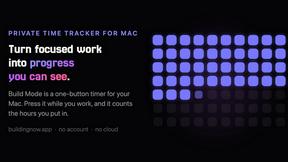
Build Mode is a Mac app that turns focused sessions into visible progress, so you can see the work adding up before the results arrive.
MySOP.guru
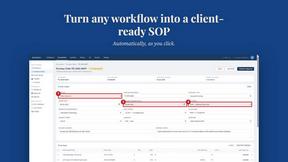
Capture any workflow in your browser and export a branded, step-by-step SOP with screenshots. €5 per document, no subscription.
PerPageFax
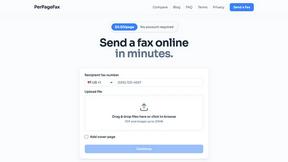
PerPageFax lets you send a fax online from any browser for a flat $0.50 per page — no account, no subscription, no fax machine.

Video2Jpg
Convert video to JPG, PNG, or WebP frames in your browser. High-quality video to image converter with no uploads—fast, private, and free.

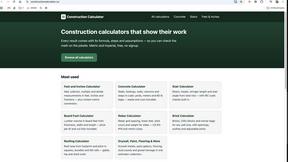
Construction Calculator
Free construction calculators with transparent formulas, steps, assumptions, and metric or imperial units.


Glanced
Follow news, blogs, newsletters, and podcasts in a free RSS reader, with AI summaries, top stories, full-text search, saved searches, and a catalog.