
Money Tracker App
Money Tracker App scales your financial clarity with AI receipt scanning and on-device privacy, no bank link or signup required.
Visit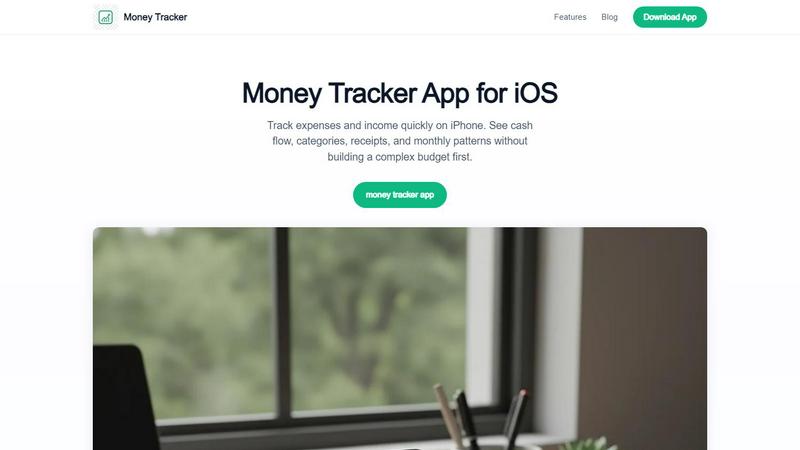
About Money Tracker App
Money Tracker App, known as Walleta on iOS, is a private and innovative expense tracking solution designed for the modern, privacy-conscious individual. It redefines personal finance management by eliminating the need for bank account connections or mandatory signups, putting you in complete control of your data. This app is built for a growing community of freelancers, students, households, and professionals who want a fast, intuitive way to log spending, scan receipts, and visualize cash flow without the overhead of complex budgeting software. The core value proposition is simplicity and privacy: your financial data stays on your device, with no cloud sync required. Money Tracker App empowers you to build a scalable understanding of your daily habits. It transforms the tedious process of manual logging into a one-tap workflow, supported by on-device AI that reads receipts and suggests categories. You gain immediate visibility into weekly, monthly, and yearly spending patterns through clear charts and calendar views. This tool is for anyone tired of juggling separate receipt scanners, spreadsheets, and guesswork. It is your launchpad for making smarter, data-driven financial decisions, proving that you do not need to sacrifice privacy for powerful insights. By focusing on quick manual entry and intelligent automation, it scales from a simple log to a comprehensive financial overview, helping you track what matters most without the noise.
Features of Money Tracker App
One-Tap Category Logging
This feature is the engine of rapid data entry. The app streamlines the logging process by allowing you to add an expense or income with just a single tap on a pre-set category. With fourteen built-in categories covering everything from food and groceries to transport, health, and subscriptions, you can record a purchase in seconds. This eliminates friction and makes it easy to build a consistent logging habit. The system learns from your repeated entries, offering intelligent category suggestions that speed up the workflow even further. This is not just about speed; it is about creating a scalable system for daily tracking that scales with your life, ensuring no transaction goes unrecorded and your data remains accurate and actionable.
On-Device AI Receipt Scanning
Money Tracker App leverages cutting-edge, on-device artificial intelligence to turn receipt scanning into a seamless verification process. Simply point your camera at a receipt, and the AI extracts key details like the merchant name, total amount, date, and even suggests a category. Crucially, this process happens entirely on your device, ensuring your financial data never leaves your phone for maximum privacy. After extraction, you are prompted to review and verify the information before saving, giving you full control. This feature is a game-changer for anyone who wants to digitize receipts for reimbursements, business expenses, or tax-adjacent records without the hassle of manual data entry. It transforms a physical receipt into a structured, searchable record in seconds.
Monthly Budget Limits and Alerts
Take control of your spending with proactive budget management. This feature allows you to set monthly spending limits for any category. As you log expenses throughout the month, the app tracks your progress in real-time. When you approach your set limit, the app sends you an alert, giving you the awareness to adjust your spending before you overspend. This is not a rigid budgeting system that restricts you; it is a flexible, growth-oriented tool that provides visibility and early warnings. It helps you scale your financial awareness from a passive observer to an active manager, allowing you to make informed decisions about where your money goes each month.
Calendar Spending Views and Category Analytics
Visualizing your financial patterns is key to understanding your habits. Money Tracker App provides multiple powerful views to analyze your data. The calendar view gives you a day-by-day breakdown of your spending, allowing you to see exactly where your money went on any given date. Complementing this are rich analytical tools, including pie charts and bar graphs, that summarize your spending by category over weekly, monthly, and yearly periods. This multi-dimensional view helps you identify trends, such as rising grocery costs or subscription bloat, that you might otherwise miss. It scales your understanding from daily transactions to long-term patterns, empowering you to make strategic changes to your financial future.
Use Cases of Money Tracker App
Tracking Freelance Income and Expenses
For freelancers and gig workers, managing irregular income and business expenses is a constant challenge. Money Tracker App provides a dedicated space to log both. You can instantly record freelance payments as income and categorize business purchases like software subscriptions, travel costs, or office supplies as expenses. The receipt scanning feature is invaluable for capturing receipts for tax-deductible items. By viewing your cash flow and category analytics, you can quickly see your net earnings for the month, understand your biggest business costs, and prepare for tax season with organized, exportable records. It scales from a simple log to a crucial tool for managing your business finances.
Managing Shared Household Expenses
Families and roommates often struggle to keep track of shared costs like groceries, utilities, and rent. Money Tracker App offers a private, on-device solution for one person to manage these household finances. You can log all shared expenses, categorize them (e.g., "Groceries," "Rent"), and use the notes field to indicate who paid. The multi-currency support is a major advantage for expat families or those with international expenses. At the end of the month, you can view the category totals and cash flow to easily calculate each person's share. This use case scales from simple tracking to a fair and transparent system for managing collective finances.
Budgeting for a Specific Goal
Whether you are saving for a vacation, a new gadget, or a down payment, Money Tracker App helps you stay on track. You can use the monthly budget limits feature to cap spending in discretionary categories like "Eating Out" or "Shopping." As you log your daily expenses, the app alerts you when you are approaching your limits, reinforcing your commitment to your goal. The weekly and monthly charts provide visual proof of your progress, showing how your disciplined spending is bringing your goal within reach. This use case scales your motivation from a vague intention to a measurable, trackable journey.
Simplifying Tax Preparation for Individuals
While not a replacement for professional tax advice, Money Tracker App is a powerful tool for organizing your financial records throughout the year. By consistently logging all income and capturing receipts for deductible expenses, you create a searchable, categorized database of your financial activity. At tax time, you can export your data as a CSV or PDF file, providing a clear summary of your income and potential deductions. This eliminates the frantic search for paper receipts and guesswork at the end of the year. It scales your organization from a chaotic pile of documents to a clean, structured report that simplifies the entire tax preparation process.
Frequently Asked Questions
Can I use Money Tracker App without creating an account or linking my bank?
Yes, absolutely. Money Tracker App is designed for complete privacy and ease of use. You do not need to create an account, sign up with an email, or link any bank accounts. You can download the app and start logging your expenses immediately. All your data is stored locally on your device, giving you full ownership and control.
How does the AI receipt scanning work and is it secure?
The AI receipt scanning feature uses on-device machine learning to read text from your receipt photos. When you take a picture of a receipt, the AI extracts the merchant, total, date, and category. This entire process happens on your iPhone. Your receipt image and the extracted data are never uploaded to any cloud server, ensuring your financial information remains completely private and secure.
What happens if I reach my monthly budget limit?
When you set a monthly budget limit for a category and your logged expenses approach that limit, Money Tracker App sends you an alert. This is a gentle notification to make you aware of your spending. The app will not block you from logging additional expenses; it simply provides the visibility you need to make informed decisions about your spending habits.
Is Money Tracker App available on Android or other platforms?
Currently, Money Tracker App (Walleta) is exclusively available for iOS devices. It is designed and optimized for the iPhone experience. There is no Android or web version available at this time. The app supports multi-currency, making it a great tool for travelers and expats who use an iPhone.
Explore more in this category:
Similar to Money Tracker App


Budgeting App
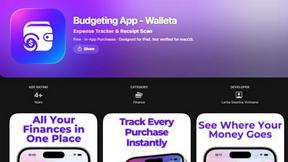
Walleta is a free iOS budgeting app that uses AI to scan receipts, track expenses, and set monthly budgets effortlessly.
CalcFi
CalcFi offers 500+ free financial calculators for every money decision, delivering instant results and personalized PDF plans without signup.
kill the sub
Effortlessly uncover and cancel forgotten subscriptions in minutes with our AI tool, saving you money for just $3.
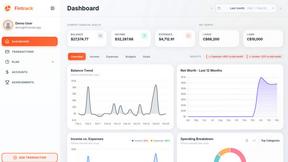
Fintrack
Fintrack is your AI money copilot that tracks spending and finds hidden savings for you.

Redbark
Redbark automatically syncs your Australian bank and brokerage data to apps like Google Sheets and YNAB.

Ricco - Financial Literacy Game
Ricco is a fun financial literacy game that teaches budgeting and investing through real-life scenarios and choices.