
MacBrightness
MacBrightness unlocks your Mac's hidden brightness range for up to 1,600 nits, making your screen readable in direct sunlight with zero setup.
Visit
About MacBrightness
MacBrightness is a lightweight utility app that unlocks the hidden brightness potential of your MacBook Pro, allowing your screen to reach up to 1,600 nits of sustained brightness. This is nearly double the standard brightness ceiling that macOS imposes by default. The product was born from a simple, frustrating reality: your MacBook Pro's mini-LED display is capable of going much brighter, but Apple restricts that peak brightness to HDR video content only. MacBrightness removes that artificial limit and makes the full brightness range available system-wide, in every app, all the time. This means your screen stays readable in direct sunlight, on a sunny patio, next to a bright window, or at an outdoor café table. The app is designed for professionals who work on the go: digital nomads, remote workers, freelancers, product designers, software developers, and founders who need their screen to be usable in any lighting condition. MacBrightness integrates seamlessly with your existing brightness keys, so there are no new shortcuts to learn or menu bars to hunt through. It operates with no noticeable CPU overhead and uses no low-level system hacks. It simply opens the brightness range your display already keeps available for HDR. The free trial offers a unique Splitscreen Mode, where half your screen jumps to full brightness so you can compare the difference side by side. A one-time purchase unlocks the full screen, with no subscription required.
Features of MacBrightness
System-Wide Brightness Boost
MacBrightness unlocks the full brightness potential of your MacBook Pro's mini-LED display, pushing past the standard macOS limit to deliver up to 1,600 nits of sustained brightness. This works across every application, not just HDR video. Whether you are editing a document, browsing the web, coding, or video conferencing, the extra brightness is available instantly. The boost is consistent and reliable, giving you a screen that remains sharp and readable in direct sunlight.
Native Brightness Key Integration
The app works with the brightness keys you already use on your MacBook keyboard. There are no new shortcuts to memorize, no menu-bar icons to click, and no complicated settings to configure. You simply press the brightness up key past the old limit, and the entire screen continues to brighten. This intuitive design means you can go from setup to full brightness in under thirty seconds, with zero learning curve.
No Performance Overhead
MacBrightness is engineered to be incredibly lightweight. It introduces no noticeable CPU overhead and uses no low-level system hacks or kernel extensions. The app simply enables the brightness range your display already supports for HDR content, making it available for all content. Your Mac continues to run smoothly, your battery life remains predictable, and there is no impact on other applications or system performance.
Free Splitscreen Trial Mode
The free trial of MacBrightness opens in a unique Splitscreen Mode. One half of your screen jumps to full brightness while the other half stays at the standard macOS brightness level. This side-by-side comparison lets you see the dramatic difference instantly. The Splitscreen Mode remains free for as long as you like, with no time limit. When you are ready, a one-time purchase unlocks full-screen brightness across every app.
Use Cases of MacBrightness
Working from Sunny Outdoor Locations
Digital nomads, remote workers, and freelancers often find themselves working from patios, park benches, café tables, or airport gates. In direct sunlight, a standard MacBook screen becomes a nearly unusable mirror. MacBrightness solves this by boosting the screen to 1,600 nits, making it readable even in the brightest outdoor conditions. You can finally take that table by the window at your favorite café without squinting.
Product Design and Visual Work
Product designers and visual professionals often need to see their work in various lighting conditions. Whether you are reviewing color palettes, wireframes, or UI mockups on a sunny balcony, MacBrightness ensures your screen is bright enough to accurately evaluate your designs. The system-wide brightness boost means every design tool, from Figma to Sketch to Photoshop, benefits from the full brightness range.
Outdoor Video Conferencing and Standups
With the rise of remote work, many professionals take video calls from outdoor locations. A park bench or patio is a great place for a standup meeting, but a dim screen makes it impossible to see participants or share your screen. MacBrightness makes your screen visible in direct sun, so you can participate in video calls, present slides, or share your code from anywhere without being limited by lighting conditions.
Travel and On-the-Go Productivity
Frequent travelers often work in unpredictable lighting environments: airplane windows, bright hotel lobbies, or sun-drenched airport lounges. MacBrightness adapts instantly, giving you a clear, bright screen wherever you are. The app is designed for the MacBook Pro 14-inch and 16-inch models with M-series Pro or Max chips, making it the perfect companion for professionals who carry their laptop everywhere.
Frequently Asked Questions
What Mac models are compatible with MacBrightness?
MacBrightness works with MacBook Pro 14-inch and 16-inch models that have M-series Pro or Max chips, as well as the Pro Display XDR. These devices feature mini-LED panels capable of sustaining around 1,600 nits of brightness. Other Mac models do not have the hardware capability to support the extended brightness range that MacBrightness unlocks.
Is there any risk of damaging my display by using MacBrightness?
No. MacBrightness only uses the HDR brightness range that your display already supports and keeps available for HDR video content. The app does not push your display beyond its factory specifications. It simply makes that existing brightness range available system-wide. Your display is designed to handle this brightness level safely.
How do I try MacBrightness for free?
You can download the free trial from the MacBrightness website. When you open the app, it launches in Splitscreen Mode. One half of your screen jumps to full brightness while the other half stays at the standard macOS brightness, allowing you to see the difference side by side. This Splitscreen Mode is free for as long as you like, with no time limit or account required.
How much does a full license cost and is it a subscription?
MacBrightness is available for a one-time purchase of $5. There is no subscription, no recurring fees, and no hidden costs. Once you purchase a license, you unlock full-screen brightness across every app. This is a permanent license that covers the current version of the app.
Pricing of MacBrightness
MacBrightness offers a simple, transparent pricing model with no subscriptions. The full license is available for a one-time purchase of $5. This unlocks the entire screen to full brightness across every app. The free trial offers Splitscreen Mode, where half your screen is at full brightness, for as long as you like. There are no tiers, no recurring fees, and no hidden costs. You pay once and get the full functionality permanently.
Explore more in this category:
Similar to MacBrightness
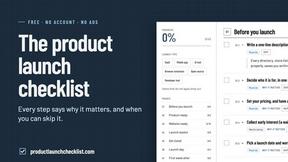
Product Launch Checklist
A free launch checklist for SaaS, apps, AI tools and more. Every step says why it matters and when you can skip it.
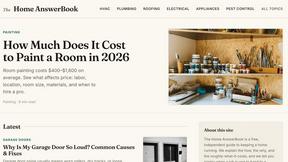
HomeAnswerBook
Practical, independent guides to home repairs, maintenance, costs, troubleshooting, and everyday fixes.
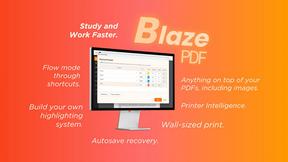
BlazePDF
Highlight faster. Study in flow with custom shortcuts and a workflow built around you. Print smarter, or turn any page into a tiled poster.
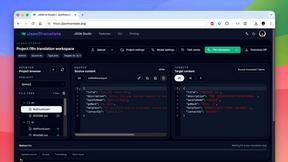
JsonTranslate
Translate JSON, Markdown, and TXT files while preserving keys, nested paths, and project structure.
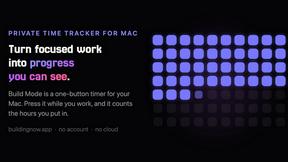
Build Mode for Mac
Build Mode is a Mac app that turns focused sessions into visible progress, so you can see the work adding up before the results arrive.
LiteralKit
Free, no-signup Unicode text tools: superscript, fancy fonts, case converter, symbols. Fast and private.

