Image3D AI
Transform any 2D image into stunning 3D models for printing or games in minutes with Image3D AI's powerful technology.
Visit
About Image3D AI
Image3D AI is a groundbreaking platform designed to revolutionize the realm of 3D creation, enabling users to convert static 2D images into high-quality 3D models within seconds. Leveraging Tencent's state-of-the-art Hunyuan 3D engine, this tool automates the intricate and often time-consuming process of 3D modeling. The primary goal is to democratize access to high-fidelity 3D modeling, making it accessible to everyone—from solo entrepreneurs with an initial product concept to game developers requiring rapid asset prototyping. By streamlining the workflow from concept to production-ready models, Image3D AI eliminates the need for expensive software like Blender and specialized skills. Users can turn a single photo or a series of multi-view images into detailed, textured 3D assets suitable for various applications. This tool is perfect for the modern creator who prioritizes speed and efficiency, dramatically reducing project timelines from weeks to mere minutes while maintaining exceptional quality.
Features of Image3D AI
Rapid Mode
Rapid Mode allows users to generate 3D models quickly from a single image. This feature is particularly useful for those who need fast results, such as designers in a hurry or creators looking to test concepts without investing much time.
Pro Mode
Pro Mode enhances the 3D modeling process by enabling users to upload multiple views of an object. This mode focuses on high precision, producing detailed models that are ideal for professional applications, ensuring that every angle is accurately captured.
Image Formats Supported
Image3D AI supports multiple image formats, including PNG, JPEG, and WEBP. This flexibility means users can start their 3D modeling journey using images in the format they are most comfortable with, allowing for a seamless transition from 2D to 3D.
Advanced Parameters
With advanced parameters, users can customize their 3D generation experience. This feature allows for the selection of different modes, such as Normal, Low Poly, and Geometry, catering to various needs, whether for games, AR applications, or 3D printing.
Use Cases of Image3D AI
Game Development
Game developers can leverage Image3D AI to rapidly generate game-ready 3D assets. The software supports PBR materials and allows for easy integration into popular game engines like Unity and Unreal Engine, significantly speeding up the asset creation process.
E-commerce
For e-commerce businesses, Image3D AI transforms product images into interactive 3D models. This functionality enhances online shopping experiences, allowing customers to view products from every angle and even engage with augmented reality previews.
3D Printing
Enthusiasts in 3D printing benefit from the platform's ability to convert images directly into STL files. These high-precision, print-ready files simplify the transition from digital designs to physical models, making it easier for creators to bring their ideas to life.
Architecture & Design
Architects and designers can utilize Image3D AI to quickly generate architectural models. By reducing the time spent on manual modeling, they can focus more on creativity and design, improving overall efficiency in project workflows.
Frequently Asked Questions
What types of images work best for conversion?
Images with clear outlines and simple backgrounds yield the best results. High-contrast visuals help the AI understand the subject better, ensuring accurate 3D model generation.
How long does it take to generate a 3D model?
The processing speed for generating a 3D model typically takes around 60 seconds, making it a quick solution for users who need fast results without compromising on quality.
What file formats can I export my 3D models in?
Users can export their 3D models in various formats including STL for 3D printing, OBJ for traditional 3D editing, and GLB for modern web and AR applications, providing flexibility for different use cases.
Is there a limit to the number of images I can upload?
While the platform allows for multi-view uploads in Pro Mode, each individual image file must be under a maximum size of 10MB. This ensures optimal processing and quality in your 3D models.
Similar to Image3D AI
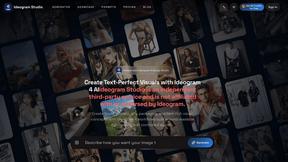
Ideogram Studio
Create text-rich logos, posters, ads, packaging, and ecommerce visuals with Ideogram 4 AI workflows and guided prompts.
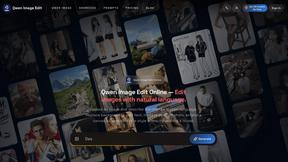
Qwen Image Edit
Browser-based AI image editing and generation with natural-language instructions for backgrounds, text, products, posters, and creative visuals.
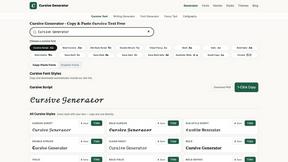
Cursive Text Generator
Cursive Text Generator is a free online tool for creating stylish cursive fonts and copy-paste text for social media, names, bios and more.
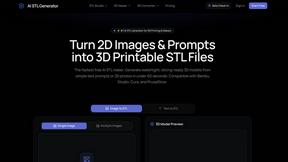
AI STL Generator
The fastest AI STL generator to turn prompts and images into 3D printable STL files.
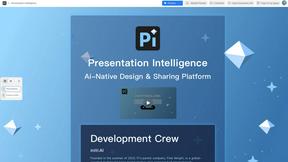
Presentation Intelligence
AI-native presentation and visual content platform that turns prompts, documents, images, videos, and data into polished, shareable decks.
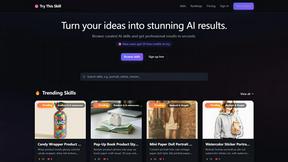
Try This Skill
One-click AI photo stylization for e-commerce & portraits
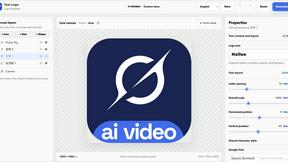
Text Logo
Create custom text, wordmark, and typography logos with editable fonts, colors, icons, shapes, and flexible exports.