
DocuExtractor
DocuExtractor transforms messy receipts and invoices into clean, structured data instantly, eliminating manual entry.
Visit
About DocuExtractor
DocuExtractor is an innovative document processing engine that revolutionizes the way modern finance teams handle data entry. Specifically designed for accountants, bookkeepers, and accounts payable specialists, this AI-driven software automates the extraction of data from unstructured financial documents such as receipts, invoices, bank statements, and PDFs. By employing advanced technologies like Optical Character Recognition (OCR), deep learning, and large language models (LLMs), DocuExtractor achieves an impressive accuracy rate of 99.6% in data extraction. Its core value proposition is centered around saving time and enhancing productivity; by automating the extraction of essential details such as dates, supplier names, totals, and document numbers, it minimizes human error and enables professionals to allocate their time to high-value analyses and strategic tasks. With features like a user-friendly drag-and-drop interface and batch processing capabilities, DocuExtractor is suitable for freelancers and large accounting departments alike. The platform not only promises speed and efficiency but also prioritizes security by deleting data post-processing, ensuring that client information remains confidential and safe.
Features of DocuExtractor
Advanced Data Extraction
DocuExtractor utilizes sophisticated AI algorithms that combine OCR, deep learning, and LLM technologies to automatically extract key information from financial documents. This feature significantly reduces manual data entry tasks and enhances accuracy, allowing finance teams to focus on more strategic activities.
User-Friendly Interface
The platform features a simple drag-and-drop interface that makes uploading documents a breeze. Users can easily upload multiple files at once, whether they are receipts, invoices, or PDFs, streamlining the entire data extraction process and making it accessible for users of all skill levels.
Customizable Output Options
After extraction, users can choose to download their data in various formats, including CSV and Excel, tailored to their specific needs. This flexibility in output formats ensures that the extracted data can be seamlessly integrated into existing accounting software or spreadsheets, facilitating easier analysis and reporting.
High-Volume Processing Capabilities
DocuExtractor supports batch processing, allowing users to upload and extract data from multiple documents simultaneously. This feature is particularly beneficial for businesses that handle large volumes of financial documents each month, significantly accelerating workflows and improving operational efficiency.
Use Cases of DocuExtractor
Streamlining Accounts Payable
Accounts payable specialists can leverage DocuExtractor to automate the extraction of invoice data, reducing the time spent on manual entry. By quickly converting invoices into structured data, finance teams can ensure timely payments and maintain good supplier relationships.
Simplifying Expense Management
For businesses managing employee expenses, DocuExtractor simplifies the process of collecting and processing receipts. With automatic data extraction, finance teams can efficiently categorize expenses and ensure accuracy in reporting for reimbursements or audits.
Enhancing Financial Reporting
Finance professionals can use DocuExtractor to quickly gather data from various financial documents, enabling faster and more accurate financial reporting. The ability to produce structured data in preferred formats allows for seamless integration into financial analysis tools.
Improving Document Organization
DocuExtractor helps organizations maintain better records by converting unstructured documents into structured formats. This organization ensures that key financial information is easily accessible, streamlining audit processes and compliance checks.
Frequently Asked Questions
How secure is my data with DocuExtractor?
Data security is a top priority for DocuExtractor. All uploaded documents are processed and then immediately deleted from our servers, ensuring that your information remains confidential and secure throughout the process.
What types of documents can I upload?
DocuExtractor supports various file formats, including PDFs, JPEGs, PNGs, and others. You can upload any financial document such as receipts, invoices, or bank statements for automatic data extraction.
How accurate is the data extraction?
DocuExtractor boasts an industry-leading accuracy rate of 99.6%. Our advanced AI algorithms are specifically designed to minimize errors and ensure that the extracted data is reliable and precise.
Is there a limit to the number of documents I can process?
There is no strict limit on the number of documents you can process with DocuExtractor. You can upload multiple documents in batches, making it easy to handle high volumes of data efficiently.
Explore more in this category:
Similar to DocuExtractor

AI Email Filter
AI Email Filter sorts incoming mail into folders using plain-language prompts you write. Works with any IMAP mailbox; bring your own LLM if you want.

Kody Tools
Free collection of online developer utilities, code formatters, and digital converters designed to streamline your daily workflow.
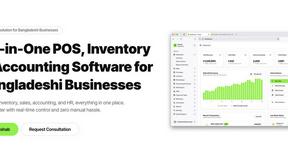
Hishab
All-in-One POS, Inventory & Accounting Software for Bangladeshi Businesses

Tally Counter
Online tally counter for tracking attendance, workouts, inventory, visitors, sports scores, habits, and everyday counting tasks.
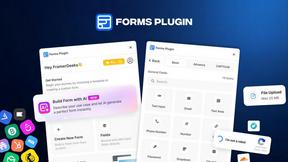
Forms Plugin
The #1 Native Form Builder Plugin for Framer - No Code, No Embeds, No External Platforms.


Product Launch Checklist
A free launch checklist for SaaS, apps, AI tools and more. Every step says why it matters and when you can skip it.

HomeAnswerBook
Practical, independent guides to home repairs, maintenance, costs, troubleshooting, and everyday fixes.