
BoltShot
Capture stunning, high-quality screenshots from any URL with BoltShot's ultra-fast API, no browser needed. Start for free today.
Visit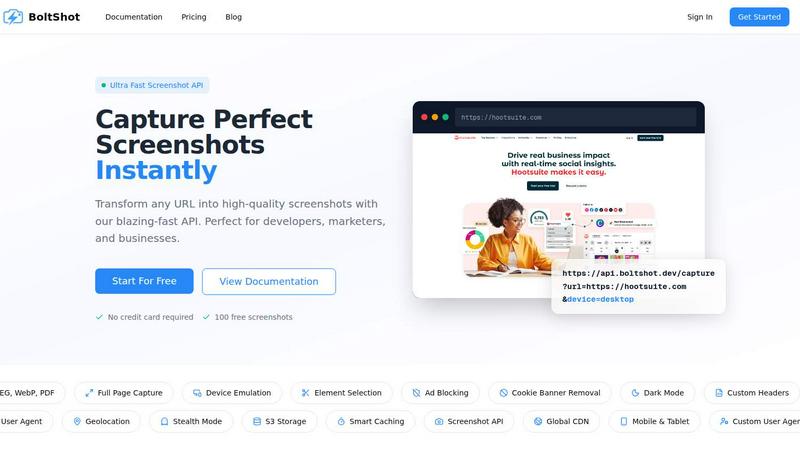
About BoltShot
BoltShot is a revolutionary website screenshot API that transforms any URL into stunning, high-quality screenshots with just a simple API request. Whether you need images in PNG, JPEG, WebP, or PDF formats, BoltShot delivers high fidelity and precision, making it an indispensable tool for developers, marketers, and businesses alike. With its advanced features like full-page capture, device emulation, and customizable viewport settings, BoltShot empowers users to capture every detail of a webpage, ensuring that nothing is left out.
Designed for seamless integration into existing workflows, BoltShot eliminates the complexities of managing infrastructure or browser clusters. From e-commerce previews to automated reporting, and compliance monitoring to web archiving, BoltShot serves a multitude of use cases. With built-in features such as ad blocking and cookie banner removal, users can achieve clean and efficient results, enhancing the overall quality of their captured images. With BoltShot, businesses can focus on growth while leaving the technicalities of screenshot capturing to the experts.
Features of BoltShot
Ultra Fast Screenshot API
BoltShot’s ultra-fast screenshot API allows users to capture perfect screenshots instantly. Whether it’s a full-page capture or a specific element, the API ensures rapid responses, enabling developers and marketers to work efficiently and effectively.
Flexible Sizing
With BoltShot, you can capture any screen size with pixel-perfect precision. Whether you need full-page screenshots, targeted element captures using CSS selectors, or custom viewport sizes, BoltShot has you covered with flexible options tailored to your needs.
Clean Capture
Say goodbye to distractions. BoltShot automatically detects and removes cookie banners, advertisements, and popups, ensuring that your screenshots are clean and free from clutter. This feature is essential for creating professional-quality images that maintain the integrity of the original webpage.
Built-in Caching & Storage
BoltShot offers fast S3 uploads and CDN delivery, ensuring that your screenshots are not only captured quickly but also stored securely and delivered instantly worldwide. With a 99.9% success rate and under 100ms response time, you can rely on BoltShot for all your screenshot needs.
Use Cases of BoltShot
E-commerce Previews
For e-commerce businesses, BoltShot enables the quick generation of product page screenshots, which can be used for marketing materials, social media posts, or internal reviews. This feature enhances the visual aspect of online stores, driving customer engagement.
Automated Reporting
Marketers and analysts can utilize BoltShot to automate the process of generating reports that include screenshots of web pages. This capability streamlines the reporting process, saving time and improving the accuracy of the information presented.
Web Archiving
BoltShot is ideal for organizations needing to maintain accurate records of webpage content over time. By capturing pages at specific intervals, businesses can ensure compliance and preserve digital assets for future reference.
Testing & Compliance Monitoring
Developers can use BoltShot to capture screenshots of applications during various testing phases, ensuring that everything appears as intended. Additionally, it is an invaluable tool for compliance monitoring, as it allows organizations to document web content and verify adherence to regulations.
Frequently Asked Questions
What formats does BoltShot support for screenshots?
BoltShot supports multiple formats, including PNG, JPEG, WebP, and PDF. This versatility allows users to choose the format that best suits their needs for web development, marketing, or documentation.
Can I capture specific elements on a webpage?
Yes, BoltShot allows you to capture specific page elements using CSS selectors. This feature provides precision in capturing only the content you need, enhancing the overall efficiency of your screenshot process.
Is there a limit to the number of free screenshots I can capture?
BoltShot offers 100 free screenshots for new users without requiring a credit card. This allows you to test the API and its features before committing to a paid plan.
How does BoltShot handle cookie banners and ads?
BoltShot has built-in features that automatically detect and remove cookie banners and advertisements from your screenshots. This ensures that the images you capture are clean and focused on the essential content of the webpage.
Similar to BoltShot
TrueProxies
Residential and datacenter proxy provider with 50M+ residential IPs across 150+ countries. Fast, reliable HTTP/SOCKS5 proxies for scraping and data.
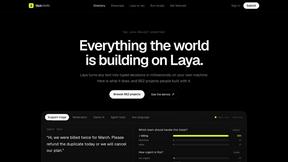
laya.tools
A free directory of 950+ projects built on Laya, the open-source decision model. Updated daily.
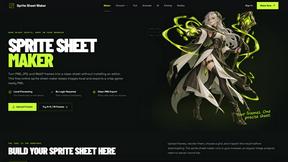
Sprite Sheet Maker
A free browser-based toolkit for creating, cutting, converting, and previewing sprite sheet animations.
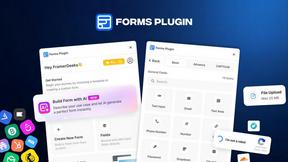
Forms Plugin
The #1 Native Form Builder Plugin for Framer - No Code, No Embeds, No External Platforms.

