
Blueberry
Blueberry is an all-in-one Mac app that seamlessly integrates your editor, terminal, and browser for effortless product.
Visit
About Blueberry
Blueberry is a revolutionary macOS application designed to streamline the product development process for modern builders. By integrating an editor, terminal, and browser into a single focused workspace, Blueberry eliminates the hassle of juggling multiple windows and applications. It is an AI-native product development platform that empowers developers to ship web applications that not only function well but also provide delightful user experiences. Ideal for developers, product managers, and designers, Blueberry connects seamlessly with leading AI models like Claude, Gemini, and Codex via its built-in Model Control Protocol (MCP). This allows AI to have real-time context of your files, terminal output, and live preview, reducing the need for tedious copy-pasting of context. The platform is currently in free beta, providing a cost-effective solution for teams looking to enhance their workflow while fostering collaboration and creativity.
Features of Blueberry
Integrated Workspace
Blueberry offers a cohesive workspace that combines a code editor, terminal, and browser, allowing users to build and test their applications without switching between multiple applications. This integration enhances productivity and focuses the developer's attention on what matters most.
AI Model Integration
With Blueberry's MCP, users can connect to AI models like Claude, Codex, or Gemini directly within the terminal. This capability provides real-time insights and context for your projects, enabling more efficient problem-solving and code understanding.
Contextual AI Interaction
Unlike traditional editors, Blueberry provides full context to the connected AI models, including access to open files, terminal outputs, and the live preview of applications. This feature allows users to receive informed suggestions and assistance directly related to their current work.
Pinned Apps and Custom Workflows
Users can dock essential applications like GitHub, Linear, and Figma within their Blueberry workspace. These pinned apps load with the project, allowing seamless access to important resources and maintaining live context for collaborative work.
Use Cases of Blueberry
Streamlined Development for Teams
Development teams can utilize Blueberry's integrated workspace to collaborate more effectively. By having all tools in one place, team members can work on code, monitor outputs, and test applications in real-time, enhancing their overall productivity.
Efficient AI-Assisted Coding
Developers can leverage Blueberry to interact with AI models while coding. The real-time feedback and suggestions from the AI help speed up the development process and improve code quality, making it easier to catch errors early.
Cross-Device Accessibility
Blueberry allows users to access their workspace from any device on their local network. This flexibility makes it easier for developers to switch devices while maintaining their workflow, ensuring they can work anytime, anywhere.
Prototyping and Rapid Iteration
Designers and product builders can use Blueberry to create prototypes quickly. The built-in preview feature allows for instant feedback on designs across various devices, facilitating rapid iteration and ensuring that the final product meets user expectations.
Frequently Asked Questions
What operating systems does Blueberry support?
Blueberry is currently available exclusively for macOS users, providing a tailored experience for Mac developers and product builders.
How does Blueberry's AI integration work?
Blueberry connects to various AI models through its Model Control Protocol (MCP), allowing the AI to access your project files, terminal outputs, and live previews for a contextual interaction that enhances productivity.
Is Blueberry really free during the beta phase?
Yes, Blueberry is 100% free during its beta phase, allowing users to experience its features without any cost while providing valuable feedback for future improvements.
Can I access Blueberry from multiple devices?
Yes, Blueberry allows remote access from any device on your local network, enabling you to continue your work seamlessly across different devices without losing your setup.
Explore more in this category:
Similar to Blueberry

TrueProxies
Residential and datacenter proxy provider with 50M+ residential IPs across 150+ countries. Fast, reliable HTTP/SOCKS5 proxies for scraping and data.



laya.tools
A free directory of 950+ projects built on Laya, the open-source decision model. Updated daily.

Sprite Sheet Maker
A free browser-based toolkit for creating, cutting, converting, and previewing sprite sheet animations.
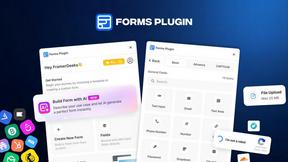
Forms Plugin
The #1 Native Form Builder Plugin for Framer - No Code, No Embeds, No External Platforms.

Product Launch Checklist
A free launch checklist for SaaS, apps, AI tools and more. Every step says why it matters and when you can skip it.
