
archmaster
Archmaster uses AI to turn any room or building photo into a photorealistic redesign in seconds, no design skills needed.
Visit
About archmaster
Archmaster is an AI-powered interior design and architectural rendering platform that democratizes professional-grade design. It allows anyone to upload a photo of any room, building exterior, or outdoor space, select a style from over 20 presets, and receive a photorealistic, designer-quality render in under 60 seconds. The core value proposition is eliminating the need for expensive designers, complex 3D modeling software like CAD, or any prior design skills. Archmaster is built for a diverse user base including homeowners planning renovations, renters visualizing temporary changes, real estate agents staging properties virtually, interior designers generating early client concepts, and architects creating visualizations from sketches. The platform offers a comprehensive suite of six core capabilities: interior redesign, exterior redesign, sketch-to-image conversion, AI render enhancement, architecture video generation, and targeted AI inpainting for edits. Beyond its core features, Archmaster provides free utility tools such as a room size calculator, paint calculator, renovation cost estimator, and color palette generator. The platform operates on a simple credit-based pricing model, with one credit covering a single generation, upscale, or edit. With a focus on speed, accessibility, and high-quality output, Archmaster positions itself as a scalable, all-in-one solution for transforming any space, aiming to empower millions of users to visualize and execute their design ideas without friction.
Features of archmaster
Interior AI Design
This feature allows users to upload a photo of any interior space, such as a living room, bedroom, bathroom, or kitchen, and instantly redesign it. By selecting from 20 distinct style presets ranging from Scandinavian Minimalist to Cyberpunk, users can see a photorealistic before-and-after transformation. The AI understands the room's layout, furniture, and lighting to generate a cohesive redesign that is both aesthetically pleasing and structurally plausible. This capability is ideal for homeowners trying out new decor ideas or designers presenting multiple style concepts to clients without any manual rendering work.
Exterior and Facade Design
Archmaster extends its AI capabilities to the outside of a building. Users can upload a photo of a home exterior, front yard, or any outdoor space and apply a style transformation. The AI intelligently redesigns the facade, landscaping, and outdoor elements to match the chosen aesthetic. This feature is particularly powerful for homeowners planning curb appeal renovations, real estate agents looking to virtually stage a property's exterior, or architects exploring different facade treatments for a project. The output is a photorealistic render that helps visualize the potential of any outdoor space.
Sketch to Render
This feature bridges the gap between initial concept and final visualization. Users can upload a hand-drawn architectural sketch, a rough floor plan, or a simple line drawing, and Archmaster will convert it into a photorealistic, fully rendered image. The AI interprets the lines and shapes to generate a detailed 3D-like scene, complete with lighting, textures, and materials. This is a game-changer for architects and designers who want to quickly communicate a concept to a client without spending hours on detailed modeling. It turns a napkin sketch into a presentation-ready visual in seconds.
AI Render Enhancer
The Render Enhancer is designed to take any generated architectural visualization and improve its quality. It can upscale the image to higher resolutions and sharpen details, making the output suitable for professional presentations, marketing materials, or even print. This feature ensures that users are not limited by the initial output resolution and can achieve print-ready quality from their AI-generated designs. It is a simple but critical tool for anyone who needs a high-fidelity final product, such as a real estate agent creating a brochure or a designer preparing a client pitch deck.
Use Cases of archmaster
Homeowners Planning Renovations
A homeowner looking to remodel their kitchen can use Archmaster to visualize new countertops, cabinets, and layouts before committing to any purchases or contractors. By uploading a photo of their existing kitchen and selecting a style like "Modern" or "Scandinavian," they can instantly see a photorealistic version of their renovated space. This allows them to experiment with different aesthetics, compare options, and make confident design decisions, saving time and money by avoiding costly mistakes. It empowers homeowners to become their own interior designers.
Real Estate Agents for Virtual Staging
Real estate agents can use Archmaster to virtually stage vacant or outdated properties to make them more appealing to potential buyers. Instead of paying for physical staging furniture or expensive Photoshop work, an agent can upload a photo of an empty living room and apply the "Cozy" or "Luxury" style to add virtual furniture, decor, and warmth. This helps buyers visualize the potential of the space, leading to faster sales and higher offers. The platform provides a scalable, cost-effective way to enhance property listings across an entire portfolio.
Interior Designers for Client Concepts
Professional interior designers can leverage Archmaster to rapidly generate multiple concept visuals for their clients. Instead of spending days creating mood boards or 3D renderings, a designer can upload a photo of a client's bedroom and generate versions in "Bohemian," "Japan," and "Minimalistic" styles within minutes. This accelerates the feedback loop, allows for quick iteration based on client preferences, and helps designers win projects by presenting compelling, photorealistic visions early in the process. It serves as a powerful ideation and communication tool.
Architects for Early-Stage Visualization
Architects can use the Sketch to Render feature to quickly transform initial hand-drawn concepts into photorealistic images for client presentations. Instead of waiting for a full 3D model to be built, an architect can snap a photo of a sketch and get a realistic rendering of the proposed building or structure in seconds. This is invaluable for early-stage client meetings, feasibility studies, and design reviews. It streamlines the initial design process, allowing architects to explore more ideas and communicate their vision with greater clarity and speed.
Frequently Asked Questions
What is a credit on Archmaster?
A credit is the basic unit of consumption on Archmaster. One credit is required for a single standard generation, such as redesigning a room or upscaling an image. More complex tasks require more credits. For example, a multi-view generation costs 3 credits, and generating an architecture video costs 5 credits. Credits are automatically renewed each week with your subscription plan.
What photo formats are supported?
Archmaster supports standard image formats for upload, including JPEG and PNG. The platform is designed to work with photos taken from a smartphone or digital camera. For best results, it is recommended to upload a clear, well-lit photo of the space you want to redesign. The AI is robust enough to handle various angles and lighting conditions.
Can it redesign building exteriors?
Yes, absolutely. Archmaster has a dedicated Exterior and Facade Design feature. You can upload a photo of any building's exterior, front yard, or outdoor space and apply one of the 20 style presets. The AI will intelligently redesign the facade, landscaping, and outdoor elements to match the chosen style, providing a photorealistic view of the transformed exterior.
Are my uploaded photos used to train AI?
Archmaster's privacy policy states that user-uploaded photos are not used to train its AI models. The company takes user privacy seriously. Your images are processed to generate the requested renders and are not shared or used for any other purpose, including model training. You can refer to the full Privacy Policy on the website for more detailed information.
Similar to archmaster
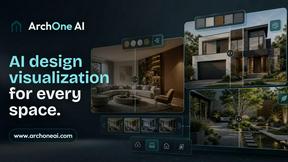
ArchOne AI
All-in-one AI spatial design visualization platform for interior, exterior and landscape design.
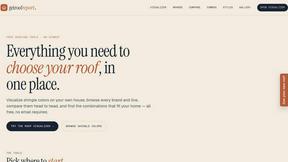
RoofReport
Upload your home photo and instantly preview any roof color from top brands for free with no signup needed.
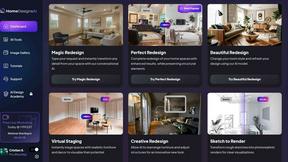
HomeDesignsAI
HomeDesignsAI lets you instantly redesign interiors, exteriors, and gardens from a single photo, scaling your creative vision in under 30 seconds.
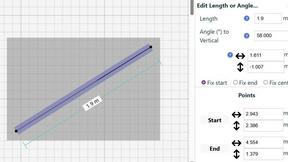
SimpleDraw
Create stunning scale drawings and floor plans effortlessly online with SimpleDraw's powerful and intuitive web tools.