
AI Audio Translator
AI Audio Translator transcribes, translates, and dubs spoken content live with instant preview for voice-first systems.
Visit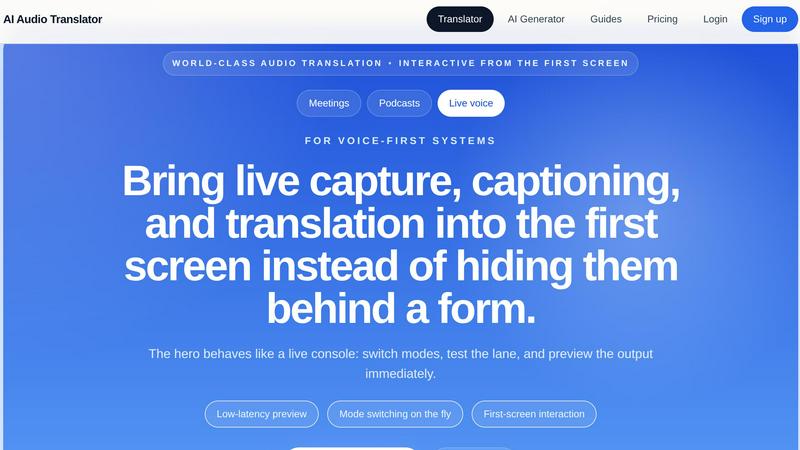
About AI Audio Translator
AI Audio Translator is a browser-based, interactive studio built for spoken-content workflows that demand speed, accuracy, and practical output. Unlike clunky translation tools that bury features behind forms, this product puts live capture, transcription, translation, and optional dubbing on the first screen so teams can move from raw audio to usable output in one focused lane. It is designed for podcasters, localization teams, educators, and anyone working with interviews, meetings, lessons, demos, or live voice. The core value proposition is a transcript-first review process: users upload audio, paste a public URL, or record directly in the browser, then inspect the transcript, check the translation against the source, and only generate dubbed speech when playback is actually needed. This eliminates unnecessary processing, reduces costs, and keeps quality control front and center. The product supports 17 languages including English, Chinese, Japanese, Korean, French, German, Spanish, Portuguese, Italian, Russian, Arabic, Hindi, Dutch, Polish, Turkish, Vietnamese, and Thai. With low-latency preview, mode switching on the fly, and a clean pipeline view, AI Audio Translator is built for teams scaling their global content operations without stitching together multiple disconnected tools. It treats audio translation as a real workflow, not a black box.
Features of AI Audio Translator
Interactive First-Screen Studio
The hero interface behaves like a live console, not a static form. Users can switch between transcription, translation from source to target, and translation between languages instantly. Mode switching on the fly, low-latency preview, and the ability to test the lane before committing to a full run means teams can iterate quickly and see output immediately. This interactive design eliminates friction and keeps the focus on the content, not the tool.
Flexible Input Options
AI Audio Translator accepts audio from three sources in one unified studio: file upload (MP3, WAV, M4A, AAC, OGG up to 100MB), pasting a public audio URL, or recording directly in the browser. This flexibility means users can handle pre-recorded podcasts, live interview recordings, or quick voice memos without switching contexts. The product behaves as one translation lane instead of three disconnected forms with different rules and outputs.
Transcript-First Review Pipeline
The workflow prioritizes inspectability. Users see the full transcript first, then review the translated text side by side with the source. Only when the translation is verified and approved does the user choose to generate dubbed audio with an AI voice. This transcript-first approach enables clean editing, QA, and localization handoff before any downstream use, saving time and reducing errors in multilingual content production.
Optional AI Dubbed Speech
When translated text is ready, users can generate dubbed audio on demand. This feature creates playable translated speech using an AI voice, turning text into audio for demos, learning materials, and localization. The dubbing is optional and only triggered when needed, which keeps processing costs low and ensures that every generated asset is actually useful. The pipeline view shows real-time status: transcribing audio, translating text, and generating dubbed audio.
Use Cases of AI Audio Translator
Podcasters Translating Interviews
Podcasters can upload interview recordings, get an instant transcript, translate the text into another language, and generate a dubbed audio clip for international audiences. This turns a single interview into a multilingual asset without hiring separate translators or voice actors. The transcript-first review ensures the translated content matches the original intent before any audio is created.
Localization Teams Reviewing Spoken Content
Localization teams handling product demos, training videos, or customer calls can use the studio to review transcripts and translations before generating dubbed audio. The ability to inspect the translated text line by line and lock a language pair means quality control happens early in the pipeline. This prevents costly rework and ensures consistent terminology across markets.
Educators Translating Lessons and Lectures
Teachers and course creators can record or upload lectures, translate the transcript into student native languages, and optionally generate dubbed audio for playback. This makes educational content accessible to global classrooms without requiring real-time interpreters or manual subtitling. The browser recording feature is especially useful for quick lesson captures.
Live Voice and Meeting Captioning
For live meetings or events, users can capture voice directly in the browser, transcribe it in real time, and translate the text for multilingual participants. The low-latency preview and mode switching make it possible to adapt on the fly. This is ideal for international team standups, client calls, or conference sessions where immediate understanding is critical.
Frequently Asked Questions
What audio formats does AI Audio Translator support?
The product supports MP3, WAV, M4A, AAC, and OGG file formats with a maximum file size of 100MB. For longer recordings, users can paste a public audio URL or record directly in the browser, which has no file size limit for live capture. The studio handles all input types seamlessly within the same interface.
Can I review the transcript before generating the translation?
Yes, the transcript-first workflow is a core feature. Users see the full transcript from the source language first, then review the translated text side by side. Only after inspecting and approving both do you choose to generate dubbed audio. This ensures accuracy and allows for editing before any downstream processing.
What languages are supported for translation and dubbing?
AI Audio Translator supports 17 languages: English, Chinese, Japanese, Korean, French, German, Spanish, Portuguese, Italian, Russian, Arabic, Hindi, Dutch, Polish, Turkish, Vietnamese, and Thai. Users can set auto-detect for the source language or manually select from the list. The target language can be any of the supported options.
Is dubbed audio generated automatically or on demand?
Dubbed audio is generated only when you explicitly choose to turn it on. The interface includes a toggle for "Generate dubbed audio" that creates translated speech with an AI voice. This optional step keeps processing efficient and cost effective, as you only pay for audio generation when it is actually needed for playback or distribution.
Pricing of AI Audio Translator
AI Audio Translator uses a credit-based pricing model that maps directly to actual audio work. Credits are consumed based on the length of the audio processed, with separate costs for transcription, translation, and dubbed audio generation. This clear structure avoids bundling unrelated features like image or video processing, so you only pay for what you use. The product offers a free tier for testing with limited audio minutes, and paid plans scale with usage for teams producing high volumes of translated spoken content. Specific plan details and pricing tiers are available on the pricing page.
Explore more in this category:
Similar to AI Audio Translator
VidRush AI
AI-powered long video generator. Create multi-modal AI videos by combining images, video, audio, and text.
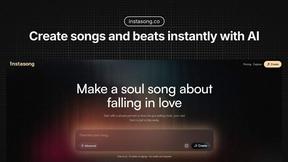
InstaSong - AI song and beat maker
InstaSong turns simple text prompts into royalty-free AI songs and beats in seconds, giving creators unlimited musical output to scale.
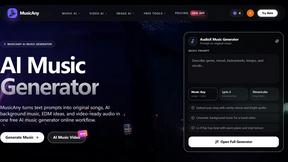
MusicAny AI Music Generator
MusicAny transforms text prompts into original songs, background music, and video-ready audio with one free AI workflow.
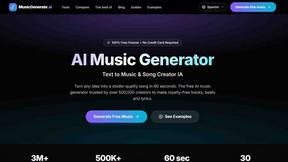
AI Music Generator
Transform your ideas into royalty-free, studio-quality music in just 60 seconds with our easy-to-use AI Music Generator.
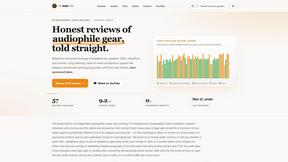
The Audio Stuff
The Audio Stuff scales honest, benchmarked hi-fi reviews to help you build a better system without sponsored noise.
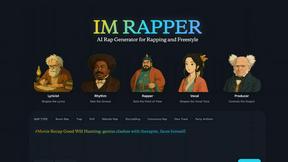
AI Rapper
AI Rapper transforms ideas into catchy hooks and polished lyrics, empowering rappers to create and scale their music effortlessly.