
Sketch To vs SparkPix
Side-by-side comparison to help you choose the right product.
Sketch To
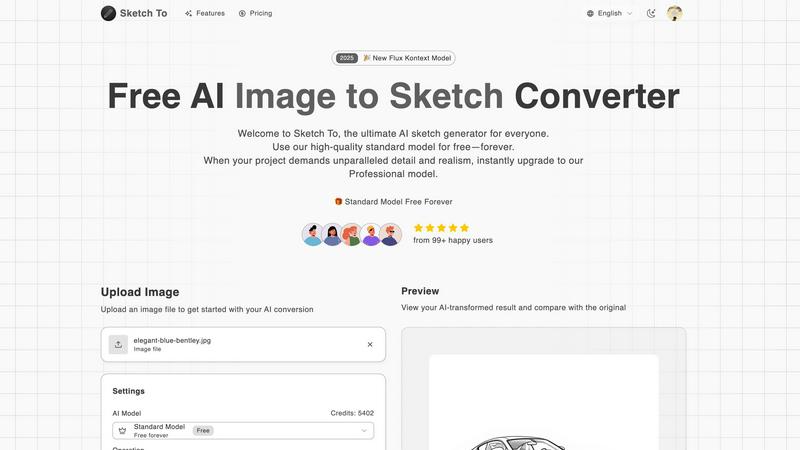
Sketch To instantly transforms your images into stunning AI sketches for any creative project.
Last updated: March 2, 2026

SparkPix
Edit photos effortlessly with SparkPix by simply typing your requests to enhance, restore, and transform images instantly online.
Last updated: March 11, 2026
Visual Comparison
Sketch To
SparkPix

Feature Comparison
Sketch To
Dual-Model AI Engine
Sketch To's foundation is its powerful dual-model system, designed to scale with your creative ambitions. The Standard Model provides high-quality, accessible conversions perfect for personal projects and exploration, available with free trial credits. When your work demands unparalleled realism, you can instantly switch to the world-class Professional Model, which delivers commercial-grade detail, texture, and accuracy. This architecture ensures you never pay for more than you need while having a clear path to upgrade your output quality.
Bidirectional Artistic Transformation
Unlike single-purpose tools, Sketch To offers powerful bidirectional conversion. You can transform any photo into a beautiful sketch across numerous styles like Pencil, Charcoal, Ink, or Watercolor. Conversely, you can breathe life into your rough drawings using the Sketch to Image AI feature, turning simple line art into stunning, photorealistic images. This dual functionality unlocks endless creative possibilities from a single platform.
Instant, High-Resolution Processing
Powered by a robust cloud-based AI infrastructure, Sketch To delivers results in seconds, not hours. There's no complex software to install or lengthy rendering times. Simply upload your file, choose your style, and generate. Every creation is processed and available for download in high resolution, ensuring your outputs are suitable for everything from social media posts to professional print materials.
Extensive Style Library & Customization
Cater to any creative vision with a comprehensive and growing library of artistic styles. Go beyond a simple pencil sketch to explore Charcoal, Colored Pencil, Comic, Concept Art, Figure Sketch, and Digital styles. The Model Configuration panel offers further control, allowing you to fine-tune the AI's output. This flexibility ensures you can achieve the exact aesthetic required for your project, every time.
SparkPix
AI Photo Editor
The AI Photo Editor allows users to type specific instructions like "remove background" or "enhance colors," and the AI executes these commands in under 30 seconds. This feature democratizes photo editing, enabling anyone to achieve professional-quality results without prior experience.
Background Remover
With the one-click background removal feature, users can quickly isolate subjects from portraits, product images, or complex scenes. This functionality is perfect for e-commerce applications or creating standout social media content, making it easy to generate clean, polished images.
Unblur Image
The Unblur Image feature uses advanced AI algorithms to fix motion blur, out-of-focus shots, and compression artifacts. This ensures that your images maintain clarity and sharpness, even after edits, making it an essential tool for restoring the quality of your photos.
Photo Restoration
SparkPix excels in photo restoration, allowing users to repair old, faded, scratched, or damaged photographs. This feature is particularly beneficial for preserving family archives and cherished memories, transforming neglected images into vibrant representations of the past.
Use Cases
Sketch To
Social Media Content Creation
Creators and influencers can instantly generate unique, eye-catching artwork from their photos to stand out on platforms like Instagram, TikTok, and Pinterest. Transform portraits, travel photos, or product shots into artistic sketches or enhance simple doodles into polished images, fueling a consistent stream of engaging visual content without needing advanced design skills.
Digital Art & Design Projects
Hobbyists and professional designers can use Sketch To as a powerful ideation and asset-creation tool. Quickly generate sketch concepts from reference images, create textured backgrounds, or convert hand-drawn illustrations into high-fidelity digital assets for websites, games, or marketing materials, dramatically speeding up the creative workflow.
Educational & Student Projects
Students and educators can leverage Sketch To to add a professional, artistic flair to presentations, reports, and creative assignments. Transform historical photos into sketch-style visuals for history class, create scientific diagrams with an artistic touch, or produce compelling visuals for school publications, making academic work more visually engaging.
Professional Concept Visualization
Architects, product designers, and concept artists can use the Sketch to Image AI feature to rapidly visualize ideas. Upload a rough concept sketch and let the Professional Model generate a realistic render, providing a quick, cost-effective way to present ideas to clients or teams and iterate on designs before committing to detailed final artwork.
SparkPix
Personal Photo Enhancement
Individuals can use SparkPix to enhance their personal photos, whether for family albums or social media posts. The AI-driven editing capabilities ensure that every image can be transformed into a stunning visual that captures attention.
Professional Marketing Materials
Businesses can leverage SparkPix to create eye-catching marketing materials. By utilizing features like background removal and photo enhancement, companies can produce high-quality visuals that resonate with their target audience and elevate their brand image.
Creative Projects
Artists and creatives can explore SparkPix's style transfer feature, which allows them to convert photos into various artistic styles, such as anime or watercolor. This opens up new avenues for creative expression and innovation in their projects.
Memory Preservation
Families can use SparkPix to restore and enhance old photographs, preserving memories for future generations. By repairing damages and restoring colors, users can breathe new life into their historical pictures, ensuring they remain part of family heritage.
Overview
About Sketch To
Sketch To is the ultimate AI-powered creative engine designed to democratize artistic transformation. It's a dynamic, web-based platform that instantly converts photos into stunning sketches and, uniquely, brings sketches to life as photorealistic images. Built for a new generation of creators, it eliminates the steep learning curve of traditional art software by leveraging cutting-edge artificial intelligence. Whether you're a social media enthusiast looking to create eye-catching content, a hobbyist exploring digital art, a student working on a project, or a professional designer needing high-fidelity assets, Sketch To scales with your ambition. Its core value proposition is a powerful dual-model system: a robust, always-free Standard Model for everyday creativity and a world-class Professional Model for commercial-grade realism. This approach ensures that anyone can start their creative journey at zero cost and seamlessly upgrade their toolkit as their projects demand higher quality and detail, embodying a true growth mindset for scaling creative output. With instant processing and support for a vast array of artistic styles, from pencil and charcoal to watercolor and digital, Sketch To is your all-in-one partner for evolving from a curious beginner to a professional creator.
About SparkPix
SparkPix is an innovative AI-powered photo editing platform designed to make photo enhancement accessible to everyone, regardless of their technical skills. With SparkPix, users can effortlessly edit photos by simply typing commands, eliminating the need for advanced tools like Photoshop. This user-friendly interface caters to a wide audience, including casual photographers, social media enthusiasts, and professionals looking for quick, high-quality edits. The main value proposition lies in its ability to transform photos in less than 30 seconds, offering features such as background removal, photo restoration, and style transfer. Whether you want to enhance family photos, create stunning social media graphics, or restore cherished memories, SparkPix provides a seamless and efficient solution that empowers users to achieve professional results without the steep learning curve.
Frequently Asked Questions
Sketch To FAQ
How do I get started with Sketch To?
Getting started is simple and free. Visit the Sketch To website, sign up for an account, and you will receive trial credits to use with our high-quality Standard Model. You can immediately upload an image, choose a sketch style like Pencil or Charcoal, and generate your first AI-powered conversion with no upfront cost.
What is the difference between the Standard and Professional models?
The Standard Model is a powerful, free-tier option perfect for personal projects, social media, and hobbies, delivering clean, artistic conversions. The Professional Model is a premium upgrade that unlocks world-class realism, superior detail, and enhanced accuracy, making it ideal for commercial work, professional portfolios, and projects where the highest fidelity is required.
What file formats and sizes do you support?
You can upload common image file formats to begin your conversion. The platform currently supports a maximum file size of 5MB per image for upload. Your final AI-generated creations can be downloaded in high-resolution formats suitable for both digital use and professional printing.
Can I use Sketch To for commercial projects?
Yes, absolutely. The outputs from our Professional Model are designed and licensed for commercial use. This makes Sketch To an excellent tool for freelancers, agencies, and businesses needing to create unique marketing assets, product visuals, or branded content quickly and efficiently.
SparkPix FAQ
How does the AI Photo Editor work?
The AI Photo Editor processes user commands input as text, allowing for quick transformations of images. Users simply type what they want to change, and the AI applies those edits in less than 30 seconds, simplifying the editing process.
Is SparkPix suitable for beginners?
Absolutely! SparkPix is designed for users of all skill levels. Its intuitive interface and simple text commands make it easy for beginners to edit photos without needing prior experience in graphic design or photo editing software.
Can I use SparkPix on mobile devices?
Yes, SparkPix is a web-based platform that works seamlessly across desktop, iPhone, and Android devices. There is no need for downloads, allowing for flexibility and convenience in photo editing on the go.
What are the pricing options for SparkPix?
SparkPix offers a free plan that includes 5 credits with no credit card required. Users can start editing immediately and can upgrade their plans starting at $9.99 for 350 credits, making it accessible for various needs and budgets.
Alternatives
Sketch To Alternatives
Sketch To is a dynamic AI-powered platform in the image transformation category, specializing in instantly converting photos into artistic sketches and uniquely reversing the process to bring sketches to life as photorealistic images. It's built for creators who value speed, quality, and scalable creative tools. Users often explore alternatives for various reasons, such as seeking different pricing models, needing specific artistic styles beyond sketches, requiring offline software, or looking for tools integrated into a larger creative suite. The right fit depends heavily on your individual project scope and growth trajectory. When evaluating other options, consider key factors like the core AI capabilities, output quality for professional use, cost structure and scalability, and the overall user experience. The goal is to find a tool that not only meets your immediate creative needs but also scales with your ambition as your projects evolve.
SparkPix Alternatives
SparkPix is an innovative AI photo editor that allows users to enhance and manipulate images through simple text commands. This web-based platform is designed for anyone seeking to edit photos without requiring advanced skills, making it accessible for casual users and professionals alike. However, users often explore alternatives for various reasons, including pricing structures, specific features that may be lacking, or compatibility with different devices and operating systems. When searching for an alternative, it's essential to consider the features that matter most to you, such as ease of use, specific editing capabilities, and pricing plans that suit your budget. Additionally, evaluate whether the platform supports the devices and systems you plan to use, ensuring a seamless editing experience that fits your workflow.