
FilexHost vs securememo.app
Side-by-side comparison to help you choose the right product.

FilexHost
Effortlessly host and share files in seconds with drag-and-drop simplicity and secure, shareable links.
Last updated: February 26, 2026
securememo.app
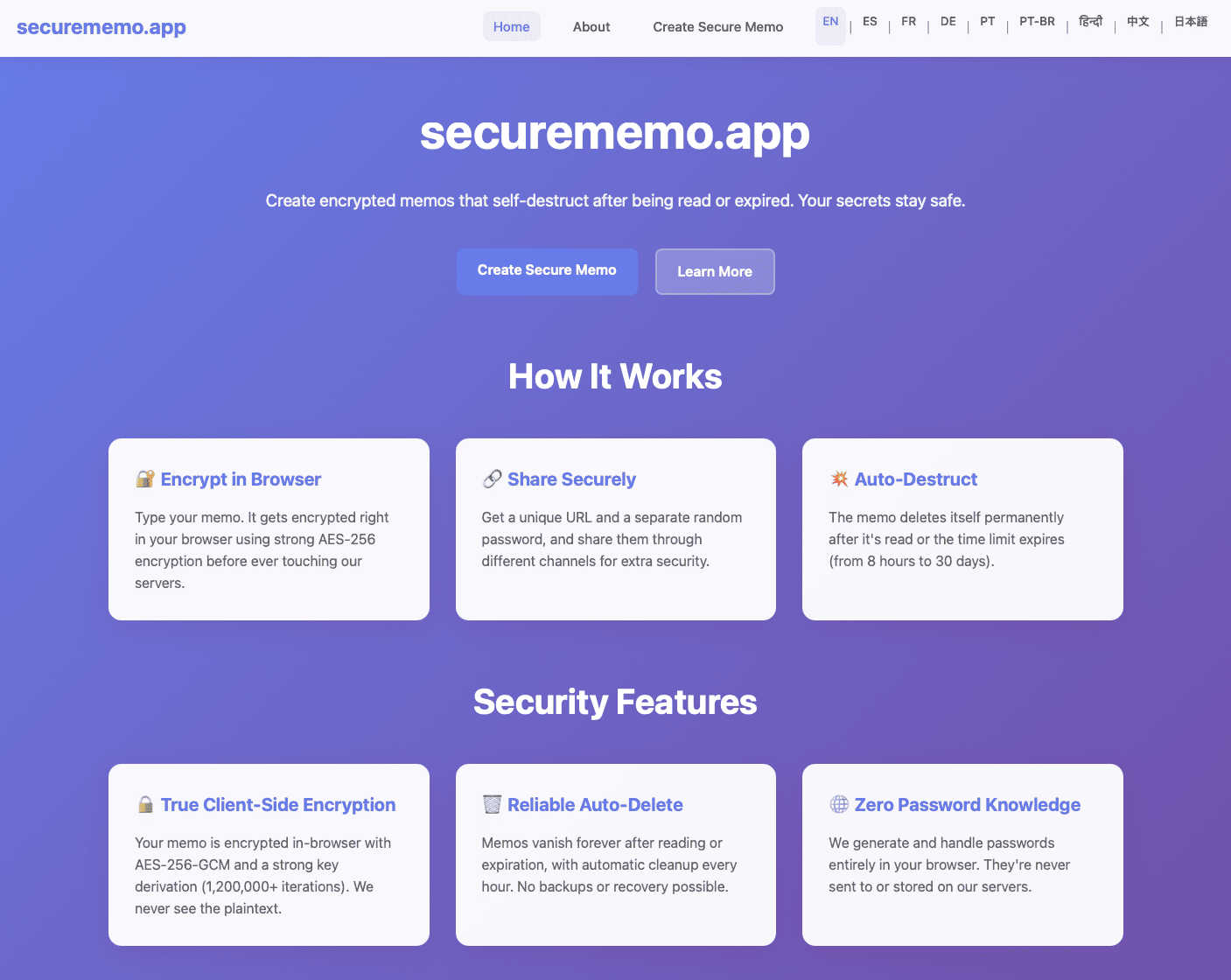
Securememo.app offers secure, open-source memo storage with client-side encryption and no account requirements.
Visual Comparison
FilexHost

securememo.app
Feature Comparison
FilexHost
Universal File Support
FileXhost supports a wide range of file types including PDFs, Excel sheets, images, audio, video, ZIP archives, and HTML projects. This versatility ensures that users can host virtually any type of content without worrying about compatibility issues.
Instant Subdomains
Users can create instant subdomains (your-file.filex.host) with zero setup required. This feature allows for quick and easy access to hosted files, providing a professional appearance and enhancing the sharing experience for both senders and recipients.
Smart View Modes
FileXhost offers smart view modes, allowing users to choose between direct rendering of files or a download page. This flexibility ensures that recipients interact with files in the way that best suits their needs, whether they prefer viewing documents inline or downloading them for later use.
Secure by Default
Every link generated by FileXhost comes with free SSL encryption, ensuring that all shared files are secure. This commitment to security builds trust among users and recipients, making it a reliable choice for sharing sensitive information.
securememo.app
Client-Side Encryption
Securememo.app utilizes client-side encryption, meaning your notes are encrypted in your browser before they reach our servers. This ensures that your sensitive information remains completely private and inaccessible to anyone other than you.
Self-Destructing Notes
The service allows you to create self-destructing notes that automatically delete themselves after being viewed. This feature adds an extra layer of security, ensuring that your information does not linger longer than necessary.
Unique Link and Password Generation
When sharing a memo, Securememo.app generates a unique link along with a strong, random password. This password creation happens entirely on your device, ensuring that only you can share it securely through a separate channel.
Multi-Language Support
Securememo.app is available in over 20 languages, making it accessible to a global audience. This feature ensures that users from diverse backgrounds can utilize the service easily, enhancing user experience and engagement.
Use Cases
FilexHost
Sharing Client Reports
Professionals can utilize FileXhost to share client reports and presentations effortlessly. By uploading their files and obtaining a secure link, they can bypass cumbersome email attachments and ensure that their work is delivered in a polished format.
Hosting Landing Pages
Developers can take advantage of FileXhost to host landing pages or mock APIs quickly. The platform’s ability to render HTML files as live websites allows developers to showcase their projects without needing to manage complex server configurations.
Distributing Digital Products
Creators and entrepreneurs can distribute digital products, such as e-books or software, using FileXhost. The service’s user-friendly interface and secure sharing options make it an ideal solution for reaching customers efficiently.
Simplifying File Sharing
Individuals needing to share files without the hassle of "request access" emails can benefit from FileXhost. Whether it's for personal or professional use, the platform enables friction-free file delivery that enhances collaboration and communication.
securememo.app
Sharing Confidential Work Notes
Professionals can use Securememo.app to share sensitive work notes with colleagues without worrying about data breaches. The self-destructing feature ensures that once the information is shared, it cannot be accessed again.
Personal Reminders
Individuals can create personal reminders or to-do lists that they want to keep private. With the ability to self-destruct, users can ensure that their personal information remains confidential.
Secure Communication
In situations where sensitive communication is necessary, Securememo.app provides a secure platform for sharing messages. Users can send encrypted notes that disappear after being read, ensuring confidentiality.
Temporary Collaboration
For teams working on short-term projects, Securememo.app allows for the secure sharing of ideas and plans without the need for permanent records. This temporary access ensures that sensitive information is only available for as long as needed.
Overview
About FilexHost
FileXhost is an innovative file hosting solution designed to simplify the way individuals and businesses share and manage their files online. With its intuitive "Drop & Share" workflow, users can effortlessly drag and drop any file type—from documents and images to entire websites—into the platform and receive a secure, instantly shareable URL. This service is ideal for professionals, developers, and creators who need seamless file distribution without the hassle of traditional hosting methods. The main value proposition of FileXhost lies in its user-centric design, which prioritizes speed, security, and simplicity. By eliminating the need for complex configurations or account logins for recipients, FileXhost enables users to focus on what matters most: sharing their work efficiently and effectively.
About securememo.app
Securememo.app is an innovative memo service that prioritizes your privacy by allowing you to create and share encrypted, self-destructing notes directly from your browser. In an age where data breaches and privacy concerns are rampant, Securememo.app offers a secure solution for individuals and businesses alike who need to handle sensitive information without the fear of exposure. With client-side encryption, your data is encrypted right in your browser before it is transmitted to our servers, ensuring that only you can access your notes. This unique approach not only safeguards your information but also guarantees that we have zero access to your data. The service is tailored for anyone who values privacy, from professionals needing to share confidential information to everyday users who want peace of mind. With no accounts required, Securememo.app enhances your anonymity, making it a seamless and user-friendly tool available in over 20 languages.
Frequently Asked Questions
FilexHost FAQ
What is FileXhost?
FileXhost is a modern file hosting platform that allows users to upload, host, and share files of various types quickly and securely. It is designed for anyone who needs an efficient way to distribute files without complex setups.
Is it really free?
Yes, FileXhost offers a free plan that allows users to host up to 1,000 files with a maximum size of 25 MB per file. This plan is ad-supported and includes a 7-day expiration for hosted files.
What file types are supported?
FileXhost supports a wide array of file types, including documents (PDF, RTF, TXT), data files (XLSX, CSV, JSON), images (JPG, PNG, WEBP), media files (MP4, MP3), and more. This versatility makes it suitable for various use cases.
How do I update my site?
To update your site on FileXhost, simply upload a new version of your file or website ZIP. The platform automatically generates a new link, allowing you to share the updated content seamlessly with your audience.
securememo.app FAQ
How does Securememo.app ensure my data is private?
Securememo.app employs client-side encryption, which means that your data is encrypted in your browser before it is transmitted. This method ensures that only you can access your notes.
Do I need to create an account to use Securememo.app?
No, Securememo.app does not require any account creation. This design choice enhances your anonymity and makes the service incredibly easy to use.
How long do my notes stay accessible?
You can set your notes to self-destruct after they are viewed, ensuring that they are only accessible for a limited time. This feature provides an additional layer of security for your sensitive information.
Can I share my notes securely?
Absolutely! When you create a memo, Securememo.app generates a unique link along with a strong password for secure sharing. The password is created on your device, and you should share it through a separate channel for maximum security.