
Perkoon vs securememo.app
Side-by-side comparison to help you choose the right product.

Perkoon enables free unlimited peer-to-peer file transfers with no signup needed, keeping your files private and secure.
Last updated: March 4, 2026
securememo.app
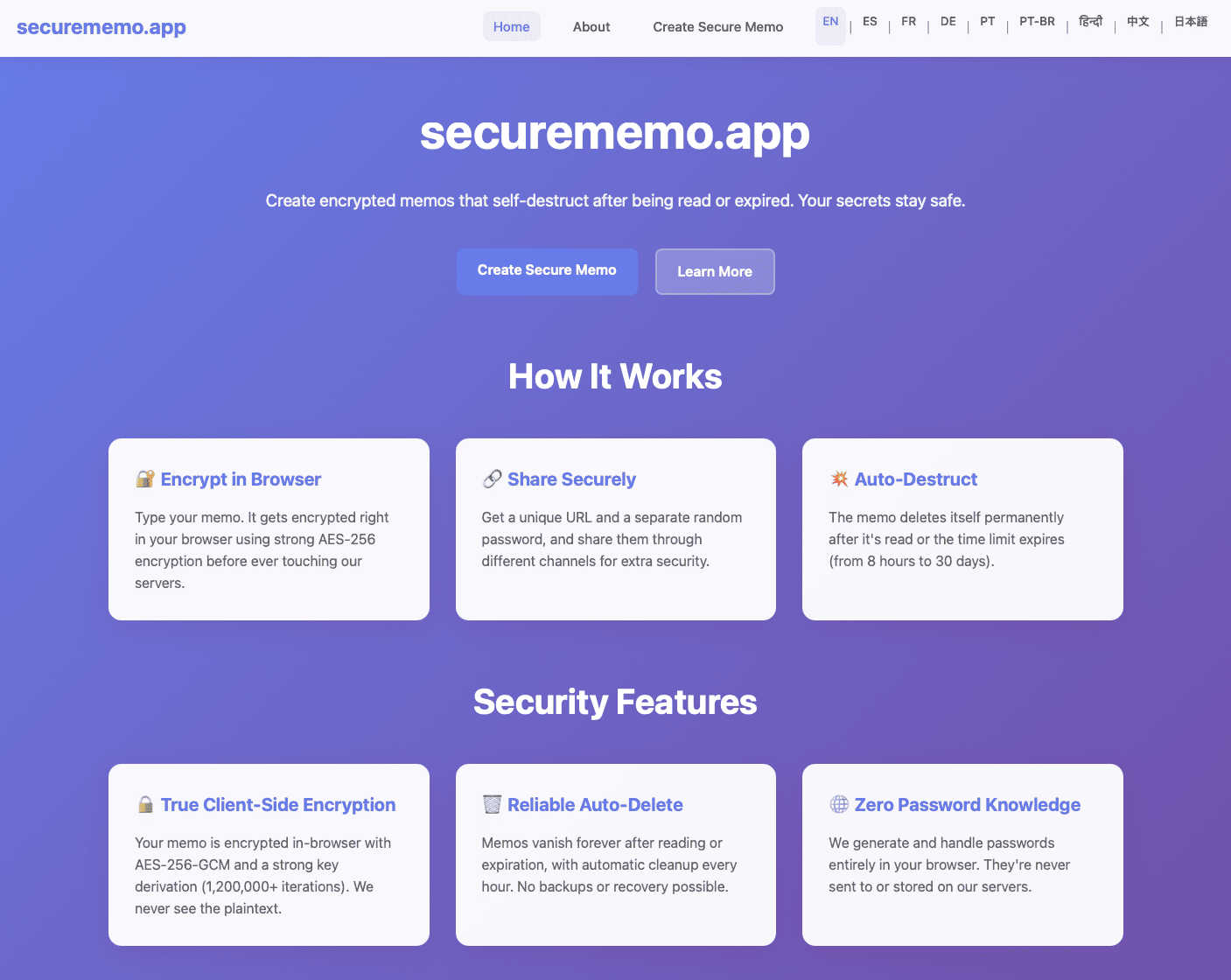
Securememo.app offers secure, open-source memo storage with client-side encryption and no account requirements.
Visual Comparison
Perkoon

securememo.app
Feature Comparison
Perkoon
Peer-to-Peer (P2P) File Transfer
Perkoon’s flagship feature allows users to send files directly to one another without the need for an account or server intervention. This P2P technology means unlimited file sizes and complete privacy, as files are transferred directly between browsers during real-time sessions.
Encrypted Cloud Storage
For occasions when recipients are offline, Perkoon provides a secure cloud storage option. This feature ensures that files are encrypted on the server, making them accessible only to intended recipients while covering the costs of server maintenance transparently.
Automation and AI Integration
Recognizing the growing role of AI in everyday tasks, Perkoon includes built-in tools for automation. This allows AI agents to interact with the service directly, streamlining the file transfer process without needing screen-scraping methods, which enhances usability and efficiency.
Unique Referral Program
Perkoon incentivizes users to share the service through its referral program. By sharing a unique link, users can earn additional storage space for themselves and their referrals, creating a community-driven ecosystem that rewards sharing and collaboration.
securememo.app
Client-Side Encryption
Securememo.app utilizes client-side encryption, meaning your notes are encrypted in your browser before they reach our servers. This ensures that your sensitive information remains completely private and inaccessible to anyone other than you.
Self-Destructing Notes
The service allows you to create self-destructing notes that automatically delete themselves after being viewed. This feature adds an extra layer of security, ensuring that your information does not linger longer than necessary.
Unique Link and Password Generation
When sharing a memo, Securememo.app generates a unique link along with a strong, random password. This password creation happens entirely on your device, ensuring that only you can share it securely through a separate channel.
Multi-Language Support
Securememo.app is available in over 20 languages, making it accessible to a global audience. This feature ensures that users from diverse backgrounds can utilize the service easily, enhancing user experience and engagement.
Use Cases
Perkoon
Quick File Sharing for Teams
Teams working on collaborative projects can utilize Perkoon for instant file sharing. By leveraging the P2P feature, team members can exchange large files in real time without worrying about size restrictions or complicated sign-up processes.
Secure Personal File Transfers
Individuals looking to transfer sensitive documents can rely on Perkoon’s encrypted cloud storage for added security. This feature is especially useful for sharing personal information, ensuring that files are only accessible to the intended recipient.
Automation for Developers
Developers can integrate Perkoon into their workflows using the CLI tool and automation features. This allows for seamless file transfers between development environments and production systems, enhancing productivity while maintaining security.
Community Engagement and Growth
Using the referral program, users can engage their networks while benefiting from additional storage. This makes Perkoon not just a file transfer service but a platform that grows through community involvement, rewarding users for sharing the experience.
securememo.app
Sharing Confidential Work Notes
Professionals can use Securememo.app to share sensitive work notes with colleagues without worrying about data breaches. The self-destructing feature ensures that once the information is shared, it cannot be accessed again.
Personal Reminders
Individuals can create personal reminders or to-do lists that they want to keep private. With the ability to self-destruct, users can ensure that their personal information remains confidential.
Secure Communication
In situations where sensitive communication is necessary, Securememo.app provides a secure platform for sharing messages. Users can send encrypted notes that disappear after being read, ensuring confidentiality.
Temporary Collaboration
For teams working on short-term projects, Securememo.app allows for the secure sharing of ideas and plans without the need for permanent records. This temporary access ensures that sensitive information is only available for as long as needed.
Overview
About Perkoon
Perkoon is a revolutionary file transfer service designed with simplicity and privacy at its core. It caters to individuals and businesses tired of conventional file sharing methods that impose artificial limits and unnecessary sign-ups. Perkoon eliminates these barriers by enabling hassle-free file transfers directly between users. Built on peer-to-peer (P2P) technology, Perkoon allows users to send files directly from browser to browser when both parties are online, ensuring no size limits and no intermediary servers involved. This unique approach guarantees that your data remains private and secure. For situations where recipients are offline, Perkoon offers encrypted cloud storage as a paid feature, providing users with flexibility without compromising security. Additionally, Perkoon is designed for the modern age of AI, offering automation tools and a simple CLI tool for seamless integration with AI agents. With a commitment to providing a straightforward and powerful solution, Perkoon is the answer for those seeking a trustworthy file transfer service.
About securememo.app
Securememo.app is an innovative memo service that prioritizes your privacy by allowing you to create and share encrypted, self-destructing notes directly from your browser. In an age where data breaches and privacy concerns are rampant, Securememo.app offers a secure solution for individuals and businesses alike who need to handle sensitive information without the fear of exposure. With client-side encryption, your data is encrypted right in your browser before it is transmitted to our servers, ensuring that only you can access your notes. This unique approach not only safeguards your information but also guarantees that we have zero access to your data. The service is tailored for anyone who values privacy, from professionals needing to share confidential information to everyday users who want peace of mind. With no accounts required, Securememo.app enhances your anonymity, making it a seamless and user-friendly tool available in over 20 languages.
Frequently Asked Questions
Perkoon FAQ
How does Perkoon ensure my files remain private?
Perkoon uses P2P technology for file transfers, meaning your files do not pass through centralized servers. This ensures total privacy, as no one, including Perkoon, has access to your transferred data.
What happens if the recipient is offline?
If the recipient is offline, Perkoon offers encrypted cloud storage to hold the file safely until the recipient is available to download it. This ensures that your files are secure and accessible at their convenience.
Can I use Perkoon on any browser?
Perkoon works seamlessly with Chrome, Edge, and Brave browsers without any limitations. However, users of Firefox and Safari may encounter some restrictions due to the way these browsers handle P2P connections.
Is there a cost associated with using Perkoon?
The P2P file transfer service is completely free, as it incurs no costs for Perkoon to operate. However, if you choose to use the encrypted cloud storage feature when the recipient is offline, that will come with a fee to cover server costs.
securememo.app FAQ
How does Securememo.app ensure my data is private?
Securememo.app employs client-side encryption, which means that your data is encrypted in your browser before it is transmitted. This method ensures that only you can access your notes.
Do I need to create an account to use Securememo.app?
No, Securememo.app does not require any account creation. This design choice enhances your anonymity and makes the service incredibly easy to use.
How long do my notes stay accessible?
You can set your notes to self-destruct after they are viewed, ensuring that they are only accessible for a limited time. This feature provides an additional layer of security for your sensitive information.
Can I share my notes securely?
Absolutely! When you create a memo, Securememo.app generates a unique link along with a strong password for secure sharing. The password is created on your device, and you should share it through a separate channel for maximum security.