
OGimagen vs SparkPix
Side-by-side comparison to help you choose the right product.

OGimagen effortlessly generates stunning Open Graph images and meta tags for social media, enhancing your online presence in seconds.
Last updated: March 11, 2026

SparkPix
Edit photos effortlessly with SparkPix by simply typing your requests to enhance, restore, and transform images instantly online.
Last updated: March 11, 2026
Visual Comparison
OGimagen
SparkPix

Feature Comparison
OGimagen
Instant Image Generation
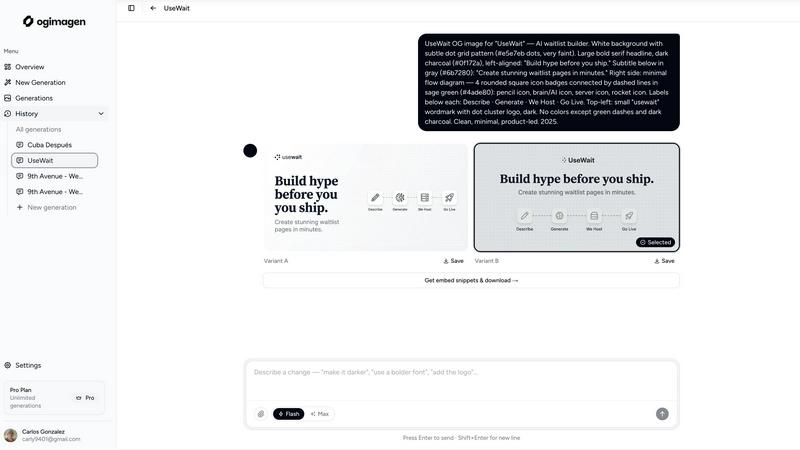
With OGimagen, you can create high-quality images in seconds. Simply enter your title and description, and watch as the AI generates two pixel-perfect variants optimized for different platforms, including Facebook, Twitter, and LinkedIn.
MCP Integration
OGimagen seamlessly integrates with multiple coding editors like Claude Code, Cursor, and Windsurf. This feature enables developers to generate OG images directly from their coding workflows, streamlining the process and enhancing productivity without leaving their preferred environment.
Flexible Output Formats
Each generated image comes in three distinct formats tailored for different platforms. You receive an Open Graph image, a Twitter card, and a LinkedIn card, ensuring that your content appears polished and professional across all major social media channels.
Ready-to-Paste Meta Tag Snippets
After generating your images, OGimagen provides ready-to-paste meta tag snippets specific to various frameworks like Next.js, Astro, and Svelte. This feature not only saves time but also guarantees that your images are correctly embedded within your web pages for optimal performance.
SparkPix
AI Photo Editor
The AI Photo Editor allows users to type specific instructions like "remove background" or "enhance colors," and the AI executes these commands in under 30 seconds. This feature democratizes photo editing, enabling anyone to achieve professional-quality results without prior experience.
Background Remover
With the one-click background removal feature, users can quickly isolate subjects from portraits, product images, or complex scenes. This functionality is perfect for e-commerce applications or creating standout social media content, making it easy to generate clean, polished images.
Unblur Image
The Unblur Image feature uses advanced AI algorithms to fix motion blur, out-of-focus shots, and compression artifacts. This ensures that your images maintain clarity and sharpness, even after edits, making it an essential tool for restoring the quality of your photos.
Photo Restoration
SparkPix excels in photo restoration, allowing users to repair old, faded, scratched, or damaged photographs. This feature is particularly beneficial for preserving family archives and cherished memories, transforming neglected images into vibrant representations of the past.
Use Cases
OGimagen
Social Media Marketing
Marketers can utilize OGimagen to create eye-catching social cards that enhance their brand visibility online. By improving the aesthetic of shared links, they can increase engagement and drive more traffic to their campaigns.
Content Creation
Bloggers and content creators can generate tailored Open Graph images for each article, ensuring that their posts look attractive when shared on social networks. This leads to higher click-through rates and more extensive audience reach.
E-commerce Promotions
Online retailers can create product-specific OG images that highlight deals and promotions. This allows them to attract potential customers on social media, ultimately boosting sales and conversions.
Developer Workflows
For developers, OGimagen's MCP integration means they can generate images without switching between applications. This enhances workflow efficiency, allowing them to focus on coding while still ensuring their projects have professional-grade visuals.
SparkPix
Personal Photo Enhancement
Individuals can use SparkPix to enhance their personal photos, whether for family albums or social media posts. The AI-driven editing capabilities ensure that every image can be transformed into a stunning visual that captures attention.
Professional Marketing Materials
Businesses can leverage SparkPix to create eye-catching marketing materials. By utilizing features like background removal and photo enhancement, companies can produce high-quality visuals that resonate with their target audience and elevate their brand image.
Creative Projects
Artists and creatives can explore SparkPix's style transfer feature, which allows them to convert photos into various artistic styles, such as anime or watercolor. This opens up new avenues for creative expression and innovation in their projects.
Memory Preservation
Families can use SparkPix to restore and enhance old photographs, preserving memories for future generations. By repairing damages and restoring colors, users can breathe new life into their historical pictures, ensuring they remain part of family heritage.
Overview
About OGimagen
OGimagen is a cutting-edge tool designed to revolutionize the way you create Open Graph images for social media. By leveraging the power of artificial intelligence, it allows users to generate stunning social cards in mere seconds, making it perfect for marketers, developers, and content creators looking to enhance their online presence. With OGimagen, you can transform your website or application's links into visually appealing previews, ensuring they stand out on platforms like Facebook, Twitter, and LinkedIn. The tool simplifies the entire process, from image creation to meta tag generation, enabling you to improve click-through rates with minimal effort. Whether you are a small business owner or a seasoned digital marketer, OGimagen’s features empower you to maintain a professional image across various social platforms, ultimately driving more traffic to your content.
About SparkPix
SparkPix is an innovative AI-powered photo editing platform designed to make photo enhancement accessible to everyone, regardless of their technical skills. With SparkPix, users can effortlessly edit photos by simply typing commands, eliminating the need for advanced tools like Photoshop. This user-friendly interface caters to a wide audience, including casual photographers, social media enthusiasts, and professionals looking for quick, high-quality edits. The main value proposition lies in its ability to transform photos in less than 30 seconds, offering features such as background removal, photo restoration, and style transfer. Whether you want to enhance family photos, create stunning social media graphics, or restore cherished memories, SparkPix provides a seamless and efficient solution that empowers users to achieve professional results without the steep learning curve.
Frequently Asked Questions
OGimagen FAQ
What exactly is an OG image?
An OG image, or Open Graph image, is a visual representation that appears when a link is shared on social media. It enhances the link's presentation, making it more inviting for users to click.
How does AI generation work?
OGimagen utilizes advanced AI algorithms to analyze your input and create visually appealing images that resonate with your brand and content. This process is quick and requires minimal user intervention.
What's the difference between Starter, Growth, and Pro?
The Starter plan offers a one-time purchase for 10 generations, the Growth plan provides 25 generations, and the Pro plan includes 50 generations monthly along with additional features like permanent CDN hosting and MCP integration.
Can I extend CDN hosting without upgrading to Pro?
Yes, users can extend CDN hosting by purchasing additional hosting time independently of upgrading to the Pro plan, allowing for flexible usage based on individual needs.
SparkPix FAQ
How does the AI Photo Editor work?
The AI Photo Editor processes user commands input as text, allowing for quick transformations of images. Users simply type what they want to change, and the AI applies those edits in less than 30 seconds, simplifying the editing process.
Is SparkPix suitable for beginners?
Absolutely! SparkPix is designed for users of all skill levels. Its intuitive interface and simple text commands make it easy for beginners to edit photos without needing prior experience in graphic design or photo editing software.
Can I use SparkPix on mobile devices?
Yes, SparkPix is a web-based platform that works seamlessly across desktop, iPhone, and Android devices. There is no need for downloads, allowing for flexibility and convenience in photo editing on the go.
What are the pricing options for SparkPix?
SparkPix offers a free plan that includes 5 credits with no credit card required. Users can start editing immediately and can upgrade their plans starting at $9.99 for 350 credits, making it accessible for various needs and budgets.
Alternatives
OGimagen Alternatives
OGimagen is an AI-powered generator designed specifically for creating stunning Open Graph images. As a tool that falls under the category of development resources, it empowers users to craft visually appealing social cards in mere seconds. Many users often seek alternatives to OGimagen due to various reasons, including budget constraints, specific feature requirements, or compatibility with different platforms. When exploring alternatives, it's crucial to consider factors like ease of use, the range of customization options, integration capabilities with existing workflows, and overall value for money. A suitable alternative should not only meet your design needs but also enhance your social media presence by boosting engagement and click-through rates effectively.
SparkPix Alternatives
SparkPix is an innovative AI photo editor that allows users to enhance and manipulate images through simple text commands. This web-based platform is designed for anyone seeking to edit photos without requiring advanced skills, making it accessible for casual users and professionals alike. However, users often explore alternatives for various reasons, including pricing structures, specific features that may be lacking, or compatibility with different devices and operating systems. When searching for an alternative, it's essential to consider the features that matter most to you, such as ease of use, specific editing capabilities, and pricing plans that suit your budget. Additionally, evaluate whether the platform supports the devices and systems you plan to use, ensuring a seamless editing experience that fits your workflow.