
LinkedInPro vs RemoveTexts
Side-by-side comparison to help you choose the right product.
Scale your career with AI-powered professional headshots from any casual photo.
Last updated: February 28, 2026

RemoveTexts
RemoveTexts is an AI tool that instantly erases text from images, simplifying your design process without the need for Photoshop skills.
Last updated: March 11, 2026
Visual Comparison
LinkedInPro
RemoveTexts

Feature Comparison
LinkedInPro
Instant AI Headshot Generation
Transform an ordinary selfie or photo into a polished, professional headshot in mere seconds. Our advanced AI model is trained to understand professional aesthetics, automatically adjusting key elements like lighting balance, sharpness, and composition to meet industry standards, saving you hours of scheduling and editing.
Authentic Feature Preservation
We believe a powerful headshot must remain unmistakably you. Our proprietary AI technology is meticulously calibrated to enhance your presentation while scrupulously preserving your unique facial features, expressions, and character. The result is a headshot that is both professionally elevated and genuinely authentic.
Multi-Style Portfolio Options
Go beyond a single look. LinkedInPro allows you to generate a portfolio of headshots in various styles—from corporate formal and business casual to creative and approachable. This enables you to tailor your image for different platforms, industries, or specific roles, giving you versatile assets for any professional scenario.
Secure & User-Centric Platform
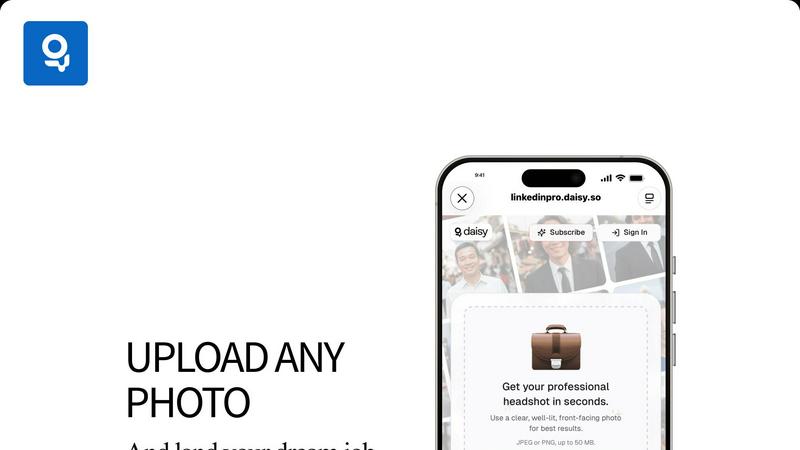
Built with privacy as a foundation. Your uploaded photos are processed securely, and we adhere to strict data protection policies. The platform is designed for simplicity: upload a clear, front-facing photo (JPEG or PNG, up to 50 MB) from your device or take one directly, and let our AI handle the complex work seamlessly.
RemoveTexts
Paint to Remove
The Paint to Remove feature allows users to precisely control which text is eliminated by simply brushing over specific areas in the image. This level of control ensures that only the unwanted text is targeted, maintaining the integrity of the surrounding visuals.
Auto Remove All
With the Auto Remove All feature, users can automatically detect and erase all text elements in an image with just a single click. This feature leverages the power of AI to quickly process images, saving time while delivering impeccable results.
Edit & Replace Text
The Edit & Replace Text option empowers users to not only remove text but also substitute it with new content. The AI intelligently matches the original font style, allowing for seamless integration of the new text into the image.
Remove Objects
The Remove Objects feature extends beyond text removal, enabling users to eliminate unwanted visual elements such as logos or people from their images. This function is particularly useful for marketers looking to create clean product shots or presentations.
Use Cases
LinkedInPro
Accelerating the Job Search
For active job seekers, a standout LinkedIn profile is non-negotiable. LinkedInPro enables you to instantly upgrade your profile picture, making a powerful first impression on recruiters and hiring managers before you even submit an application, increasing profile views and engagement.
Scaling a Founder's Brand
Entrepreneurs and startup founders need to project credibility and vision. Use LinkedInPro to create a consistent, professional visual identity across LinkedIn, company websites, and pitch decks, building trust with potential investors, partners, and customers as you scale.
Empowering Remote Teams
For distributed companies, maintaining a cohesive and professional brand image is challenging. Provide your entire team with access to LinkedInPro to ensure everyone has a high-quality, consistent headshot for company directories, client-facing materials, and external communications.
Refreshing a Professional Network
Professionals evolving in their careers need an image that reflects their current aspirations, not a photo from a decade ago. Quickly generate a new headshot that aligns with your evolved personal brand, signaling growth and relevance to your network and industry peers.
RemoveTexts
E-commerce Product Photos
E-commerce sellers can utilize RemoveTexts to clean up product images by removing watermarks or distracting text overlays. This results in polished visuals that enhance product appeal and boost conversion rates.
Legal Document Redaction
Legal professionals can employ RemoveTexts to redact sensitive information from documents and images. With the ability to remove date stamps and personal details, they can ensure privacy while maintaining the document's professional appearance.
Social Media Content Creation
Content creators on social media can benefit from RemoveTexts by quickly editing out unwanted text from images or videos. This allows them to maintain a consistent and professional aesthetic across their platforms without time-consuming editing.
Academic Research and Presentations
Researchers and students can use RemoveTexts to prepare clean images for presentations or publications by removing irrelevant text or watermarks. This ensures that their work appears polished and credible, enhancing their academic impact.
Overview
About LinkedInPro
LinkedInPro is the AI-powered growth engine for the modern professional's personal brand. In today's hyper-competitive digital landscape, your visual presentation is your first and most critical pitch. Traditional barriers like expensive photographers, time-consuming sessions, and inconsistent results are relics of the past. LinkedInPro is engineered to dismantle these obstacles, offering a scalable, on-demand solution for creating studio-grade professional headshots in seconds. It's built for the ambitious: the job seeker ready to accelerate their search, the entrepreneur crafting a credible founder narrative, the consultant scaling their client base, and the professional aiming for that next promotion. Our core value proposition is democratization—delivering enterprise-level visual polish and consistency at a consumer-friendly price point. By leveraging sophisticated AI algorithms, we don't just apply filters; we intelligently enhance lighting, refine skin tones, adjust backgrounds, and offer stylistic customization, all while meticulously preserving your authentic essence. This isn't mere photo editing; it's a strategic investment in your career trajectory, empowering you to project confidence, competence, and readiness across LinkedIn and all professional networks.
About RemoveTexts
RemoveTexts is a cutting-edge AI-powered image editing tool designed to effortlessly remove unwanted text from images in mere seconds. With its user-friendly interface, you can upload any image and utilize advanced generative AI to eliminate watermarks, subtitles, captions, and branded overlays without requiring any Photoshop skills. The technology behind RemoveTexts utilizes deep learning inpainting, ensuring that backgrounds are intelligently reconstructed, resulting in clean, professional-grade images. Ideal for creators, marketers, designers, and anyone needing quick and effective text removal, RemoveTexts has gained the trust of over 100,000 users globally. This innovative tool supports various languages and works seamlessly with multiple image formats, making it an invaluable asset for anyone who values clean visuals and efficiency.
Frequently Asked Questions
LinkedInPro FAQ
What kind of photo should I upload for the best results?
For optimal AI enhancement, upload a clear, well-lit, front-facing photo against a relatively simple background. Ensure your face is fully visible and not in deep shadow. High-resolution images (JPEG or PNG, up to 50 MB) yield the most detailed and professional final results.
How does LinkedInPro ensure my headshot still looks like me?
Our AI is specifically engineered for enhancement, not alteration. It focuses on professional refinements like optimizing light, smoothing minor distractions, and improving sharpness while using advanced models to protect and retain your core facial geometry and unique identifying features.
Is my data and privacy secure with LinkedInPro?
Absolutely. Security is a cornerstone of our platform. We implement robust measures to protect your uploaded images during processing and do not use your personal data for training our public AI models without explicit consent. Please refer to our detailed Privacy Policy for comprehensive information.
Can I use the headshots for purposes beyond LinkedIn?
Definitely. The high-quality headshots generated by LinkedInPro are perfect for any professional context. You are licensed to use them across your professional ecosystem, including corporate websites, email signatures, conference speaker profiles, published articles, and marketing materials.
RemoveTexts FAQ
How does RemoveTexts work?
RemoveTexts utilizes advanced AI-powered deep learning inpainting technology to analyze surrounding pixels and intelligently reconstruct the background after text removal. This results in seamless, professional-grade images.
What image formats does RemoveTexts support?
RemoveTexts supports JPG, PNG, and WebP image formats, accommodating user needs across various platforms. Users can upload images up to 10MB for processing.
Can I remove watermarks with RemoveTexts?
Yes, RemoveTexts is specifically designed to remove watermarks and other unwanted text elements from images. The AI ensures that the background is reconstructed seamlessly, leaving no traces behind.
Is RemoveTexts suitable for non-designers?
Absolutely! RemoveTexts is designed for users of all skill levels. With its intuitive interface, anyone can easily remove text from images without requiring any design expertise.
Alternatives
LinkedInPro Alternatives
LinkedInPro is an AI-powered professional headshot generator, a key tool in the modern productivity and personal branding stack. It scales your visual presentation by transforming casual photos into polished, credible headshots in seconds, a must-have for professionals focused on growth and acceleration. Users often explore alternatives to find a solution that aligns perfectly with their scaling strategy, budget constraints, or specific feature requirements like unique style libraries, integration capabilities, or different output formats. The market for AI-enhanced productivity tools is rapidly evolving, prompting savvy users to compare options. When evaluating an alternative, prioritize a platform that delivers enterprise-grade results without friction. Look for robust AI quality, a variety of professional styles to A/B test for impact, and an intuitive interface that requires zero learning curve, ensuring you can iterate and scale your personal brand efficiently.
RemoveTexts Alternatives
RemoveTexts is an innovative AI-powered tool designed to effortlessly remove unwanted text from images, making it a vital asset in the realm of image editing. As a member of the image and photo editing category, it caters to a diverse range of users, including creators, marketers, and designers who need quick and effective solutions for cleaning images. While RemoveTexts offers powerful features, users often seek alternatives for various reasons, such as pricing structures, feature sets, or compatibility with specific platforms. When choosing an alternative to RemoveTexts, it’s crucial to consider the ease of use, the quality of output, and whether the tool meets specific needs such as language support and advanced editing capabilities. Users should also evaluate the pricing model to ensure it aligns with their budget while providing the necessary functionality for their projects.