
GPT Image 2 vs Img Editor
Side-by-side comparison to help you choose the right product.

GPT Image 2
GPT Image 2 is the most advanced AI image generator, delivering photorealistic visuals and razor-sharp text for creators.
Last updated: April 13, 2026

Img Editor
Create stunning AI-generated images in seconds with Img Editor, transforming your ideas into visual masterpieces.
Last updated: February 28, 2026
Visual Comparison
GPT Image 2
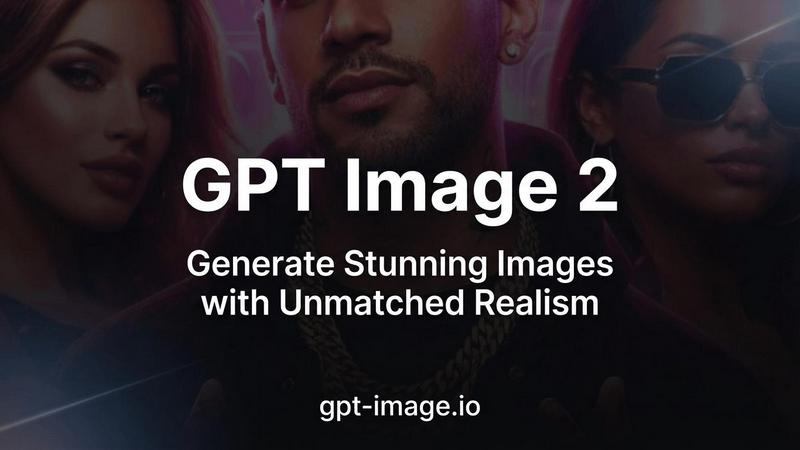
Img Editor

Feature Comparison
GPT Image 2
Industry-Leading Text Rendering
GPT Image 2 solves one of the biggest hurdles in AI image generation: legible text. With over 95% text accuracy, it renders crisp, clear, and perfectly integrated text within any image. This feature is transformative for creating marketing materials, social media graphics, product mockups, and posters directly from a text prompt, removing the need for tedious post-editing and enabling seamless, scalable design workflows.
Photorealistic 4K Output
Produce stunning, high-fidelity images with resolutions up to 4096x4096 that rival professional photography. The model captures lifelike detail, accurate lighting, and natural compositions, making it ideal for projects requiring authentic visuals. In user tests, it was preferred for realism by over 90% of participants, establishing it as the go-to tool for generating believable product shots, architectural visualizations, and portrait-style imagery.
True Color Accuracy Engine
Move beyond the warm, yellow-tinted outputs common in earlier AI models. GPT Image 2 features advanced color science that delivers neutral, true-to-life color reproduction. This ensures the final image faithfully reflects your creative intent, providing reliable color consistency that is essential for brand materials, e-commerce, and any application where color precision is non-negotiable.
Deep Contextual World Knowledge
The model understands more than just objects; it grasps context, culture, and complex scene composition. This deep world knowledge allows it to generate nuanced and accurate imagery across any subject matter, from historical scenes with appropriate details to modern tech concepts with precise elements. It interprets your vision with a sophisticated understanding that translates into richer, more contextually correct results.
Img Editor
Advanced AI Image Generation
Harness the power of cutting-edge AI technology to create stunning images in seconds. Img Editor's advanced algorithms understand your prompts and generate high-quality visuals that meet your creative needs, ensuring you can focus on your ideas rather than the technicalities of image creation.
Intuitive Prompt Generator
Our user-friendly prompt generator assists you in crafting the perfect descriptions for your images. By simplifying the process of idea articulation, Img Editor empowers users to express their creativity through detailed prompts that result in captivating visuals tailored to their vision.
Versatile Aspect Ratios and Quality Settings
Img Editor provides various aspect ratios, including 1:1, 16:9, and 9:16, along with multiple quality settings, such as 1K, 2K, and 4K. This flexibility allows users to customize their images for different platforms and purposes, ensuring optimal presentation for social media, websites, or print.
Community Engagement and Gallery Submission
Participate in our thriving community by submitting your creations to the Img Editor gallery. Approved submissions earn you additional generations, fostering a sense of collaboration and engagement among users while also providing inspiration to others exploring the platform.
Use Cases
GPT Image 2
Rapid Marketing Asset Creation
Marketing teams can scale their content production exponentially. Generate a full suite of campaign visuals—from social media banners and blog graphics to digital ad creatives and email headers—in minutes, not days. The sharp text and photorealism ensure every asset looks professionally designed, enabling agile responses to market trends and consistent brand storytelling.
Product Prototyping and Mockups
Accelerate the product development cycle by generating photorealistic mockups of products, packaging, and merchandise directly from descriptive prompts. Designers and entrepreneurs can visualize concepts, iterate on designs, and create compelling presentation materials for stakeholders or crowdfunding campaigns without needing physical samples or complex 3D software.
Concept Art and Storyboarding
Creative professionals in gaming, film, and publishing can use GPT Image 2 to rapidly visualize characters, environments, and key scenes. The model's style versatility and deep knowledge help bring abstract ideas to life, facilitating faster iteration during pre-production and providing a powerful tool for brainstorming and communicating creative visions.
Enhanced E-commerce Visuals
E-commerce businesses can generate high-quality, diverse product images, lifestyle shots, and contextual scenes to showcase their offerings. Create images of products in various settings, colors, or with specific thematic backgrounds to improve listings and advertising, all while maintaining a photorealistic standard that builds customer trust and drives conversions.
Img Editor
Artistic Inspiration for Creatives
Img Editor serves as a powerful tool for artists seeking inspiration. By generating unique images based on their ideas, artists can discover new concepts, styles, and themes, enhancing their creative process and pushing the boundaries of their artistry.
Marketing and Promotional Content
Marketers can leverage Img Editor to create eye-catching visuals for campaigns, advertisements, and social media posts. The platform enables quick production of high-quality images that grab attention and effectively convey messages, saving time and resources.
Personalized Gifts and Custom Artwork
Users can create personalized artwork or gifts using Img Editor. By generating custom images tailored to specific themes or occasions, individuals can produce unique, heartfelt gifts that showcase thoughtfulness and creativity.
Educational and Training Materials
Img Editor can be utilized in educational contexts to create visuals for presentations, training materials, and educational resources. The ability to generate tailored images enhances learning experiences and helps clarify complex concepts through visual representation.
Overview
About GPT Image 2
GPT Image 2 is a revolutionary AI image generation platform engineered for the next wave of digital creators, marketers, and product teams. It's not just another image generator; it's a foundational tool for scaling visual content production without compromising on professional quality. Designed for professionals who demand precision, it delivers photorealistic output, razor-sharp text rendering, and leverages deep world knowledge to understand complex prompts and cultural nuances. The core value proposition is clear: achieve studio-quality, production-ready visuals in under 30 seconds. This empowers businesses to iterate faster, launch campaigns quicker, and maintain a consistent, high-end visual brand identity. By eliminating the common pain points of AI imagery—like garbled text and unnatural color casts—GPT Image 2 provides a reliable, scalable asset creation engine that grows with your creative ambitions.
About Img Editor
Img Editor is a groundbreaking, free AI image generation platform designed to inspire and empower creatives across diverse fields. Whether you are an artist seeking fresh ideas, a marketer in need of visually striking content, or simply someone with a passion for crafting unique imagery, Img Editor provides an accessible avenue to explore your creativity. Our state-of-the-art artificial intelligence technology enables you to transform your concepts into breathtaking, high-quality images, catering to your specific vision and style. From realistic landscapes to abstract pieces, Img Editor allows you to create a wide array of visuals that resonate with your creative intentions. Users benefit from 10 free image generations daily, with opportunities to unlock unlimited bonus generations by engaging with our vibrant community. This makes Img Editor a versatile tool for everyone, from casual hobbyists to seasoned professionals, to bring their imaginative ideas to life without financial constraints.
Frequently Asked Questions
GPT Image 2 FAQ
How accurate is the text rendering in GPT Image 2?
GPT Image 2 sets a new industry standard with over 95% text accuracy. It is specifically engineered to render words, logos, and numbers that are crisp, legible, and correctly integrated into the image composition. This makes it exceptionally reliable for creating graphics where text is a central element, significantly outperforming previous generation models.
What resolutions does GPT Image 2 support?
The platform supports high-resolution outputs up to 4K (4096x4096 pixels). This ensures your generated images are suitable for both digital use and high-quality print applications. The system also offers flexible aspect ratios and standard resolutions like 1K, providing the versatility needed for different platforms and project requirements.
How fast is the image generation process?
GPT Image 2 is optimized for speed without sacrificing quality, typically delivering studio-quality results in under 30 seconds. This rapid turnaround is core to its value, enabling a highly efficient workflow where creators can iterate on ideas, test multiple concepts, and finalize visuals in a fraction of the time traditional methods require.
Can I try GPT Image 2 for free?
Yes, new users receive free credits to experience the platform's capabilities firsthand. There is also a limited-time offer of 50% off all plans for new users. This allows you to test the photorealistic output, text rendering, and other advanced features to see how it can integrate into and scale your creative workflow before committing.
Img Editor FAQ
How does Img Editor generate images?
Img Editor employs advanced artificial intelligence algorithms that analyze user prompts and generate images based on those descriptions. This technology allows for high-quality visuals tailored to user specifications.
Is Img Editor really free to use?
Yes, Img Editor is completely free to use, offering 10 image generations daily. Users can also earn unlimited bonus generations by engaging with the community and submitting their creations.
What types of images can I create with Img Editor?
Users can create a diverse range of images, including realistic landscapes, abstract art, marketing visuals, and personalized designs. The platform's versatility caters to various creative needs and styles.
Can I share my generated images on social media?
Absolutely! Users are encouraged to share their creations on social media platforms. Img Editor provides options for downloading images, making it easy to showcase your work and inspire others within the creative community.
Alternatives
GPT Image 2 Alternatives
GPT Image 2 is a leading player in the AI image generation space, known for delivering photorealistic outputs and exceptional text rendering. It represents the cutting edge of what's possible when deep world knowledge meets generative AI, offering a powerful free tool for creators. Users often explore alternatives to find a solution that better fits their specific scaling needs. This could be driven by budget considerations, a requirement for different artistic styles, integration with existing workflows, or the need for more advanced control features beyond the core offering. When evaluating other platforms, focus on the key metrics that drive growth: output quality and consistency, speed of generation, cost structure at scale, and the flexibility of the AI to adapt to your unique creative or commercial vision. The right tool is one that removes friction and accelerates your content production cycle.
Img Editor Alternatives
Img Editor is a state-of-the-art AI image generation platform designed to cater to creatives in various fields, from artists to marketers. It falls within the image and photo category, offering tools that empower users to convert their ideas into stunning visuals effortlessly. However, users often seek alternatives for various reasons, including pricing structures, specific feature sets, or compatibility with different platforms. As the creative landscape evolves, individuals may find that their needs change, prompting them to explore options that better align with their creative processes or budget considerations. When searching for an alternative, it's essential to consider factors such as ease of use, the range of image generation capabilities, and the flexibility of editing features. Additionally, assessing community engagement and support can enhance the overall user experience, ensuring that users feel empowered and inspired in their creative endeavors. The right alternative should provide a balance between innovative features and affordability, making it accessible to everyone, from hobbyists to seasoned professionals.