
Img Editor
Create stunning AI-generated images in seconds with Img Editor, transforming your ideas into visual masterpieces.
Visit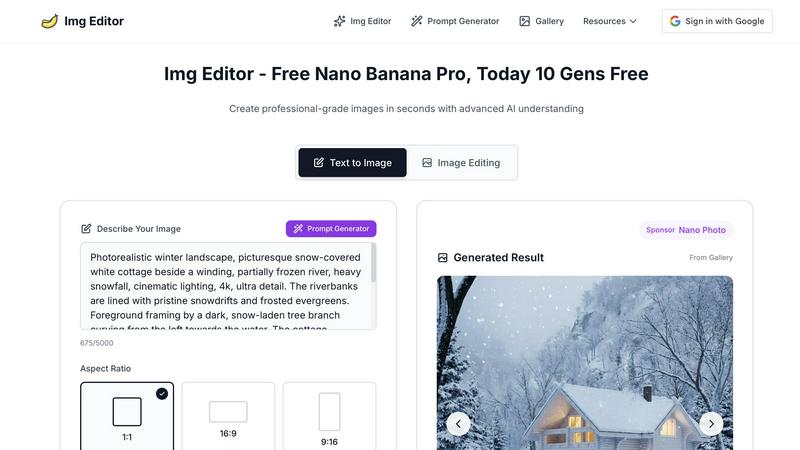
About Img Editor
Img Editor is a groundbreaking, free AI image generation platform designed to inspire and empower creatives across diverse fields. Whether you are an artist seeking fresh ideas, a marketer in need of visually striking content, or simply someone with a passion for crafting unique imagery, Img Editor provides an accessible avenue to explore your creativity. Our state-of-the-art artificial intelligence technology enables you to transform your concepts into breathtaking, high-quality images, catering to your specific vision and style. From realistic landscapes to abstract pieces, Img Editor allows you to create a wide array of visuals that resonate with your creative intentions. Users benefit from 10 free image generations daily, with opportunities to unlock unlimited bonus generations by engaging with our vibrant community. This makes Img Editor a versatile tool for everyone, from casual hobbyists to seasoned professionals, to bring their imaginative ideas to life without financial constraints.
Features of Img Editor
Advanced AI Image Generation
Harness the power of cutting-edge AI technology to create stunning images in seconds. Img Editor's advanced algorithms understand your prompts and generate high-quality visuals that meet your creative needs, ensuring you can focus on your ideas rather than the technicalities of image creation.
Intuitive Prompt Generator
Our user-friendly prompt generator assists you in crafting the perfect descriptions for your images. By simplifying the process of idea articulation, Img Editor empowers users to express their creativity through detailed prompts that result in captivating visuals tailored to their vision.
Versatile Aspect Ratios and Quality Settings
Img Editor provides various aspect ratios, including 1:1, 16:9, and 9:16, along with multiple quality settings, such as 1K, 2K, and 4K. This flexibility allows users to customize their images for different platforms and purposes, ensuring optimal presentation for social media, websites, or print.
Community Engagement and Gallery Submission
Participate in our thriving community by submitting your creations to the Img Editor gallery. Approved submissions earn you additional generations, fostering a sense of collaboration and engagement among users while also providing inspiration to others exploring the platform.
Use Cases of Img Editor
Artistic Inspiration for Creatives
Img Editor serves as a powerful tool for artists seeking inspiration. By generating unique images based on their ideas, artists can discover new concepts, styles, and themes, enhancing their creative process and pushing the boundaries of their artistry.
Marketing and Promotional Content
Marketers can leverage Img Editor to create eye-catching visuals for campaigns, advertisements, and social media posts. The platform enables quick production of high-quality images that grab attention and effectively convey messages, saving time and resources.
Personalized Gifts and Custom Artwork
Users can create personalized artwork or gifts using Img Editor. By generating custom images tailored to specific themes or occasions, individuals can produce unique, heartfelt gifts that showcase thoughtfulness and creativity.
Educational and Training Materials
Img Editor can be utilized in educational contexts to create visuals for presentations, training materials, and educational resources. The ability to generate tailored images enhances learning experiences and helps clarify complex concepts through visual representation.
Frequently Asked Questions
How does Img Editor generate images?
Img Editor employs advanced artificial intelligence algorithms that analyze user prompts and generate images based on those descriptions. This technology allows for high-quality visuals tailored to user specifications.
Is Img Editor really free to use?
Yes, Img Editor is completely free to use, offering 10 image generations daily. Users can also earn unlimited bonus generations by engaging with the community and submitting their creations.
What types of images can I create with Img Editor?
Users can create a diverse range of images, including realistic landscapes, abstract art, marketing visuals, and personalized designs. The platform's versatility caters to various creative needs and styles.
Can I share my generated images on social media?
Absolutely! Users are encouraged to share their creations on social media platforms. Img Editor provides options for downloading images, making it easy to showcase your work and inspire others within the creative community.
Explore more in this category:
Similar to Img Editor
AI Album Cover Maker
Create release-ready album covers from a prompt or photo. Generate, refine, and export art for singles, EPs, mixtapes, and playlists.
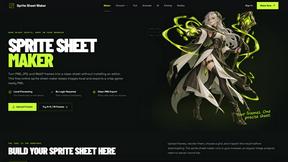
Sprite Sheet Maker
A free browser-based toolkit for creating, cutting, converting, and previewing sprite sheet animations.
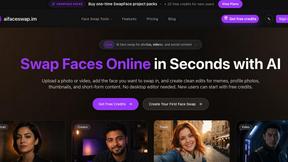
AI Face Swap
Swap Faces Online in Seconds with AI Upload a photo or video, add the face you want to swap in, and create clean edits for memes, profile photos,
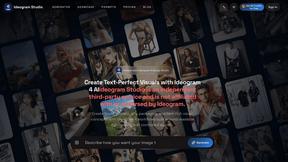
Ideogram Studio
Create text-rich logos, posters, ads, packaging, and ecommerce visuals with Ideogram 4 AI workflows and guided prompts.
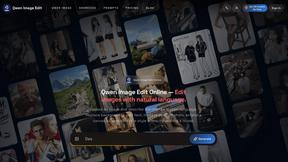
Qwen Image Edit
Browser-based AI image editing and generation with natural-language instructions for backgrounds, text, products, posters, and creative visuals.
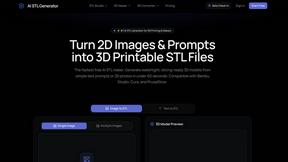
AI STL Generator
The fastest AI STL generator to turn prompts and images into 3D printable STL files.

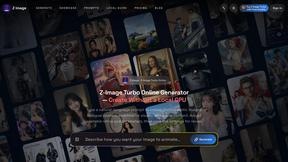
Z Image Turbo
Fast, controllable Z Image generation for photorealistic visuals, posters, and ecommerce content.